A ticket number is only the beginning
“Please fix my access. Urgent.”
The message is understandable from the requester’s perspective. Work is blocked and they want help. For the support team, however, the next action is unclear. Is this an existing account that stopped working, a request for additional permissions or a broader service interruption?
Creating a ticket does not answer those questions. Better intake does.
The goal is not a longer form. It is a request that gives the next owner enough context to act, ask a focused question or escalate safely. That distinction matters whether requests arrive through a portal, email or another connected channel.
Start with the decision, not the form fields
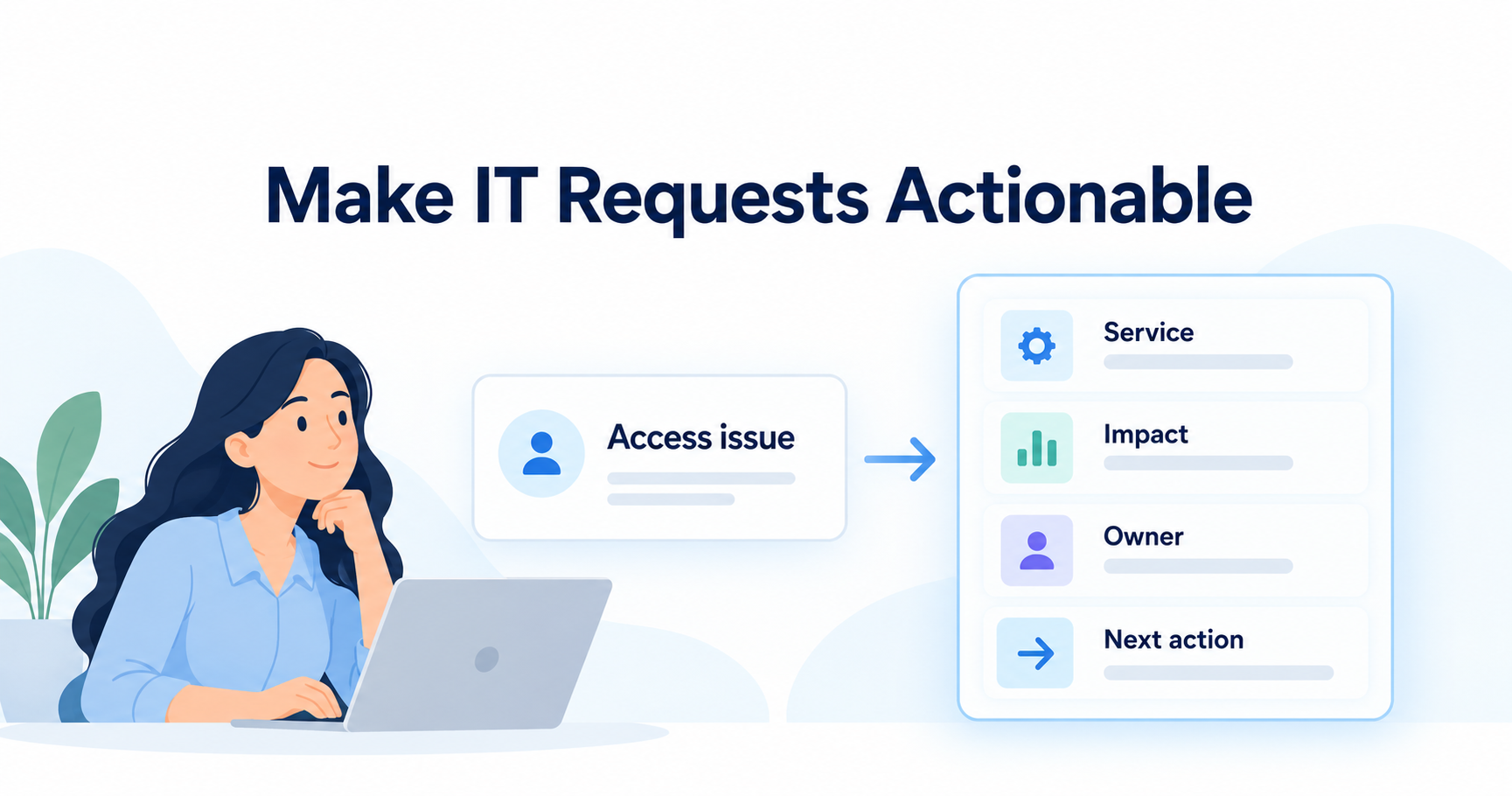
Before designing intake, list the decisions your team makes when a request arrives. Typically, it needs to identify the service, understand the reported impact, choose an accountable owner and determine whether an approval or urgent escalation is required.
Each question in the form should support one of those decisions. If a field is collected only because it appeared in the old spreadsheet, ask whether it still earns its place.
Be clear about what requesters are not expected to know. They may know the application name and what they were trying to do, but not the technical component responsible for a fault. Include an “I am not sure” route with a triage owner rather than forcing people to select an inaccurate category.
Separate incidents, service requests and changes
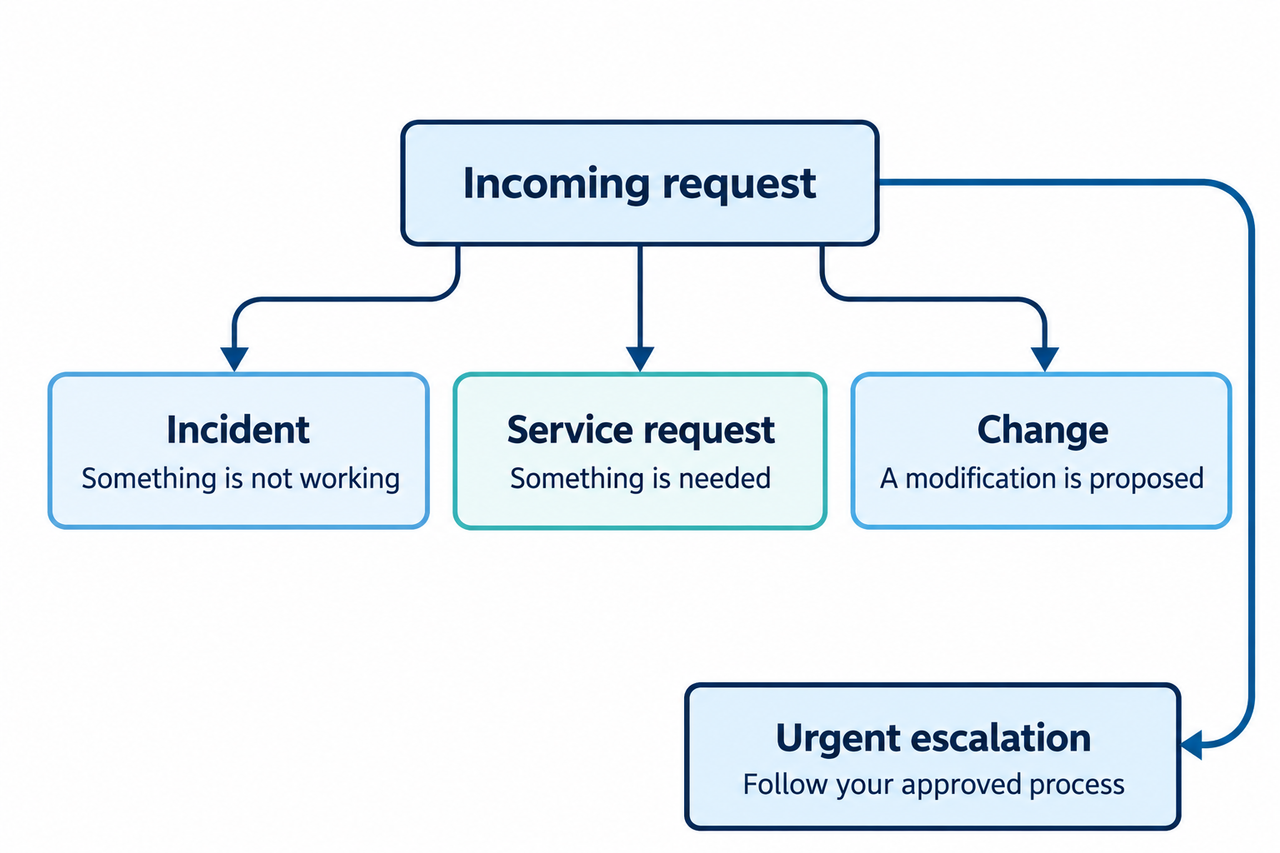
Use plain-language descriptions that match your organization’s service-management practice:
- Incident: Something is not working as expected.
- Service request: Someone needs something the organization provides, such as access or equipment.
- Change request: Someone proposes a modification that may need assessment and authorization before implementation.
These categories guide questions; they should not become a barrier to help. A requester who chooses the wrong category should not need to start again simply to reach the correct team.
Urgent incidents also need an established escalation route. Do not make someone complete a routine evidence checklist before reporting a serious interruption or suspected security issue. Show the organization’s approved urgent-contact instructions and collect the minimum information needed for the next responder.
The intake design should support the incident process, not replace it.
Capture the context that changes the next action
Start with a common core, then adapt it to the request type.
- Requested outcome: What does the person need to do, or what is failing?
- Affected service: Which application, device or service is involved? Allow an unknown option.
- Business impact: Which work is affected, how many people or sites appear affected, and is there a workaround?
- Timing: When did the issue begin, or when is the requested service needed? Include the time zone when relevant.
- Ownership: Who submitted the request, how can they be reached, and who is responsible for any required business approval?
- Evidence: What was expected, what happened instead, and what relevant error text or appropriately redacted screenshot can help?
Ask for observed facts rather than a speculative diagnosis. “Three staff cannot open the dispatch application after signing in” is more useful for triage than “the database is broken” when the requester has no evidence of the cause.
Explain evidence safety beside the upload field. Do not ask users to submit passwords, authentication codes, secret keys or screenshots containing unnecessary personal information. Give them an approved alternative if sensitive diagnostic material is genuinely required.
Add only the questions that fit the request
For an access request, ask which resource is needed, what work requires it, the requested access scope and whether the need is temporary. Route authorization according to your policy. A requester’s chosen role is a request, not permission to grant it.
For an equipment request, the relevant information may be the work location, intended use and required date.
For a change, the team may need the affected service, proposed outcome, business owner and the information required by its change-review process.
These are configuration requirements, not a claim that every template already contains the exact fields or logic. Validate the design with the people who will use it. A short test with realistic examples can reveal unclear labels, mandatory questions that cannot be answered and categories that route to nobody.
Use a quality rubric that keeps urgency separate from completeness
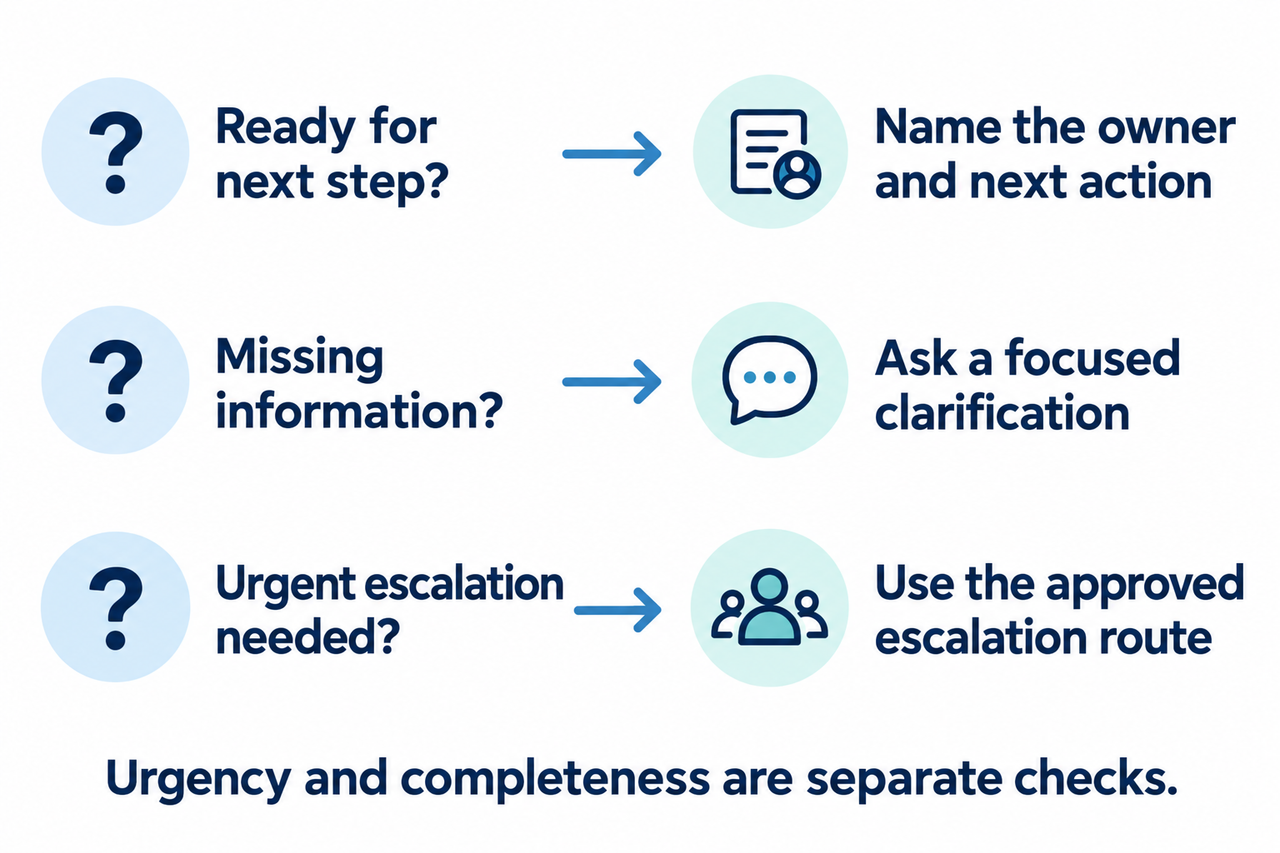
Evaluate each request against three operational questions.
1. Is it ready for the next step?
Can a named owner understand the request and take the intended next action with the available context? If yes, assign it and make that next action visible.
2. Does it need clarification?
Is a specific piece of information missing that prevents routine work from proceeding? Name the missing item and the person who should supply it. Keep ownership with the current team until the handoff is accepted.
3. Does it need urgent escalation?
Does the reported situation meet the organization’s escalation criteria, or need immediate qualified triage? Follow that route even if the request is incomplete.
The third question can apply alongside the second. An urgent incident does not become non-urgent because its description is poor. Likewise, a fully completed form does not make a routine request high priority.
Separate the requester’s urgency assessment from the priority assigned through triage. Preserve their description of impact, then record the team’s decision and reason according to the agreed process.
Make clarification and routing accountable
A request should not disappear between “assigned” and “someone is looking at it.” Define who owns initial triage, when a specialist accepts the handoff and who contacts the requester if the destination is unclear.
Use focused clarification questions. “Please provide more detail” creates another guessing exercise. “Which application are you opening, and what message appears after you select Sign in?” tells the requester how to help.
Agree how to handle no response, an unavailable approver, a misrouted request and multiple teams working on the same problem.
Closure should also have a meaning: for example, the agreed service was supplied or the reported issue was resolved under the team’s acceptance process. Closing a ticket is not evidence by itself that the requester can do their work.
Measure the quality of the handoff
Choose measures that reveal where requests stop being actionable:
- First-pass completeness: Requests assessed as having the required context for their next step without clarification, divided by all requests assessed under the same intake rules in the period.
- Clarification cycles: The number of information-return loops a request needs before the next routine action can proceed.
- Time to meaningful response: The interval from receipt until an owner gives an actionable response, rather than merely an automatic acknowledgment.
Define each measure before comparing periods. Report urgent incidents separately from routine service requests, and distinguish waiting for information from active handling. A shorter acknowledgment time should not be presented as faster resolution.
Look at the recurring causes behind the numbers. If requesters repeatedly miss the same field, improve its wording or placement before adding another reminder. If complete requests still wait, the problem may be ownership or capacity rather than intake.
Configure one request type before expanding
Yeeflow’s Service Desk Pro template provides a starting point for ticket intake, assignment, status visibility and resolution workflows. The organization still needs to define its categories, decision rights, evidence requirements and escalation rules.
Yeeflow is an enterprise AI application and execution platform. Use it to connect structured requests with operational workflows while keeping responsibilities explicit.
An email ingestion flow, AI-assisted extraction or a connection to another service system is a separate implementation choice, not an automatic consequence of using a request form. Any inferred fields need an appropriate review path; missing facts should not be invented to make a record appear complete.
Pilot one service request with the people who submit, approve and fulfil it. Test incomplete and misrouted cases as carefully as the successful case. Also test that a serious issue can reach the approved escalation route without waiting for routine completeness checks.
A useful intake process makes the next action clearer without making it harder to ask for help.
Compare your current IT request form with this checklist, then discuss one pilot workflow with Yeeflow.