
Structured process design
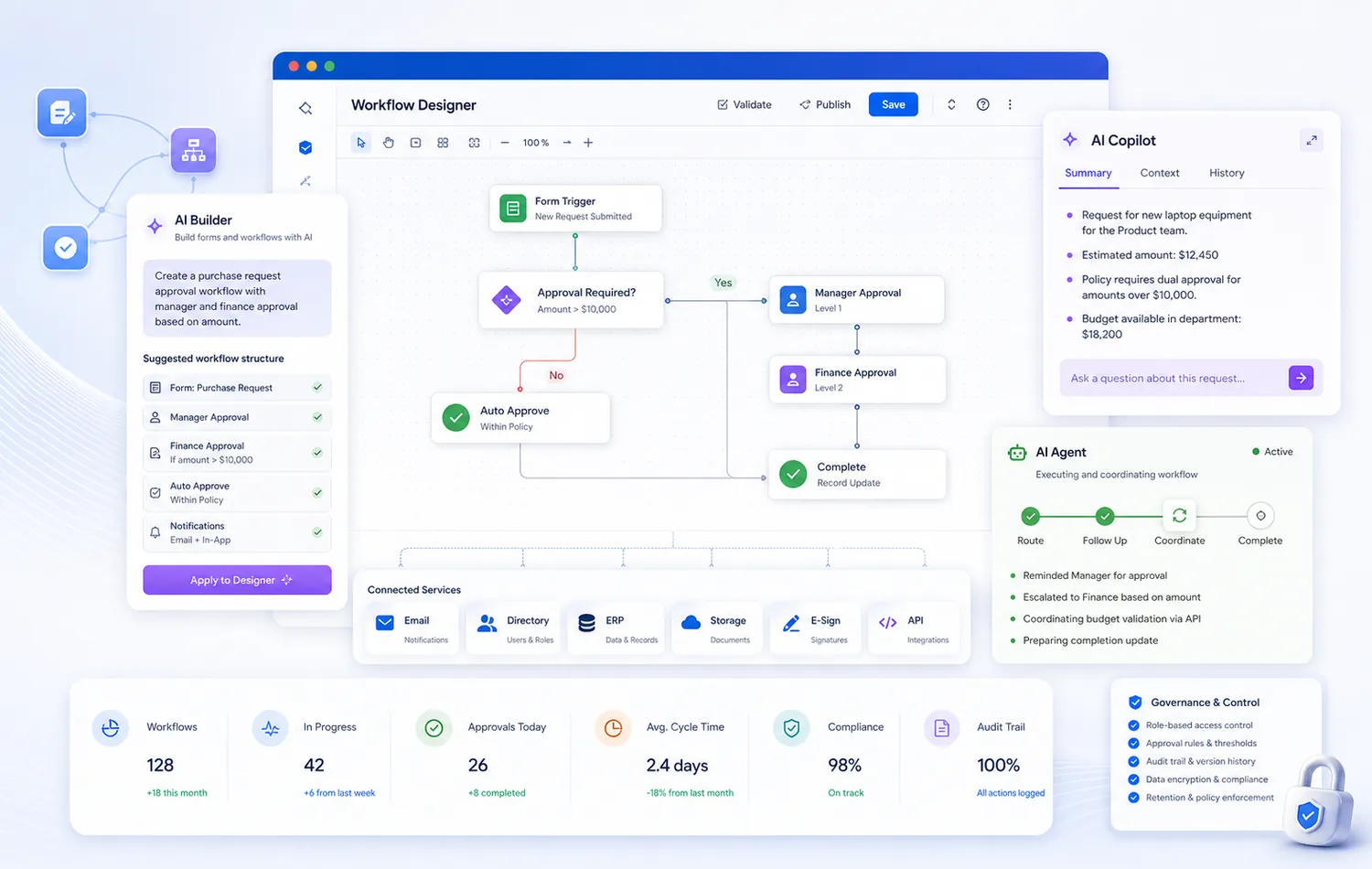
Define approval stages, conditions, routing, task ownership, and operational checkpoints.

Workflow automation platform
Design forms, route approvals, call AI assistance inside workflow steps, coordinate follow-up, connect services, and keep every process visible and governed in one enterprise-ready platform.
Yeeflow helps teams build and run approval flows, service processes, and operational workflows with AI-assisted design, governed execution, and connected actions across business systems.
Approval process automation
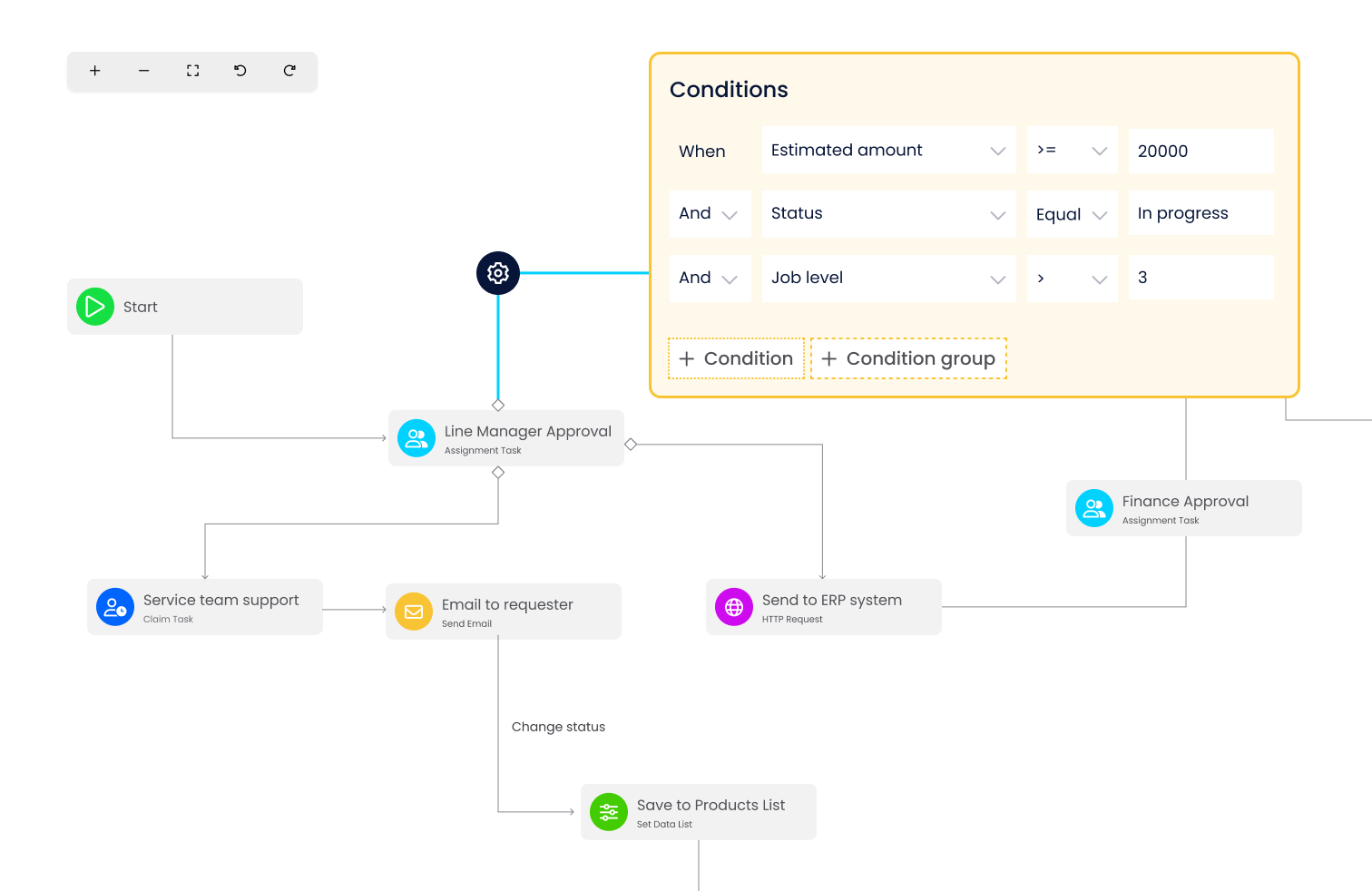
With Yeeflow's Approval Form function and Workflow Designer, you can effortlessly create and automate approval workflows. Define approval stages, set conditions, and route tasks to the right stakeholders. From requisition approvals to document sign-offs, Yeeflow simplifies and accelerates the entire approval process.
Define approval stages, conditions, routing, task ownership, and operational checkpoints.
Route requests to the right stakeholders while keeping teams aligned around one process record.
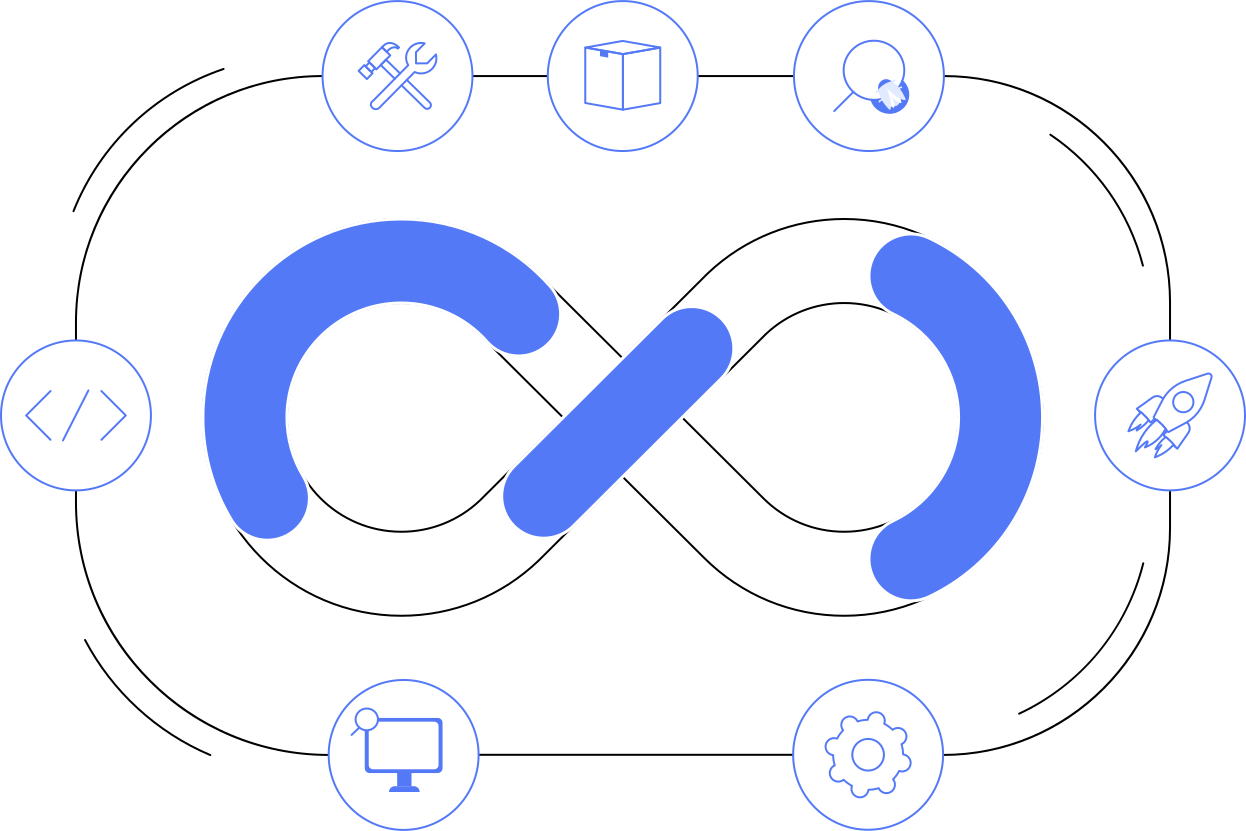
Move workflows from design to execution with versioning, auditability, and enterprise control.
AI-powered workflow automation
Yeeflow keeps workflow automation grounded in forms, tasks, approvals, conditions, connected services, reporting, and governance. AI Builder, AI Copilot, and AI Agent capabilities extend that foundation so teams can create approval workflows faster, call AI assistance inside process steps, and coordinate execution across connected tools in controlled ways.
Builder, Copilot, and Agent capabilities
Use AI to accelerate practical business process automation while keeping human review, approvals, auditability, connected data, and enterprise governance in place.
Builders can use AI to help generate form setup, workflow structure, approval logic, and practical process drafts faster, then refine them with human review before launch.
Forms and workflows can call AI assistant capabilities to summarize requests, prepare structured input, answer contextual questions, and support decision-making inside workflow steps.
Workflow and form processes can call AI Agent capabilities to help route process steps, follow up on tasks, coordinate actions, and work across connected services in governed ways.
Workflow execution foundation
The redesigned workflow story preserves the current product foundation while presenting it as a connected execution platform for structured business operations.
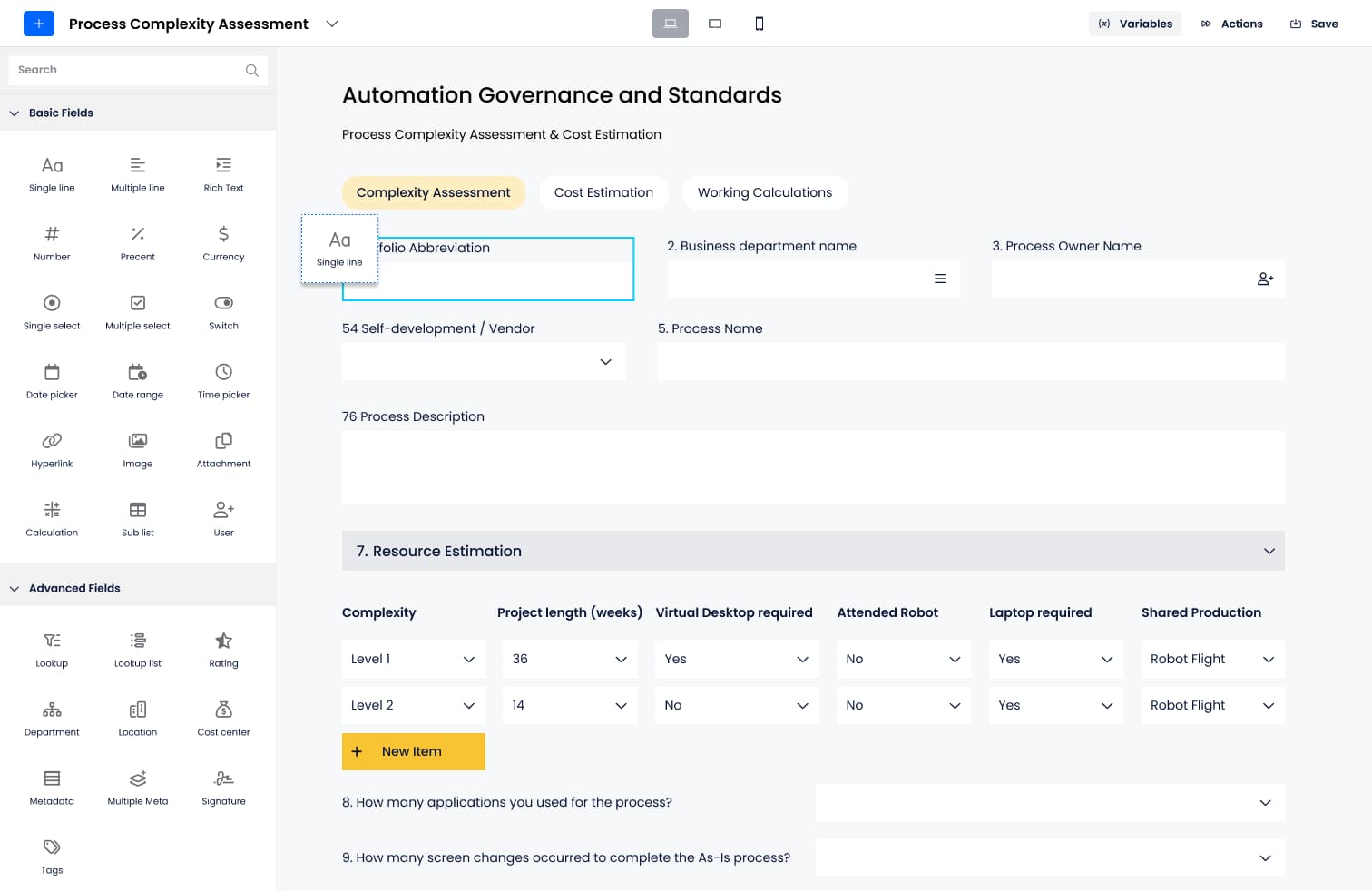
Yeeflow's Form Designer is your canvas for crafting dynamic and intuitive forms. With over 50 form controls, create sophisticated form layouts and logic. Design submission forms, task forms, and print pages that capture essential data and facilitate seamless task execution.
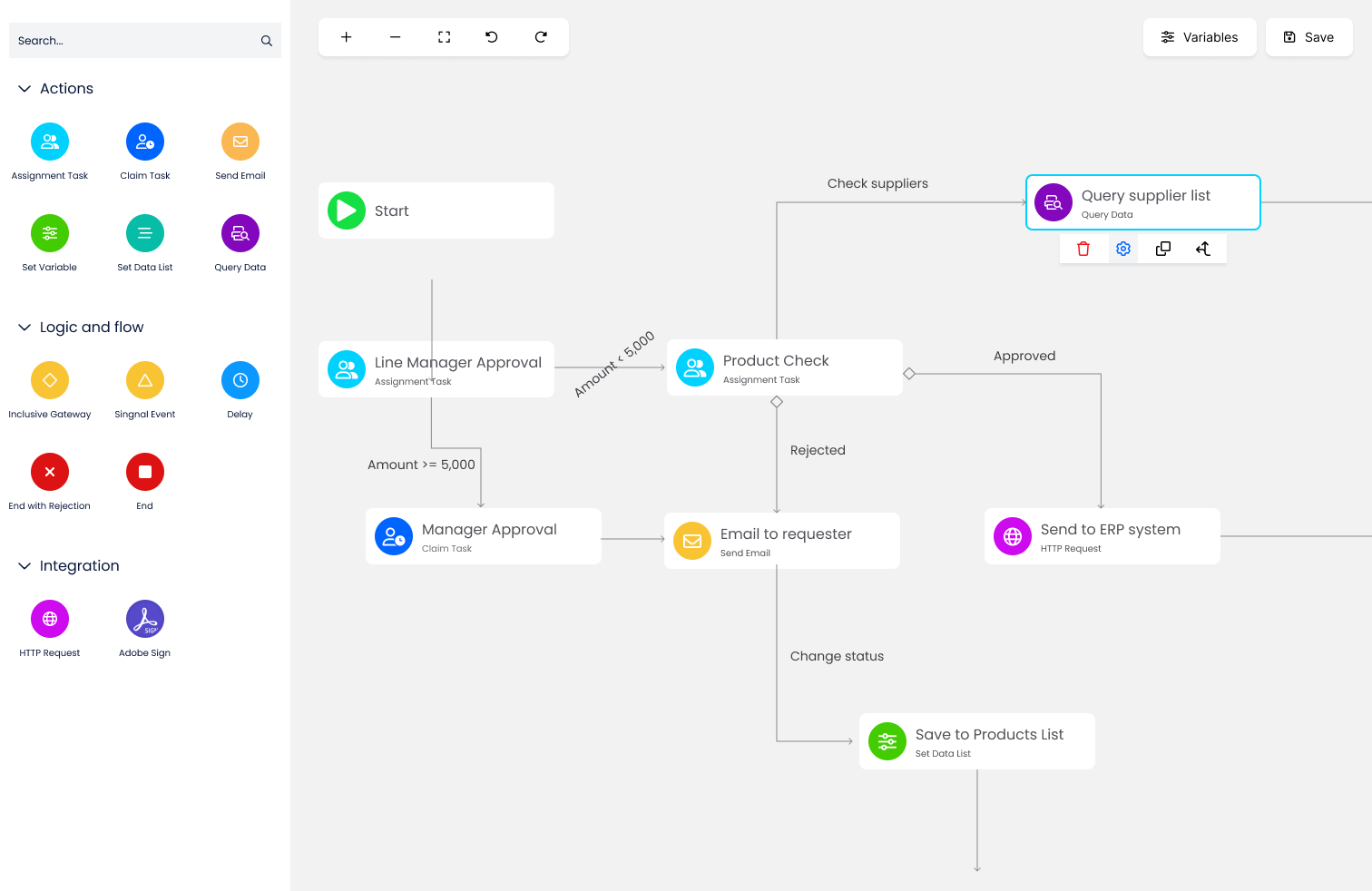
Yeeflow workflow designer makes it easy to create custom workflows that fit your specific needs. With a drag-and-drop interface, you can design complex workflows without any coding experience. From approval workflows to complex business processes, Yeeflow can help you automate your work and improve efficiency.
The Form Report feature in Yeeflow lets you transform form data into insightful analytics. Generate reports that offer a comprehensive view of your approval processes. Monitor performance, identify bottlenecks, and make data-driven decisions to optimize your workflows.
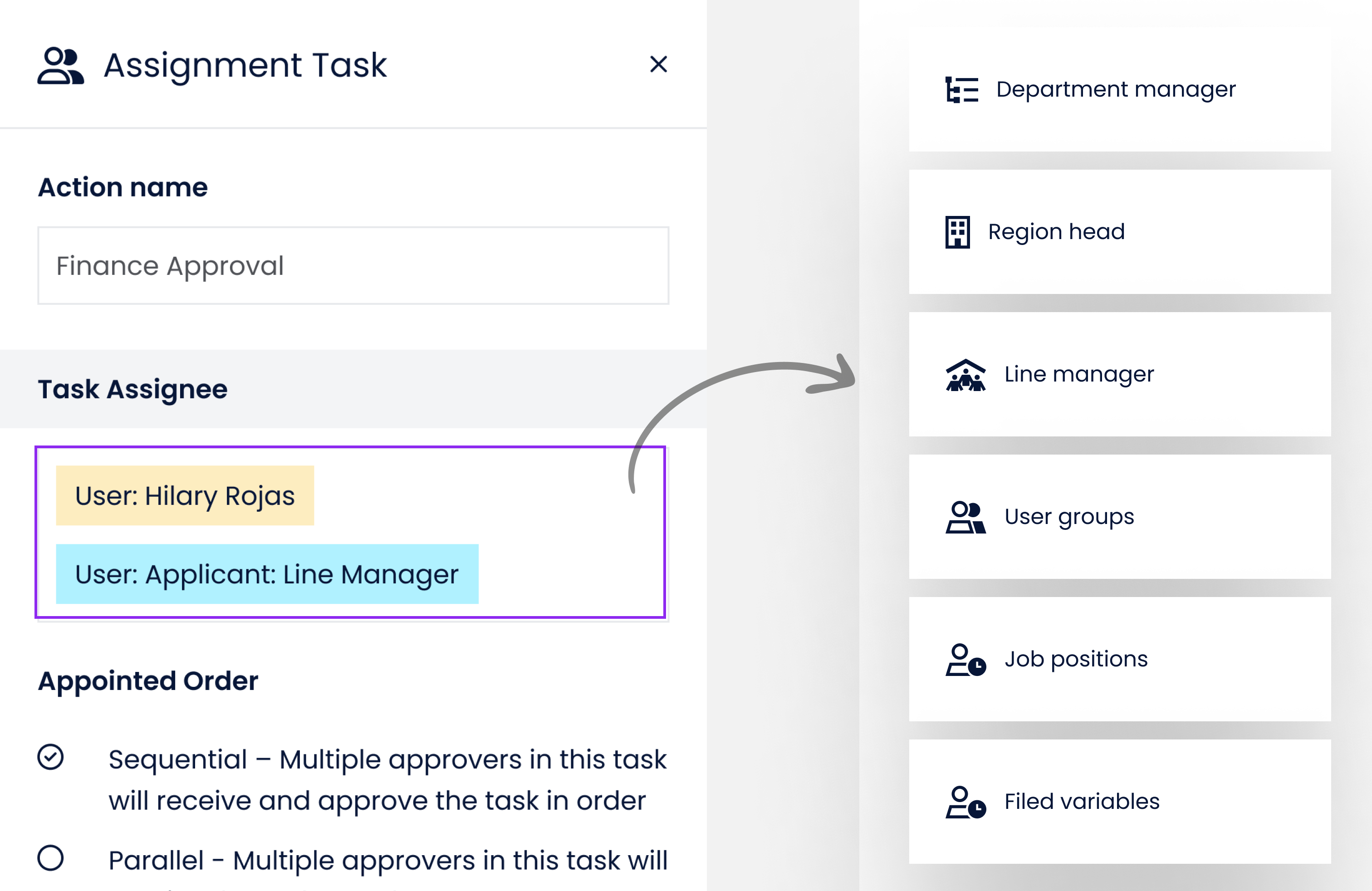
The Assignment Task action within Yeeflow's Workflow Designer is a game-changer for role-based approvals. Assign tasks to users, groups, or departments based on predefined roles. Simplify complex approval hierarchies, enhance accountability, and ensure compliance with standardized processes.
The Form Report feature in Yeeflow lets you transform form data into insightful analytics. Generate reports that offer a comprehensive view of your approval processes. Monitor performance, identify bottlenecks, and make data-driven decisions to optimize your workflows.
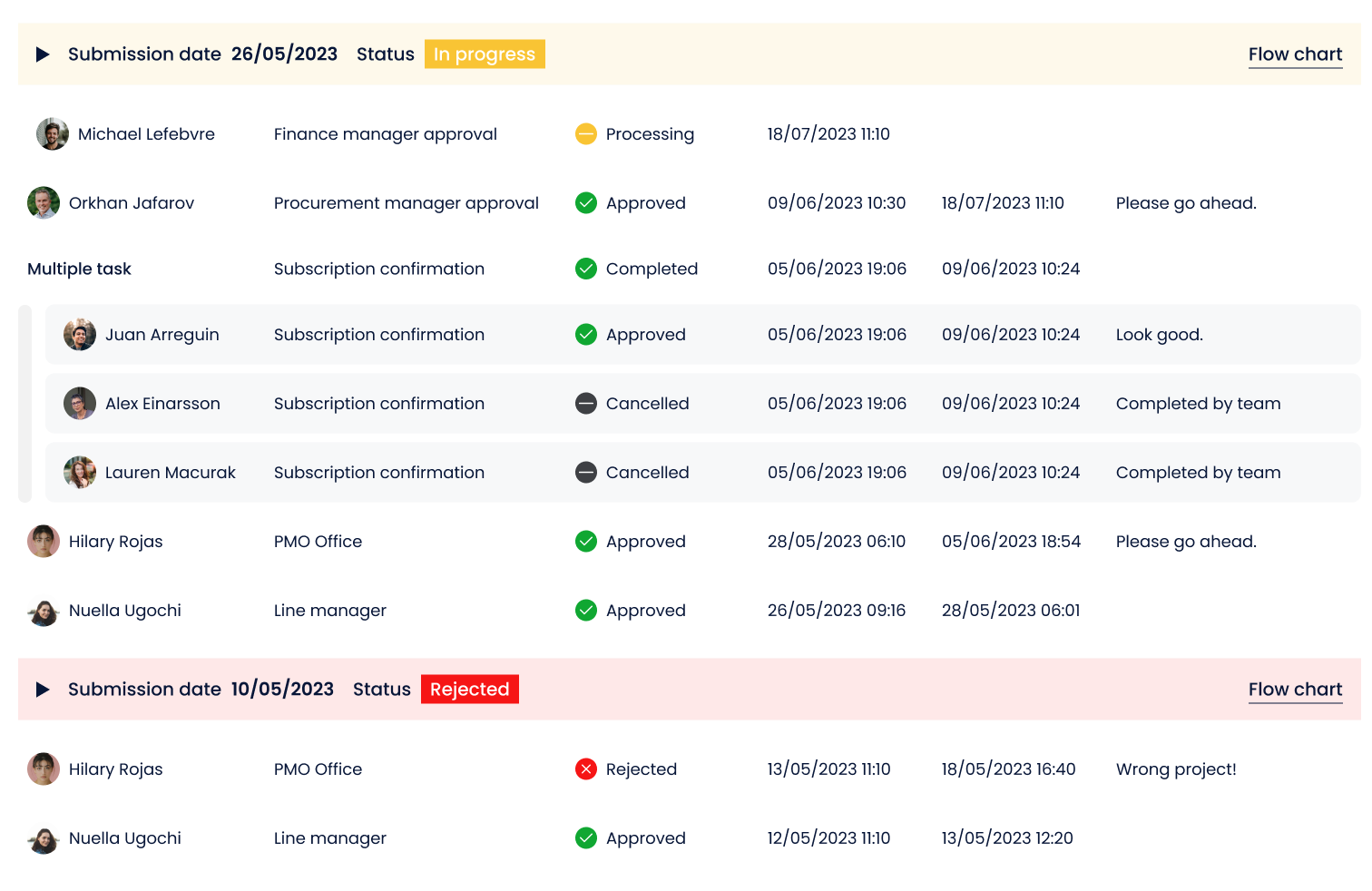
Yeeflow empowers users to delegate workflow tasks effortlessly. Ensure continuous workflow progress even during absences or shifts. As an administrator, monitor the status of workflow instances, track performance, and intervene when necessary, all from the Admin Center.
Process digitization
Elevate data understanding through multiple views. Choose from List, Gallery, Kanban, Gantt, News, and Timeline views to present your data in the most effective manner. Create different data views for sharing, collaboration, and informed decision-making.
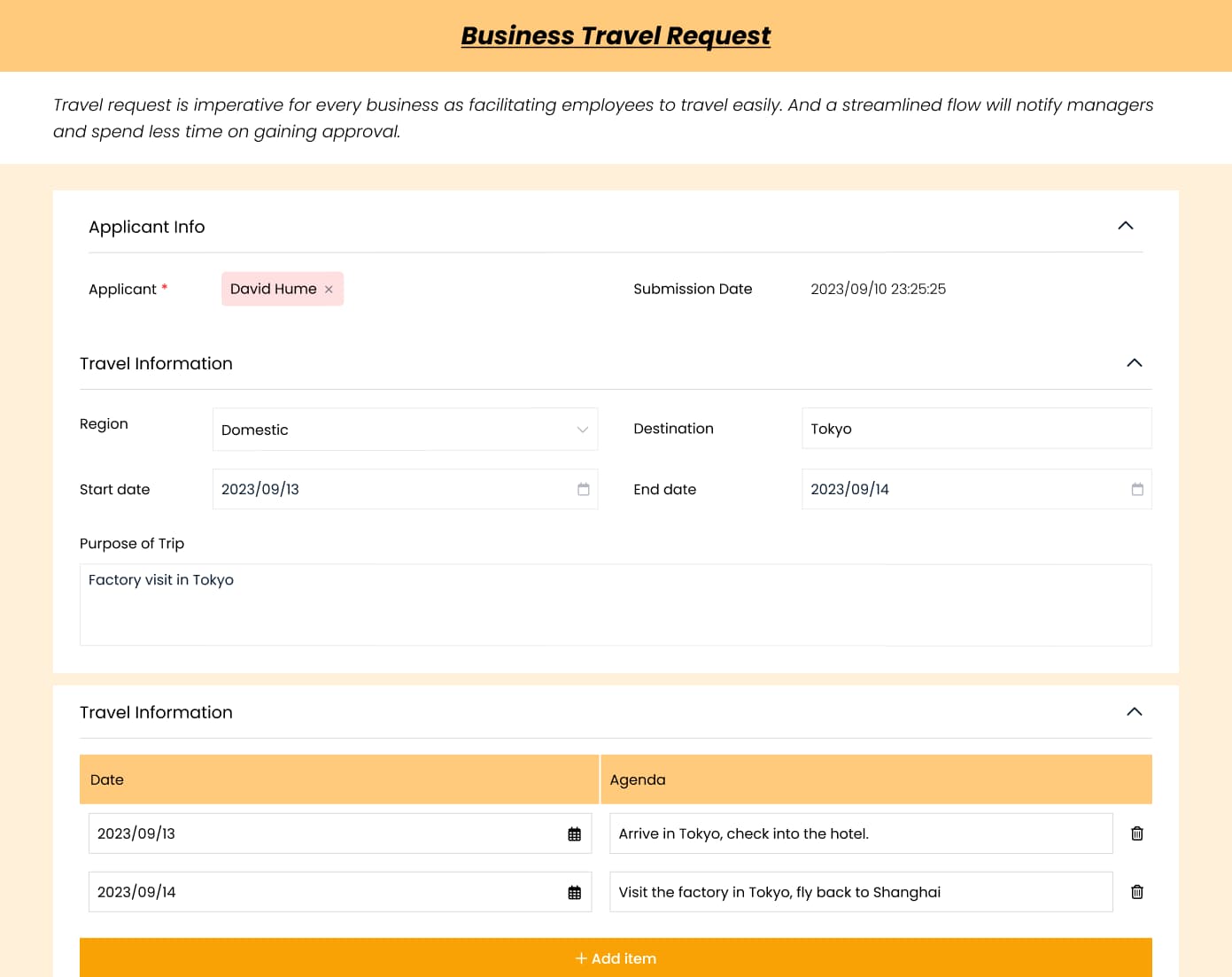
Streamline travel approval: Easily request and manage business trips, ensuring they align with company policies, budgets, and schedules.
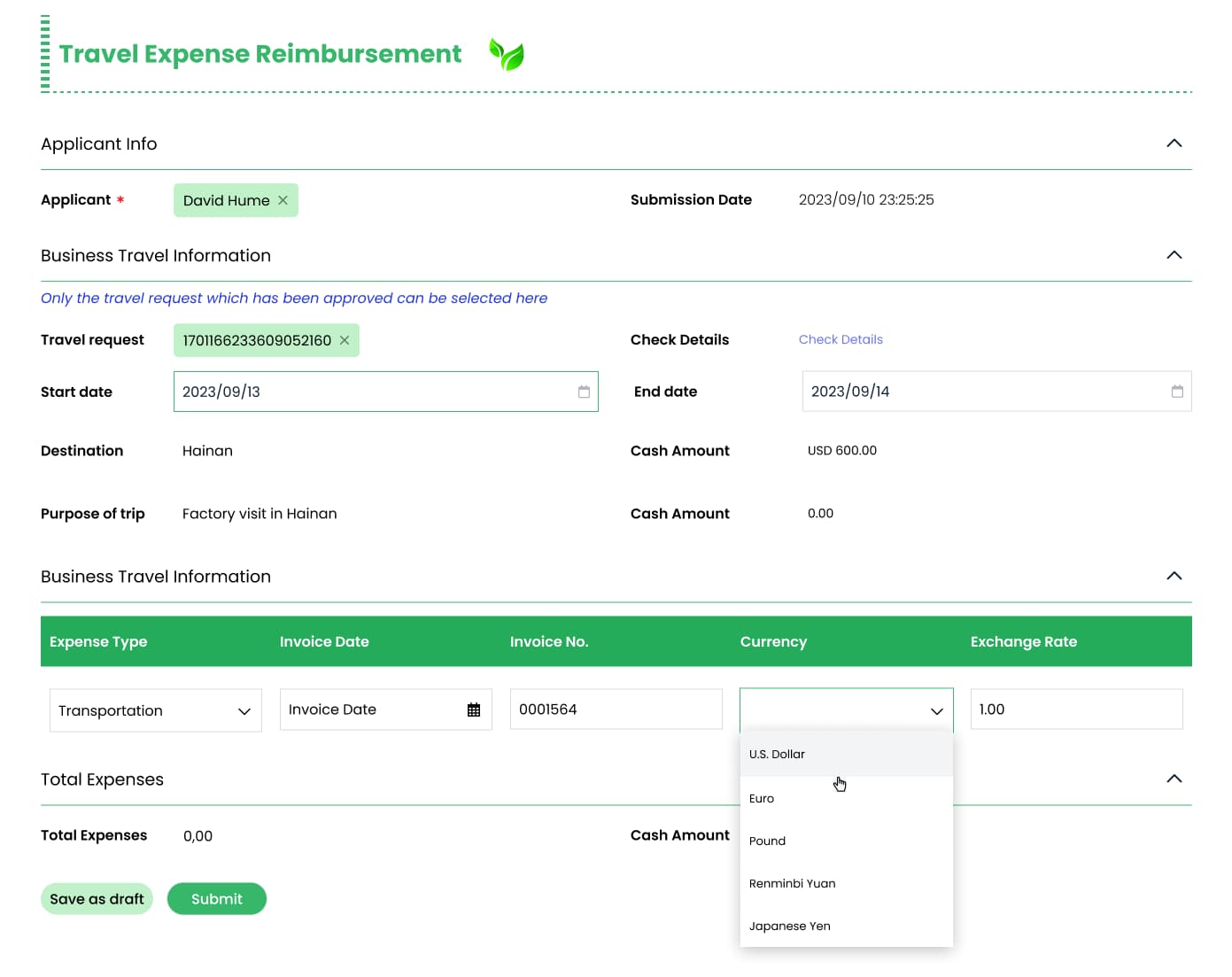
Simplify expense claims: Effortlessly submit and approve expense reports, fostering transparency and quick reimbursements.
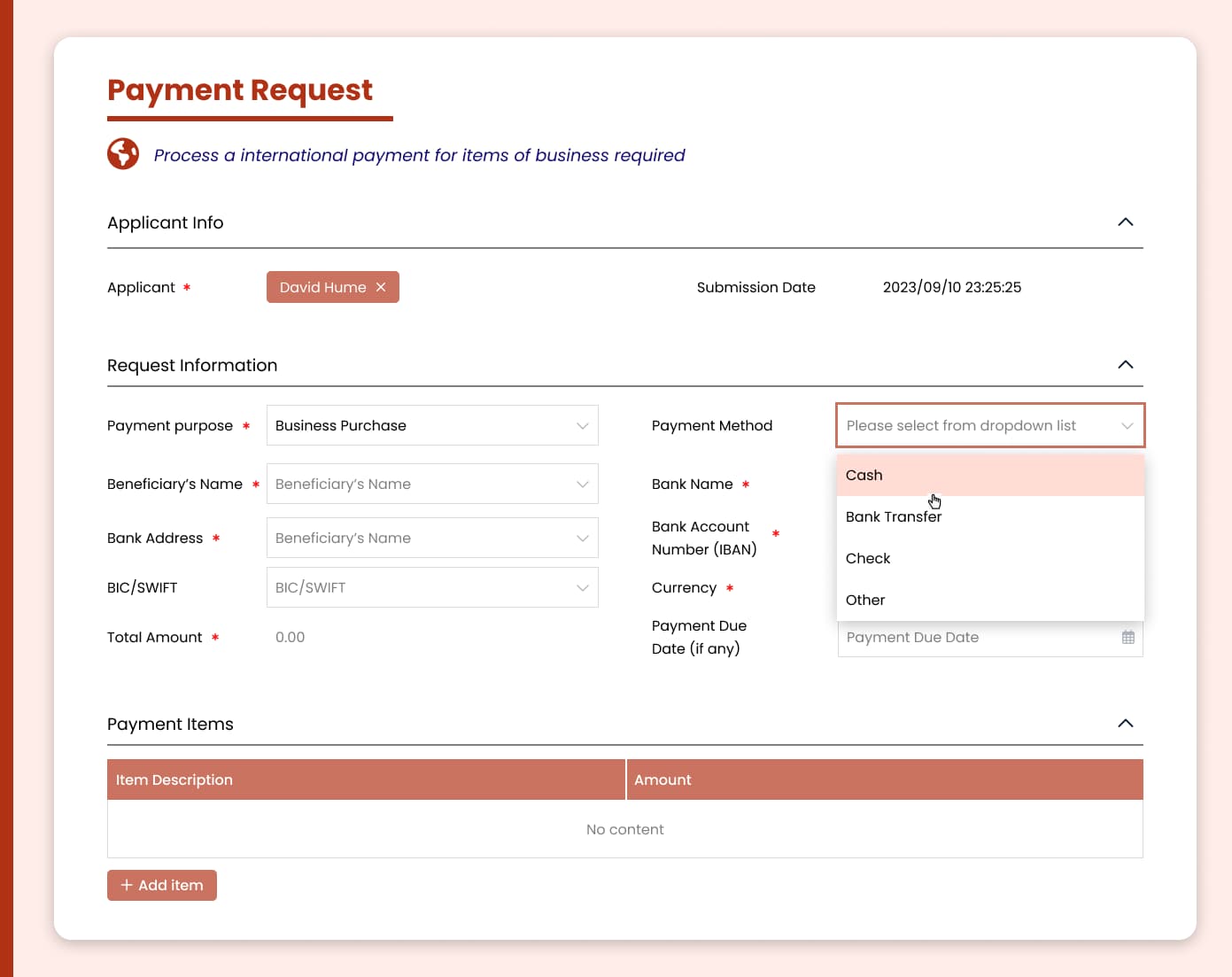
Secure payment workflows: Enable rigorous financial controls by automating the approval of payments, ensuring accuracy and compliance.
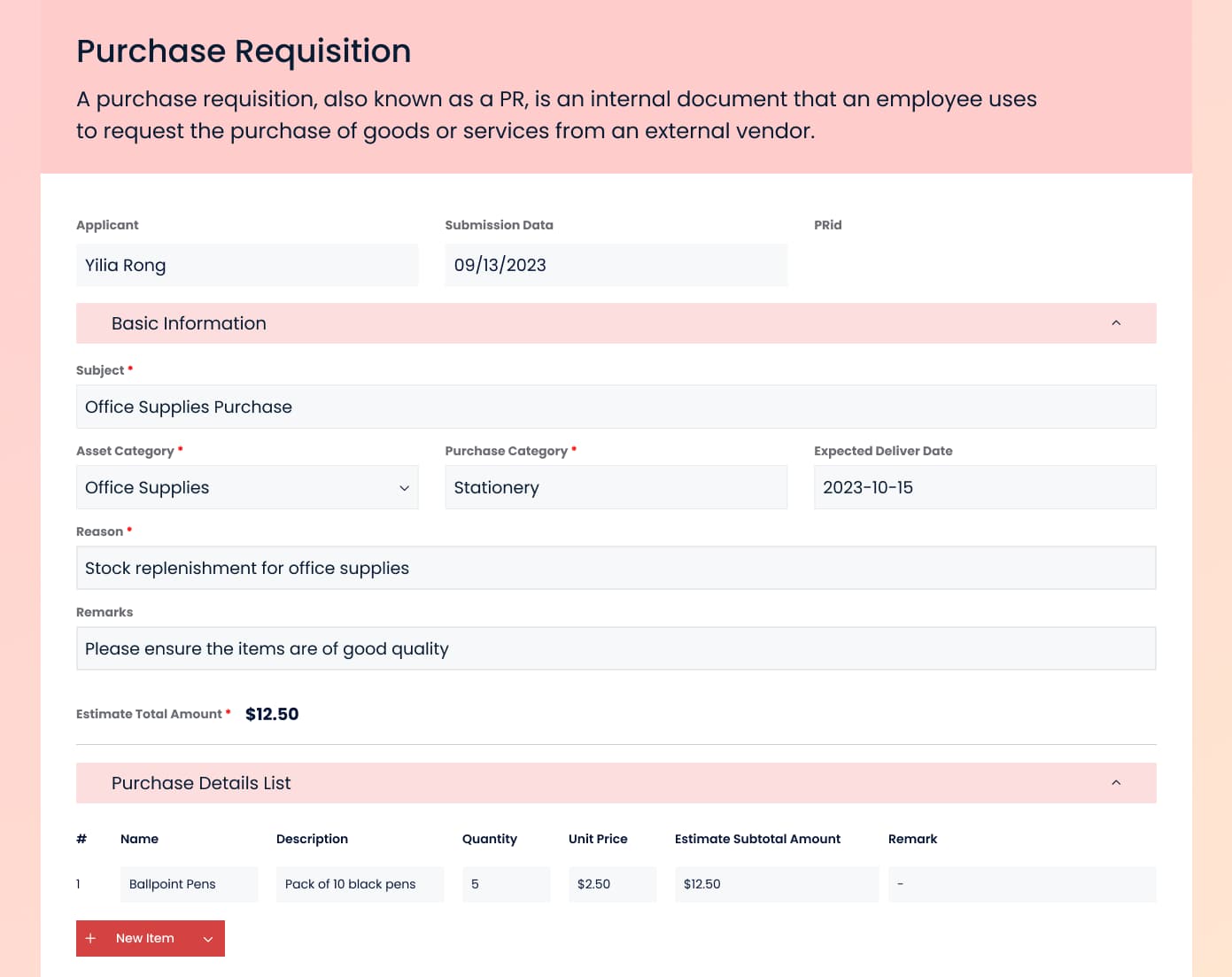
Efficient procurement: Simplify purchase requests, empowering teams to acquire the necessary resources while adhering to procurement guidelines.
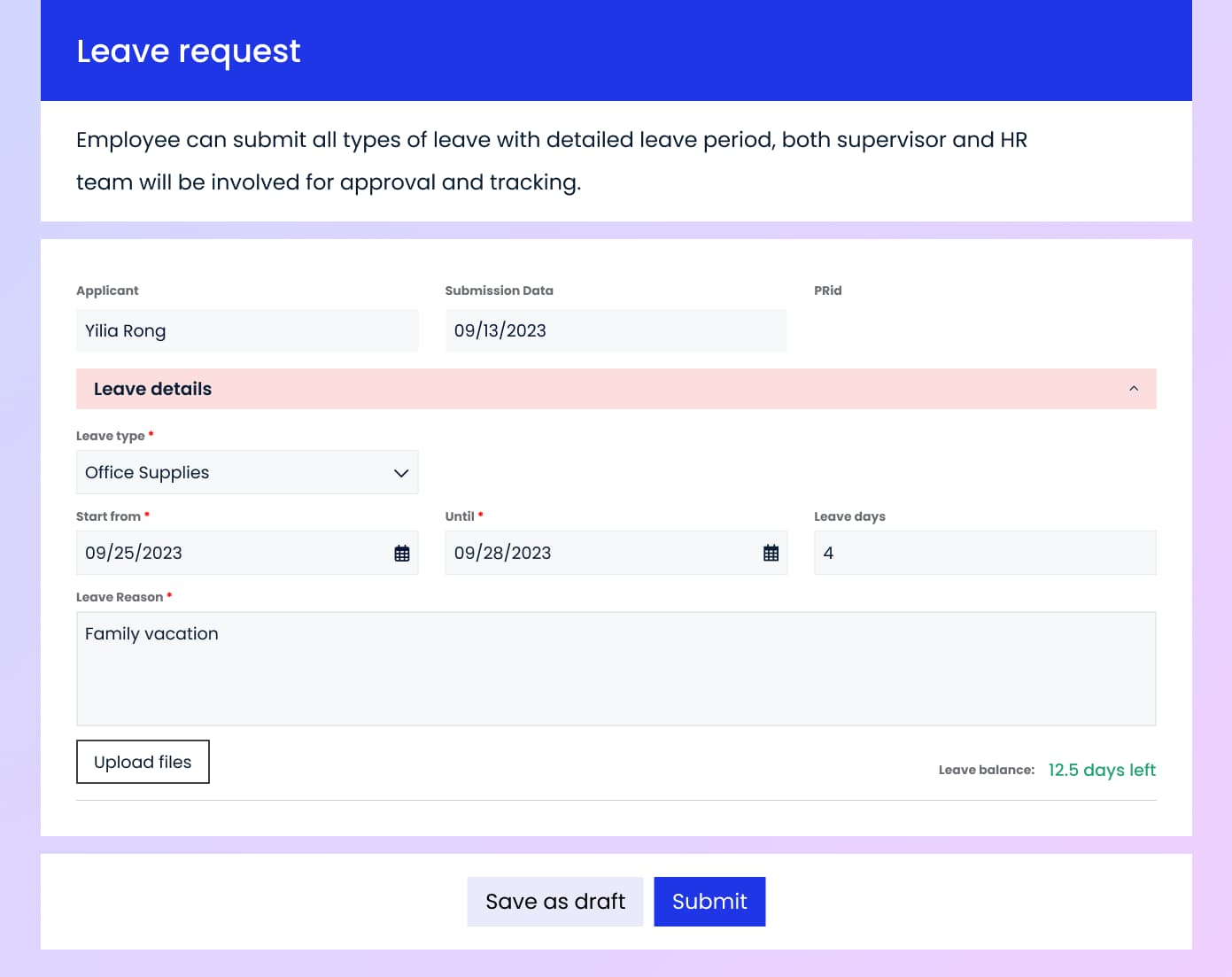
Manage time off seamlessly: Employees can submit leave requests, while managers can review and approve them, ensuring adequate coverage and compliance.
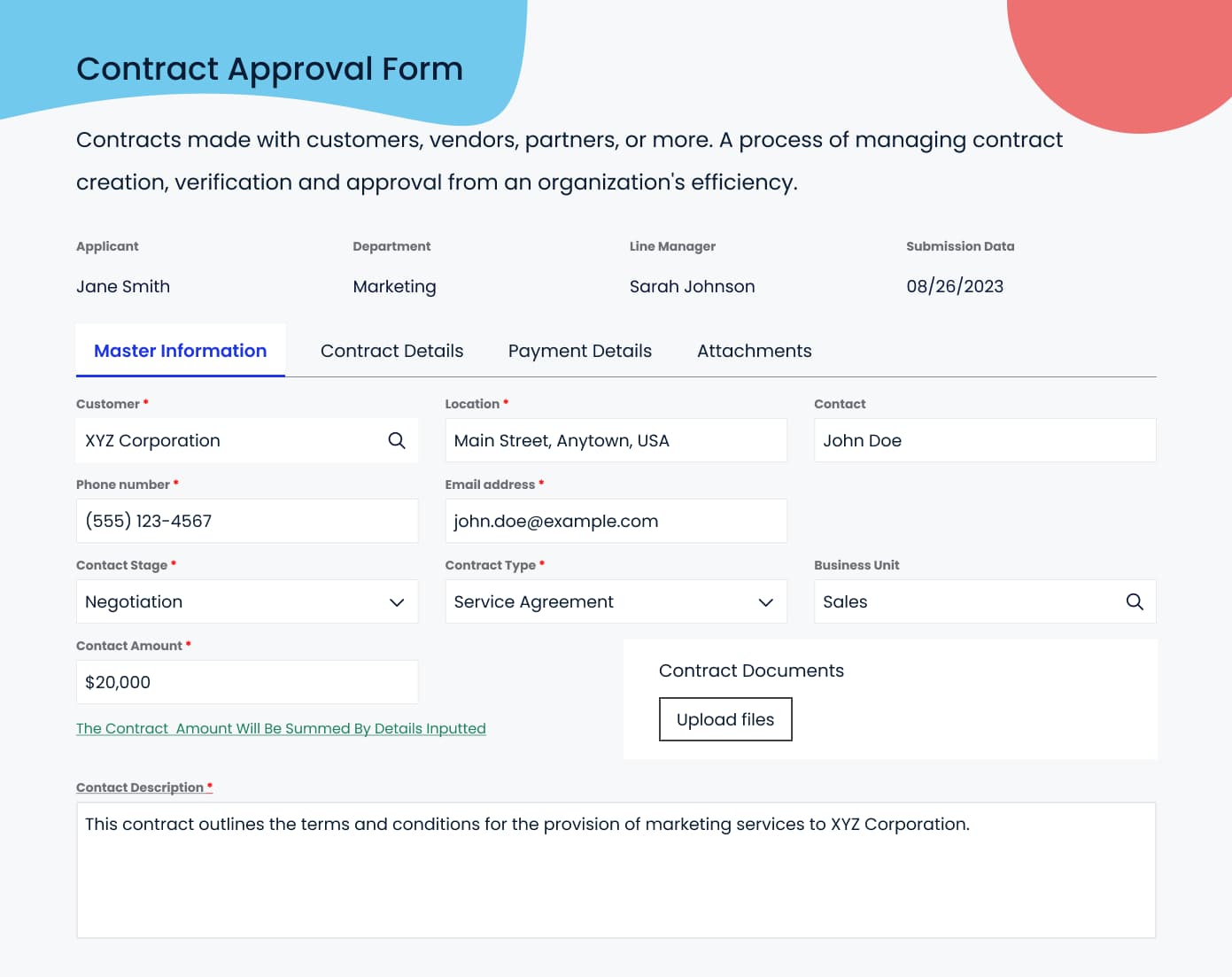
Expedite contract management: Accelerate contract approvals with streamlined workflows, minimizing bottlenecks and enhancing collaboration.
Governed enterprise workflow automation
Yeeflow helps teams move from basic routing toward operational execution by connecting workflows, data, services, APIs, reporting, and role-based controls in one governed system.
Automation features

Drag and drop form and workflow designer.

Custom styles for form and controls

Control the display of controls based on conditions

Dynamic validate data and logics.

Manage different type of form data.

Execute pre-defined steps for complex logics

Calculate data, format data, logic validation etc.

Develop script to custom advanced functions.

Integrate with third-party systems with APIs

Delegate personal workflow tasks as needed.
Frequently asked questions
Absolutely. You can tailor the aesthetics using the style settings available for each control and the overall form layout.
For approval forms, only users logged into Yeeflow can submit. However, Yeeflow's public forms are designed to allow submissions from anonymous users.
No, Yeeflow imposes no restrictions on the number of forms and workflows. Feel free to create as many as your operations require.
Yeeflow offers version control for your published workflows. To make alterations, simply create a new version. You also have the flexibility to upgrade or revert to previous versions of running workflows.
Yeeflow offers version control for your published workflows. To make alterations, simply create a new version. You also have the flexibility to upgrade or revert to previous versions of running workflows.
Yes, you can. You have the option to delegate all your tasks to a single user or distribute different workflow tasks among multiple users.
System administrators can manage delegation policies and assign delegations for other users. However, non-admin users can only set delegations for their tasks.
Indeed. Yeeflow empowers task owners to select and approve multiple tasks from the pending list in one go.
Yes, Yeeflow offers integration capabilities with various platforms through connectors and APIs, ensuring seamless data flow and enhanced automation.
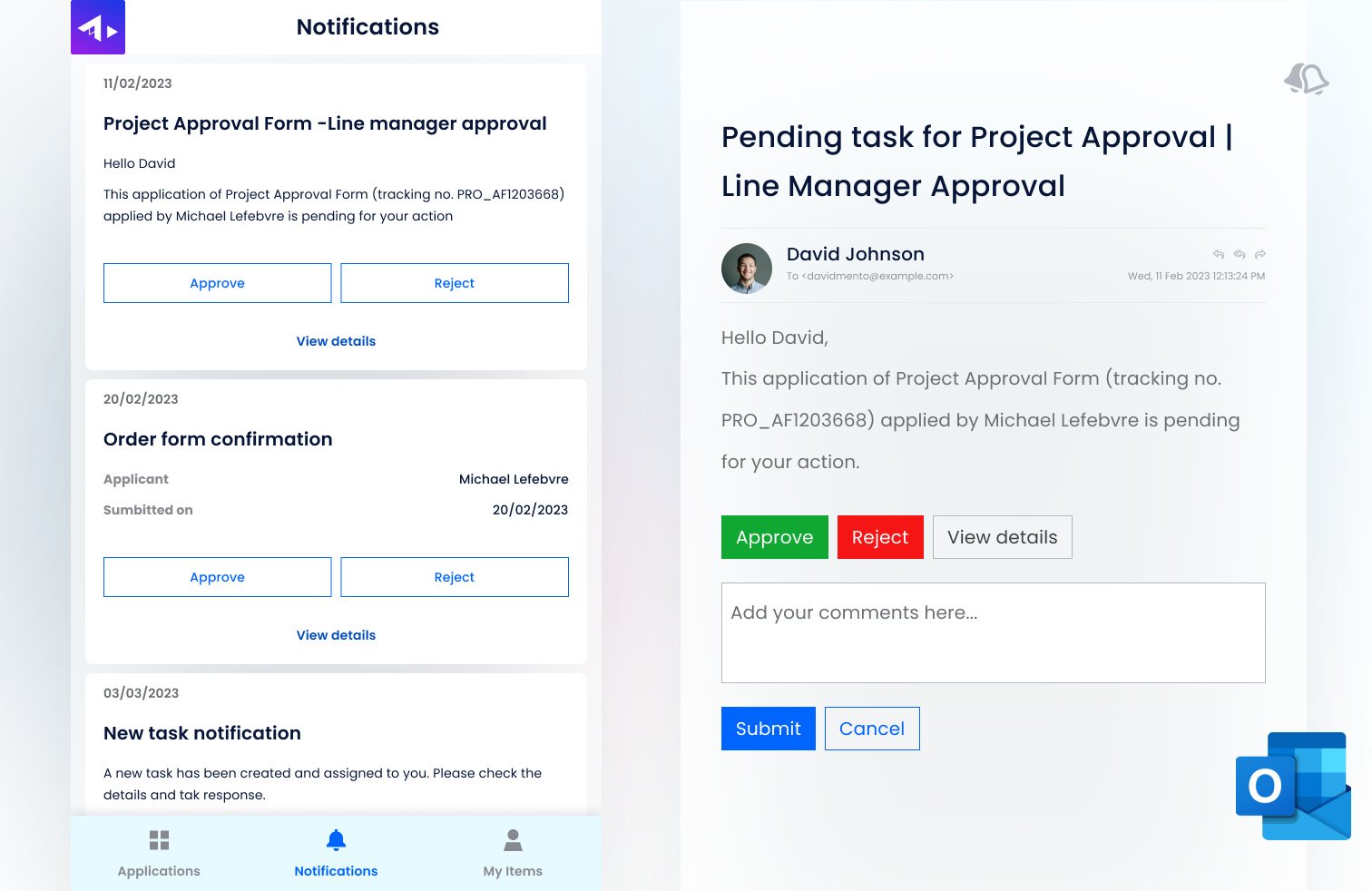
Absolutely. Yeeflow allows users to customize notifications, ensuring you're informed of significant workflow events or changes in real-time.