Overview
What this template helps teams build
Overview
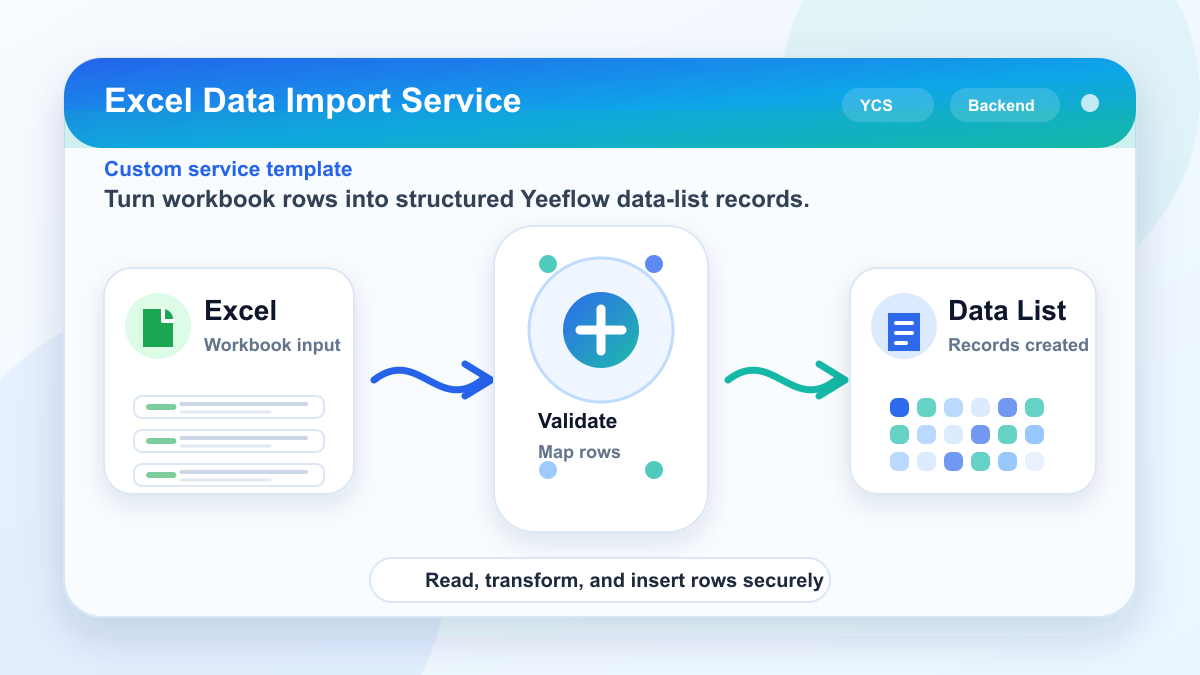
This custom service imports data from an Excel file into a Yeeflow data list.
What it does
- Reads the input Excel file
- Uses
Data List IDto identify which data list to write to - Uses
Mapping JSONto map Excel column names to Yeeflow field names - Creates items in the target data list
- Returns
Added Numberas the count of records successfully added
Current input variables
Excel file: the Excel file to importData List ID: the target Yeeflow data list IDMapping JSON: JSON array defining how Excel columns map to list fields
Current output variable
Added Number: number of items created
Example Mapping JSON
[
  {
    "excelColumn": "Employee Name",
    "fieldName": "EmployeeName"
  },
  {
    "excelColumn": "Amount",
    "fieldName": "Amount"
  },
  {
    "excelColumn": "Request Date",
    "fieldName": "RequestDate"
  }
]
In short: it is an Excel-to-Data-List import service.
Download
Custom service package
Import this YCS file into Yeeflow to reuse the backend service logic, then configure workflow, AI Agent, Copilot, or automation callers around your own data source and permissions.