Hi there,We’re excited to introduce a redesignedForm Designer and Workflow Designer, built to deliver a cleaner workspace and a more consistent building experience—so you can focus on what matters most: building faster and more efficiently.
A cleaner, more focused Form Designer
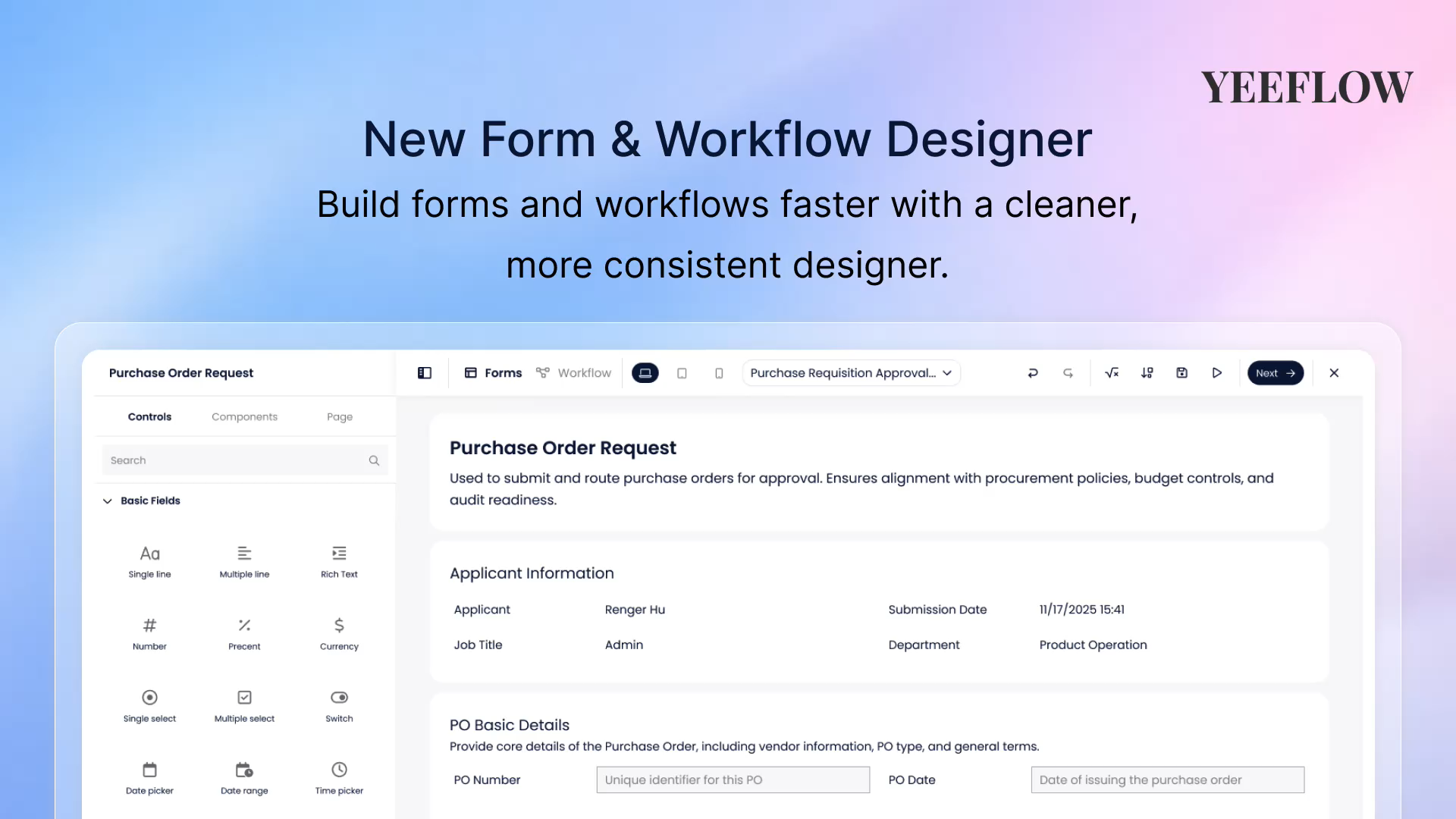
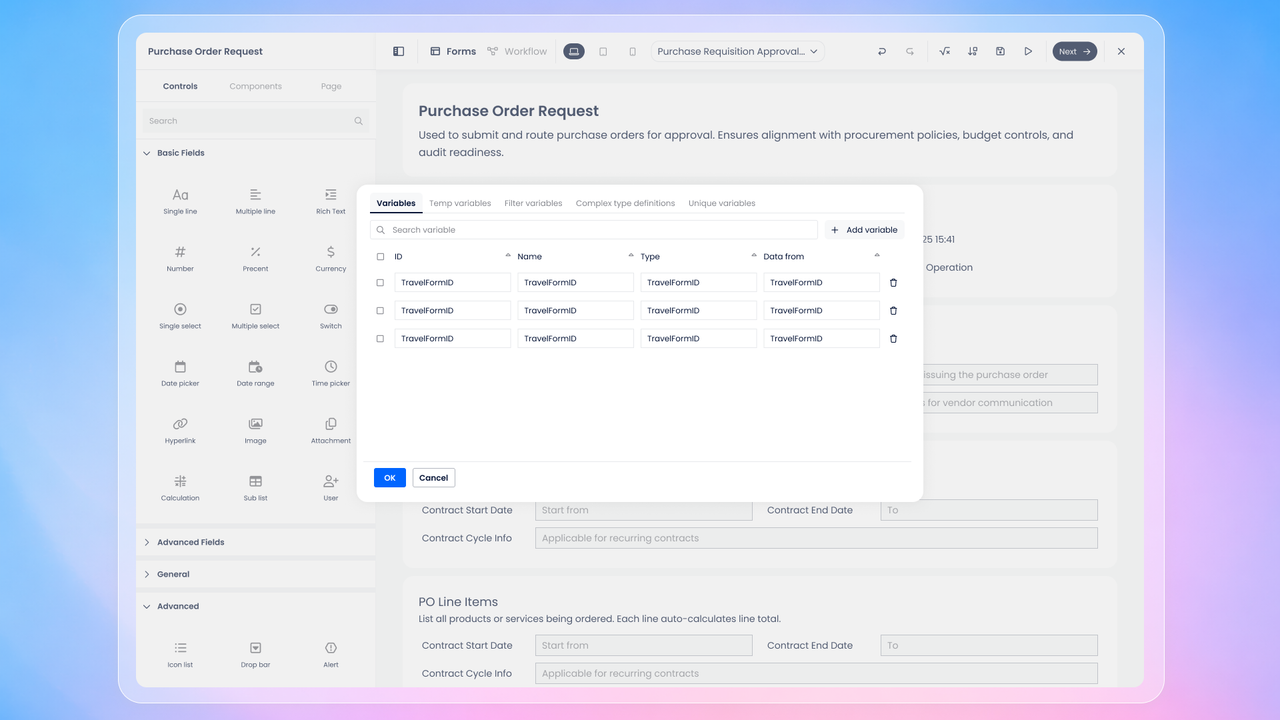
The new Form Designer features a refreshed layout with clearer spacing and a streamlined top toolbar, making it easier to design and configure forms without distractions.
- Theleft panelstill provides quick access to standard controls, and you can switch toComponentsto reuse prebuilt blocks and custom components.
- Need more space? Simplycollapse the left panelusing the top-left toggle to expand the canvas and focus on layout and content.
- At the top, you can easilyswitch between device previewsto see how your form looks across different screen sizes.
- TheForms dropdownhelps you stay oriented, allowing you to create new forms and manage existing ones with ease.
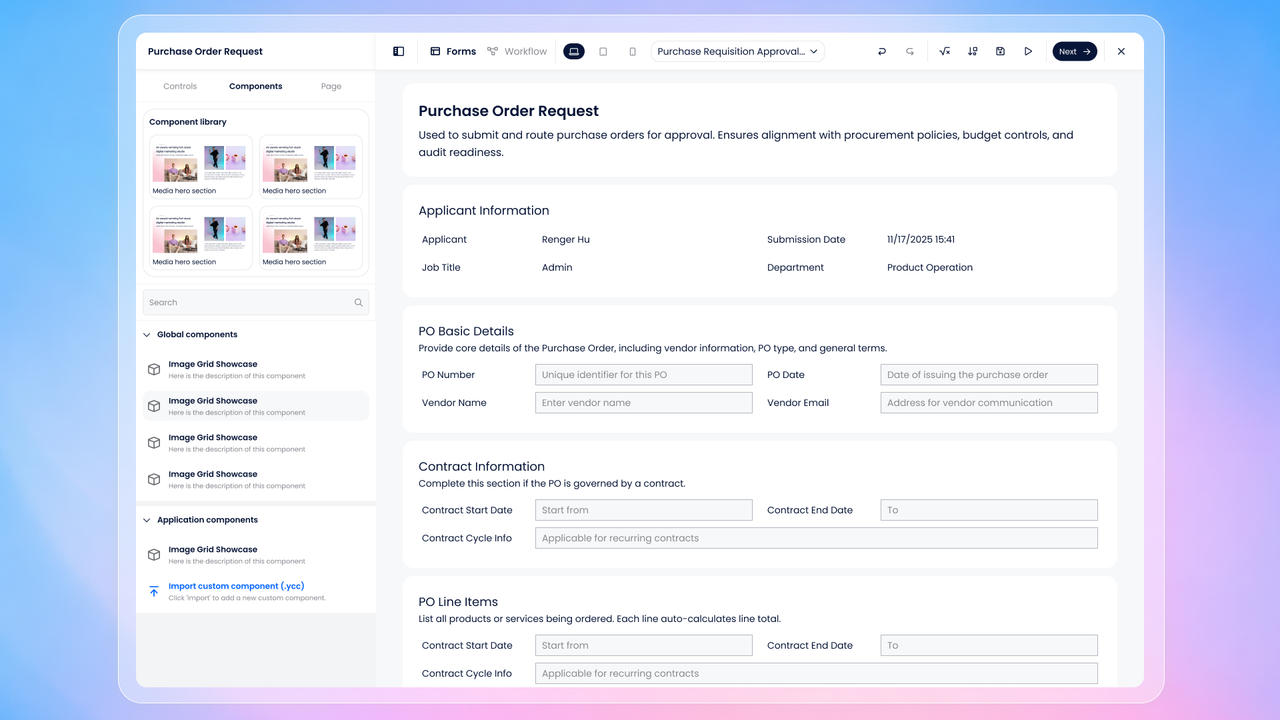
On the right side, key operation tools are now grouped together:
- Undo / Redofor quick edits
- Variables, which opens the Variable Management window
- Actions, where you can create and manage form actions
- Along with quick access toSaveandPreview
A redesigned Workflow Designer experience
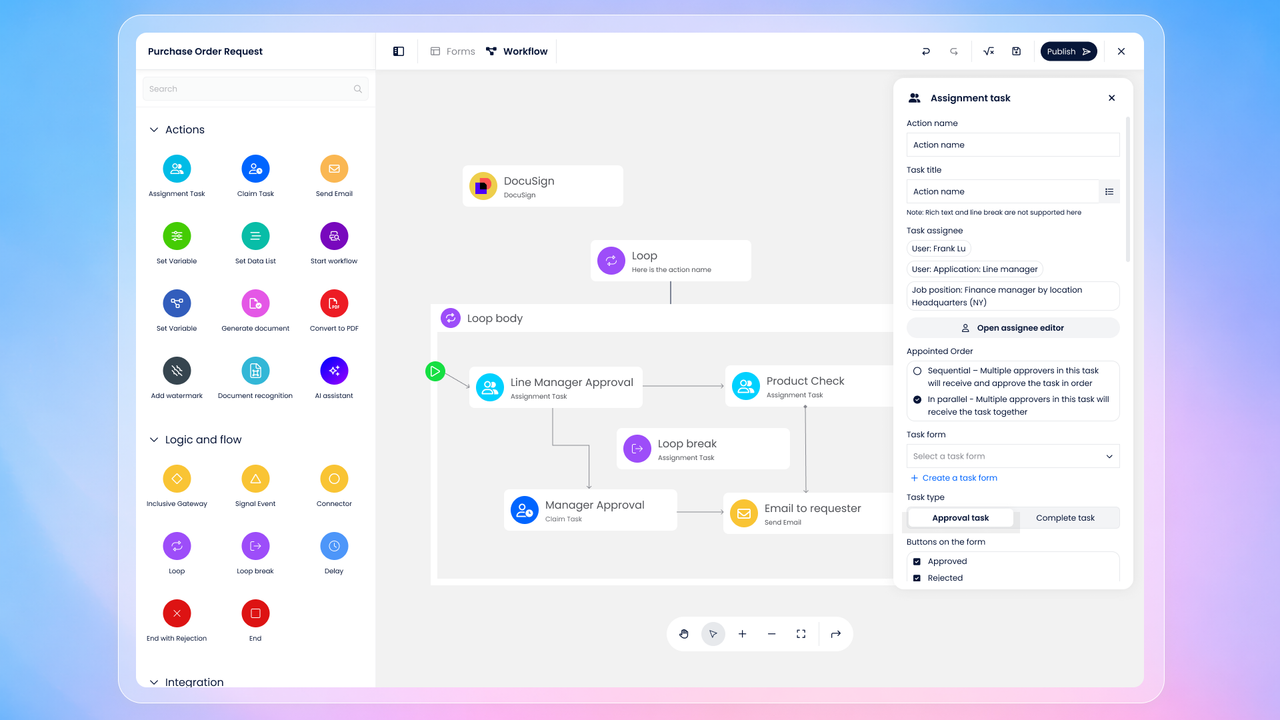
With a single click onNext, you’ll move seamlessly into the redesignedWorkflow Designer.
- Core workflow controls are now placed at thebottom, keeping the canvas clean and focused.
- When you select a workflow action, thenew settings panel opens on the right, providing a clearer and more intuitive configuration experience for each action.
Build faster, with confidence
This update is designed to reduce visual clutter, improve consistency, and help you move through form and workflow configuration more smoothly.
We hope the new designers help you build faster and work more efficiently.
👉Try the new experience and let us know your feedback—we’d love to hear from you!