We are excited to announce the release of a powerful new feature in Yeeflow: the Kanban board control. This fully customizable tool allows you to organize and visualize your work in a way that suits your unique business needs. Whether you are managing events, tasks, or sales deals, the Kanban board provides a flexible and intuitive interface to keep everything on track.
Learn how it works!
What is the Kanban Board Control?
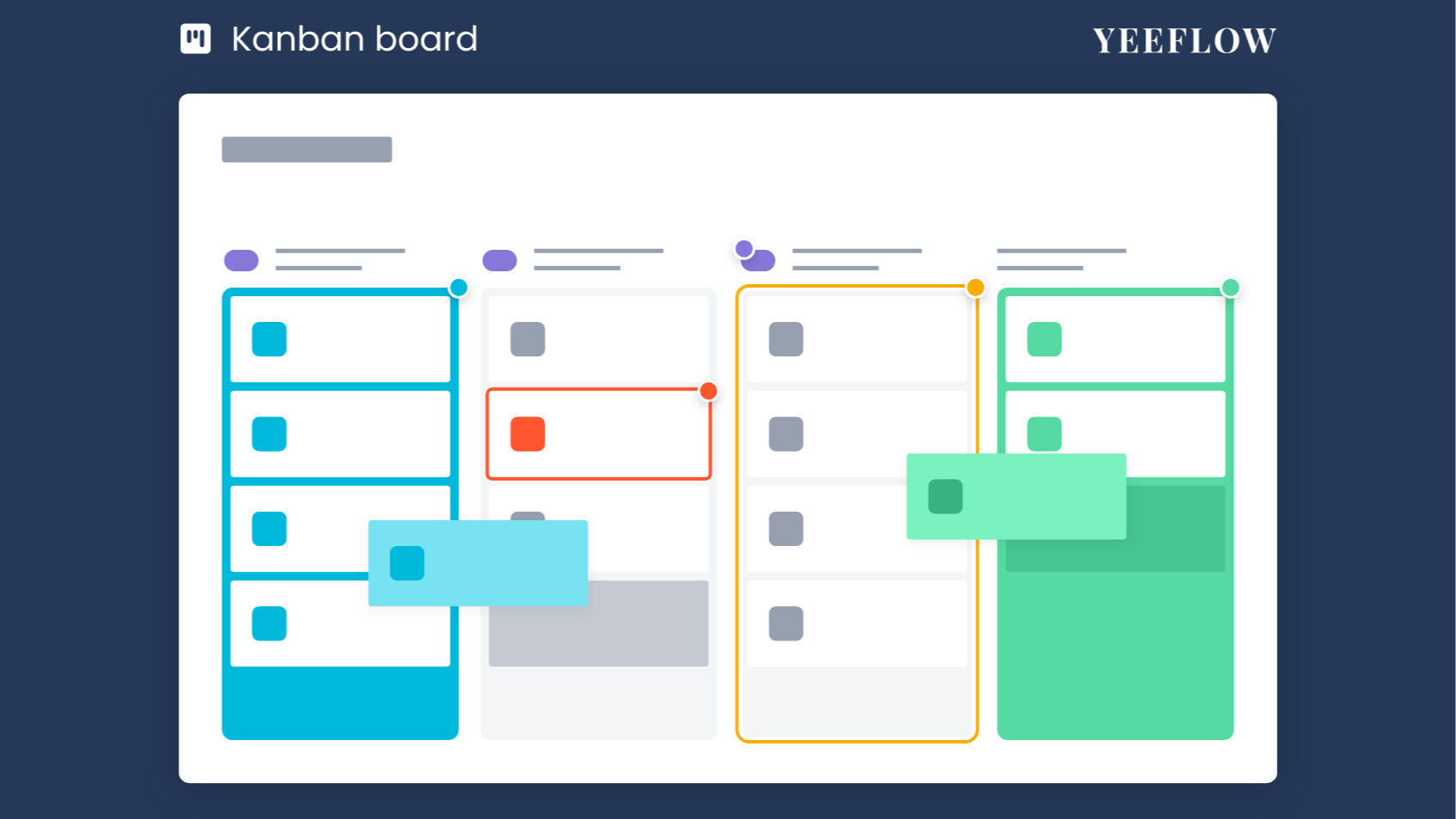
The Kanban board is a visual tool that helps you manage and monitor your projects and workflows. It is built to be highly customizable, allowing you to connect it to various data sources within Yeeflow, such as Data Lists, Form Reports, Document Libraries, or Data Reports. You can define categories, design the content and layout of each item, and easily drag items from one category to another, reflecting the progress and status of tasks in real-time.
How Can You Use the Kanban Board?
The Kanban board can be applied in various business scenarios to enhance productivity and provide clear visibility into your operations. Here are three examples to showcase its versatility:
1. Task Management
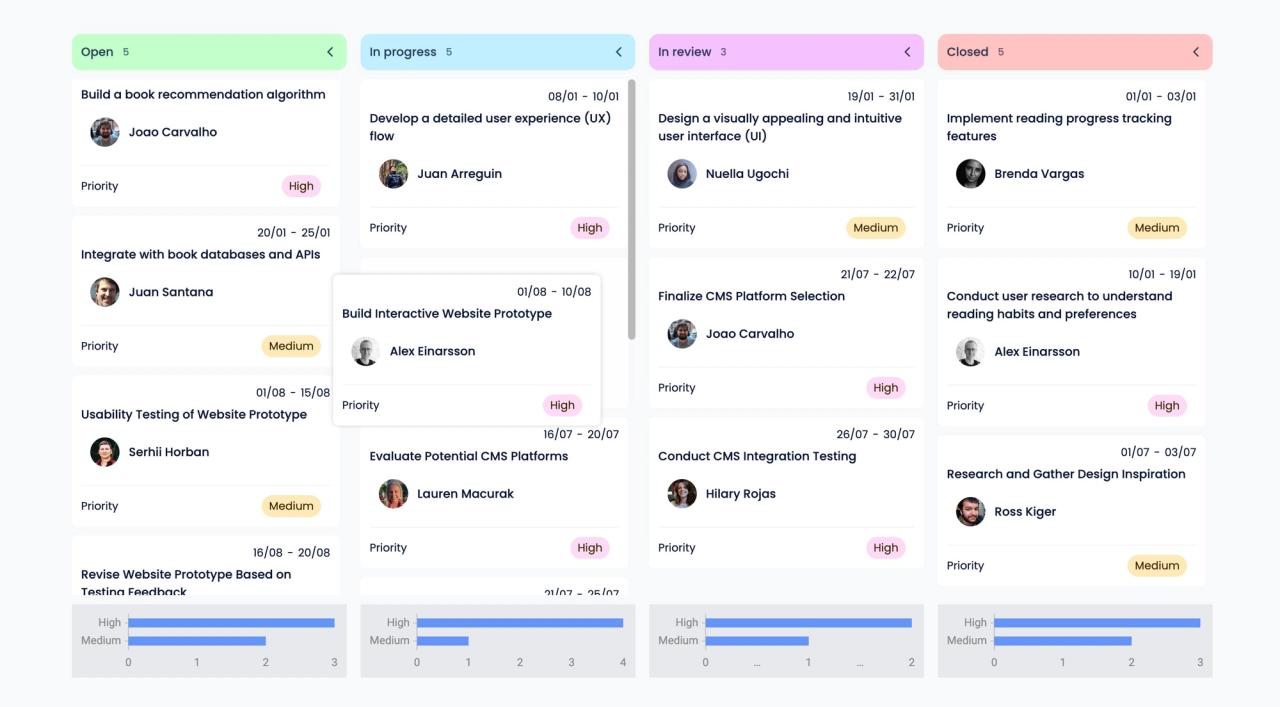
Managing day-to-day tasks and projects is easier with the Kanban board. You can assign tasks to team members, set priorities, and track their completion status. The board provides a clear overview of all tasks, from those that are open to those in progress, under review, or completed. This visual representation helps teams stay aligned and focused on their goals.
2. Sales Deal Management
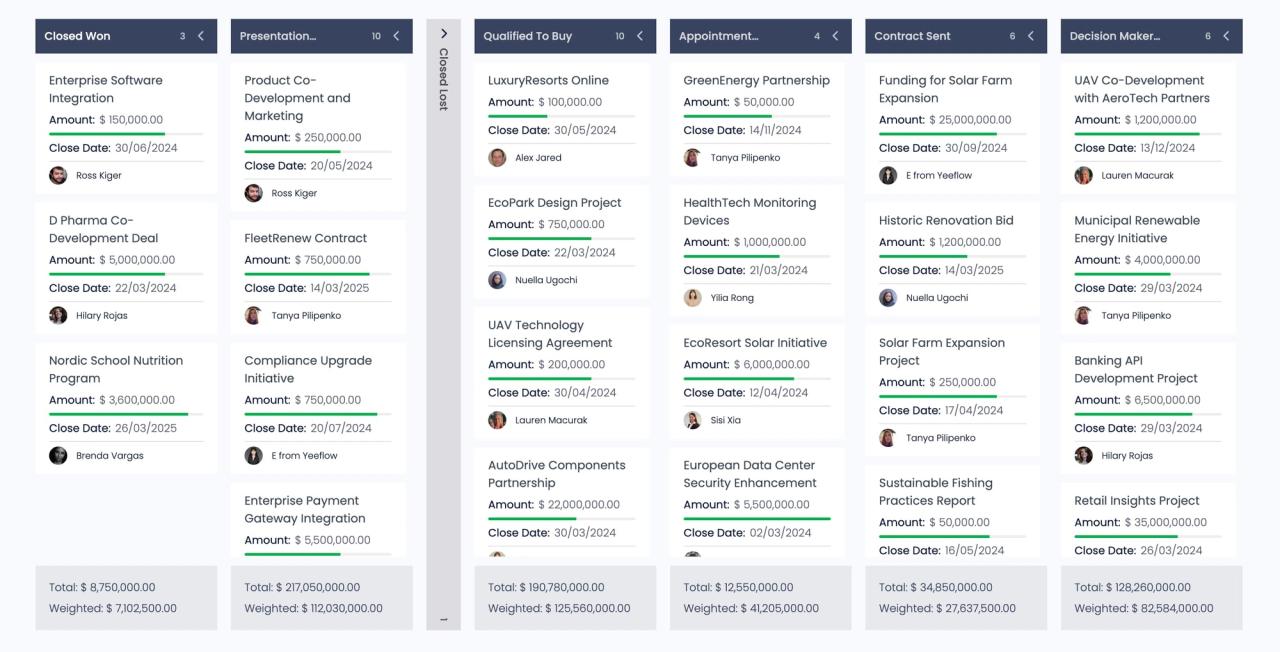
Keeping track of sales deals and their stages is crucial for any business. The Kanban board enables you to manage your sales pipeline effectively, from the initial contact with a potential client to closing the deal. You can monitor the progress of each deal, see upcoming deadlines, and ensure that every opportunity is pursued efficiently.
3. Event Management
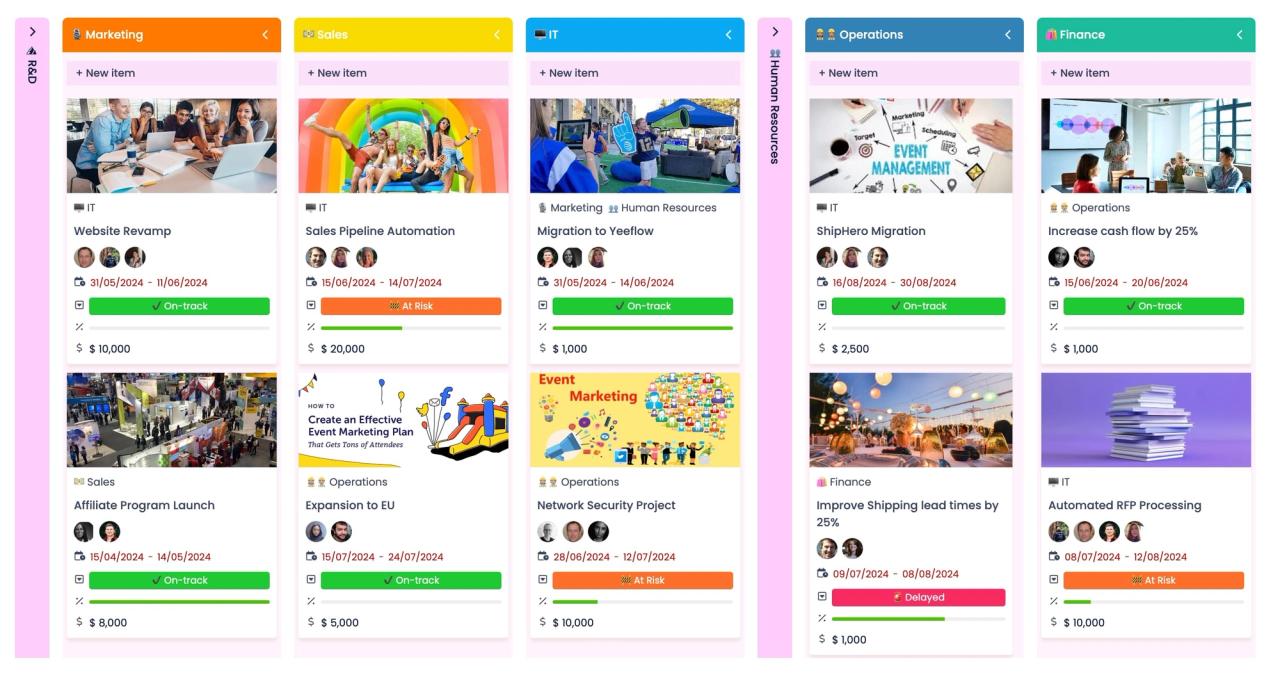
Organizing and managing company events can be a complex process with many moving parts. The Kanban board allows you to streamline this process by categorizing tasks, setting deadlines, and tracking progress at a glance. Whether it’s coordinating logistics, marketing, or HR activities, the board helps you keep everything organized and ensures nothing falls through the cracks.
Key Features of the Kanban Board
•Customizable Layout: Tailor the board to match your workflow by defining categories, labels, and statuses that make sense for your projects.
•Real-Time Updates: Move items between categories with a simple drag-and-drop interface, reflecting real-time changes in your workflow.
•Data Integration: Connect the board to any data source within Yeeflow, making it easy to pull in relevant information and keep everything in sync.
•Enhanced Collaboration: Assign tasks to team members, set deadlines, and prioritize work, ensuring that everyone is on the same page and working towards common goals.
Why Choose Yeeflow’s Kanban Board?
The new Kanban board control in Yeeflow is designed to provide you with an efficient and effective way to present and manage data across your custom applications. Its flexibility and ease of use make it an ideal tool for any business looking to improve workflow management, increase transparency, and enhance team collaboration.
We believe this new feature will significantly enhance your experience with Yeeflow and help you achieve greater efficiency in your daily operations.
Get started now!
Don’t just take our word for it—experience the power of the Kanban board control for yourself.
Check out the user guide
Start using this feature today and see how it can streamline your processes, boost productivity, and keep your projects on track!