We are thrilled to announce a powerful new feature in Yeeflow: the ability to copy and paste form actions directly from the designer! This enhancement is designed to make your application-building process even more efficient, allowing you to create complex, interactive forms and dashboards with ease.
Why This Feature Matters
As we continue to bring more form actions into Yeeflow, you now have the capability to design more advanced interactions and logic within your applications. However, as the number and complexity of these form actions grow, so do the time and effort needed to create and modify them.
We understand that there are times when you may want to reuse existing actions within the same form, in another form, or even in different applications and organizations. To address this need and streamline your workflow, we’ve introduced the newCopy & Paste Actionsfunction.
How It Works: Copy & Paste Actions Made Simple
With this new feature, you can quickly and effortlessly copy an existing action and reuse it wherever you need. Here’s how to use it:
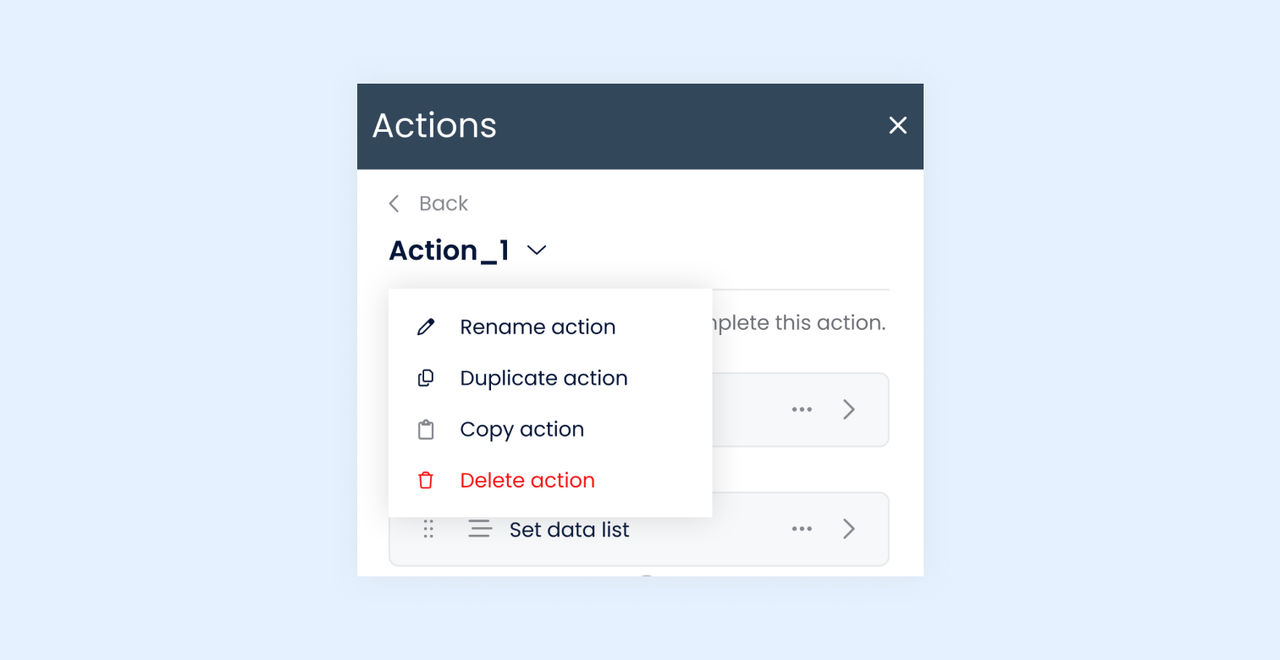
1.Copy an Action:Open an existing action in the form designer. From the dropdown list of the action’s name, you will find the “Copy action” option in the dropdown operation menu. Select this option to copy the action.
2.Paste the Action:Once copied, you will notice a new “Paste action” button in the actions panel, right next to the “New action” button. Click this button to paste the action into the same form or a different form within the application.
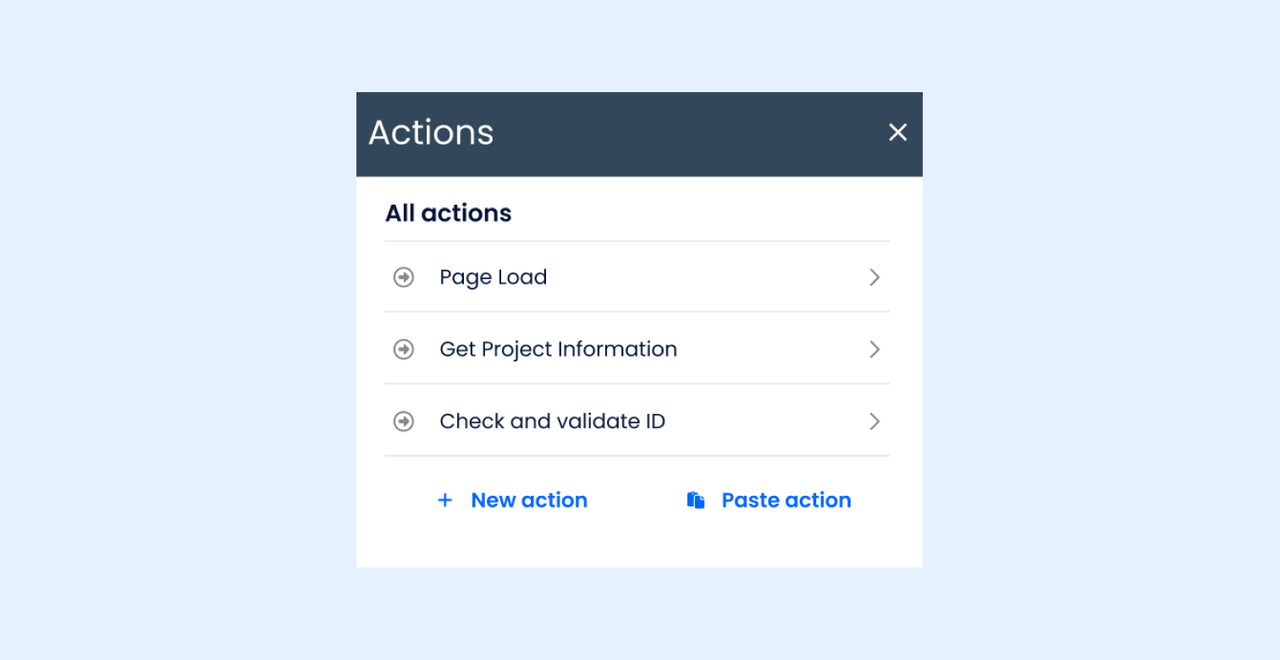
3.Cross-Form and Cross-Application Support:You can also use the “Paste action” button in any other form designers within the same application or even in another application. This flexibility allows you to replicate actions across various forms and applications easily.
4.Copy & Paste Steps:In addition to copying entire actions, you can now copy individual steps within actions and paste them into other actions. This added granularity allows you to fine-tune your forms and workflows with even more precision.
Boost Your Workflow Efficiency
This new copy-and-paste functionality significantly reduces the time spent on recreating or modifying actions. It provides you with the flexibility to design sophisticated workflows and interactions effortlessly while ensuring consistency across different forms and applications.
Get Started Today!
Try out this new feature and let us know how it enhances your workflow. We’re committed to providing tools that make your application-building process as seamless and powerful as possible.
We can’t wait to see how you use the new copy-and-paste actions feature to create amazing, interactive applications in Yeeflow!
Happy building! 🎉