
We're excited to introduce a powerful update to Yeeflow's Dropbar control: theDynamic Contentoption. This new feature allows you to fully customize the content displayed within the pop-up container of the Dropbar control, offering an entirely new level of interactivity to your applications.
When to Use the Dropbar Dynamic Content Option
TheDropbar Dynamic Contentoption is ideal when you need to create interactive and flexible UI elements that enhance user engagement without overwhelming the main interface. Dropbar allows you to integrate complex functionality within a compact space, which makes it perfect for keeping your user interface clean while providing extended capabilities. Here are some scenarios where you might consider using the Dropbar Dynamic Content option:
Case A: Data Filters ContainerUse the Dropbar control as a container for data filters. By placing the data filter controls inside the Dropbar's pop-up container, users can easily toggle and set filters without taking up valuable screen space. This approach keeps the interface tidy while giving users the ability to manipulate their data view dynamically.
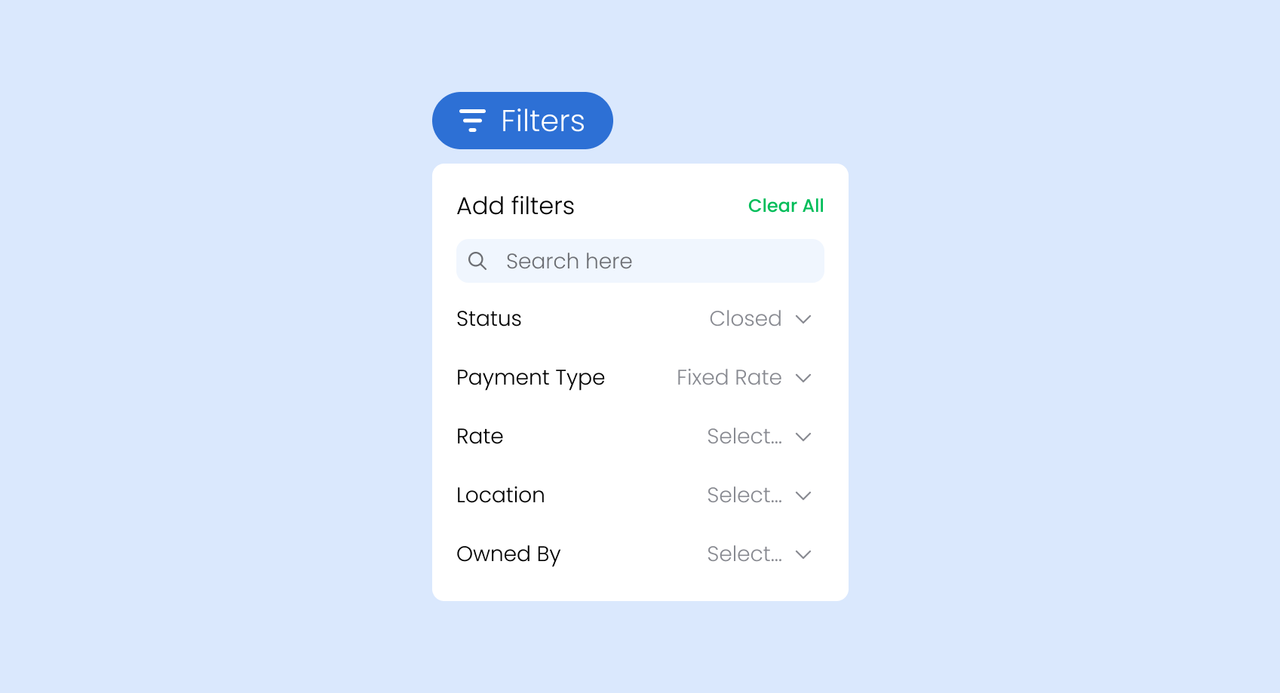
Case B: Action Buttons for Collection ItemsDropbar controls can also be used to manage operations within aCollectioncontrol. For each item in the collection, the Dropbar can provide multiple operation buttons—such asedit,delete, oradd more operations. This feature simplifies actions for individual items and provides a clean, centralized location for these operations.
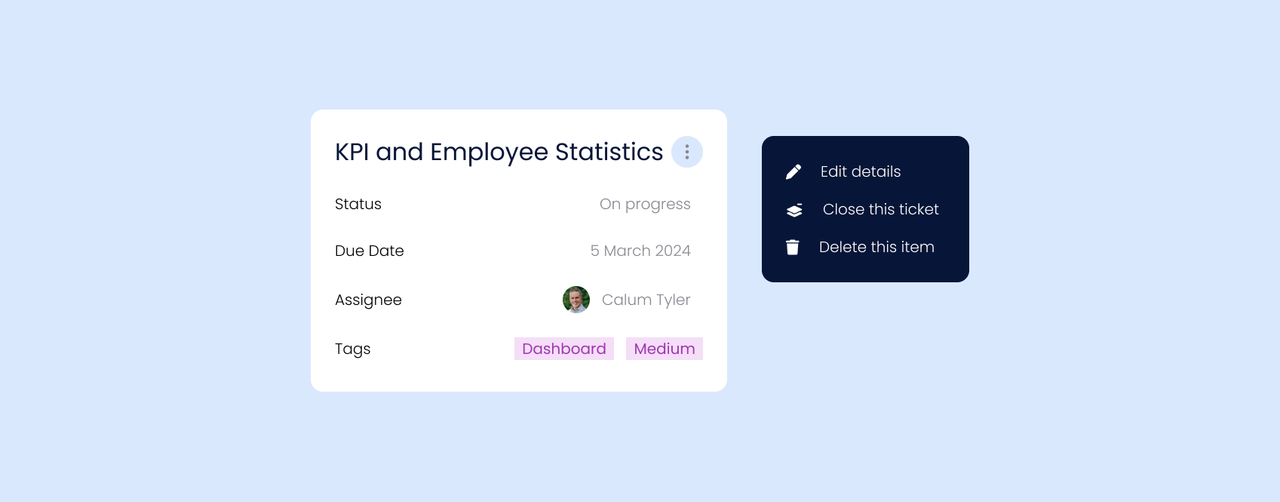
Case C: Notifications with Collection ControlAnother use case for Dynamic Content is adding aCollectioncontrol within the Dropbar's container to show a list of content. For instance, a Dropbar with a bell icon can include a Collection control to display the latest notifications, which are pulled from a data list. This keeps users informed while reducing clutter on the main interface.

Best Practices for Using Dropbar Dynamic Content
The Dropbar Dynamic Content option offers numerous possibilities for creating interactive elements that are suitable for a range of business needs. Consider using Dropbars to:
- Streamline complex user interactions.
- Keep the user interface clean and easy to navigate.
- Add interactivity without overwhelming users with too much information on the main screen.
WithDropbar, you can implement advanced user interactions that make your applications more engaging while maintaining an organized and professional look. Whether you're creating custom data filters, providing multiple actions for items, or displaying a notification center, Dropbar with Dynamic Content is a versatile tool that can transform your application UI.
Get Started with Dropbar Today!
Ready to enhance your user interfaces with Yeeflow's Dropbar control? Explore how the new Dynamic Content feature can help you deliver an interactive, intuitive, and clean experience to your users.
If you have questions or would like to share your own use cases for the Dropbar Dynamic Content option, we'd love to hear from you. Let us know how you're using this feature to create better user experiences!