AI becomes more useful when its output can move directly into business work.
A conversation, summary, recommendation, or analysis is valuable. But in many business processes, the final deliverable is not a chat response. It is a document: a report, a letter, an approval summary, a customer-facing file, a project brief, or a formatted internal record.
That is why Yeeflow’s Generate document capability matters.
With the May Release, Yeeflow AI can help turn structured inputs, business context, and AI-generated content into Word or PDF documents. Instead of leaving users to copy text from an AI response and manually format it elsewhere, teams can generate business-ready documents directly from Agent and Copilot workflows.
Why document generation matters in business applications
Business teams create documents every day.
Sales teams prepare quotes, proposals, and customer summaries. HR teams generate onboarding letters, review documents, and employee notices. Operations teams create reports, checklists, and process summaries. Finance and admin teams prepare formal records, approval documents, and recurring business files.
These documents often depend on information already managed in business applications: form submissions, list records, workflow status, approval history, customer details, task results, and user-entered context.
Without document generation, users often need to:
- ask AI for a summary
- copy the response
- open a separate document editor
- paste and format the content
- manually add business data
- export the final file
- upload or share it again
That creates extra work and increases the risk of inconsistent formatting, missing details, or outdated information.
Yeeflow’s Generate document capability helps close that gap by bringing document output into the AI-powered business application experience.
What Generate document introduces
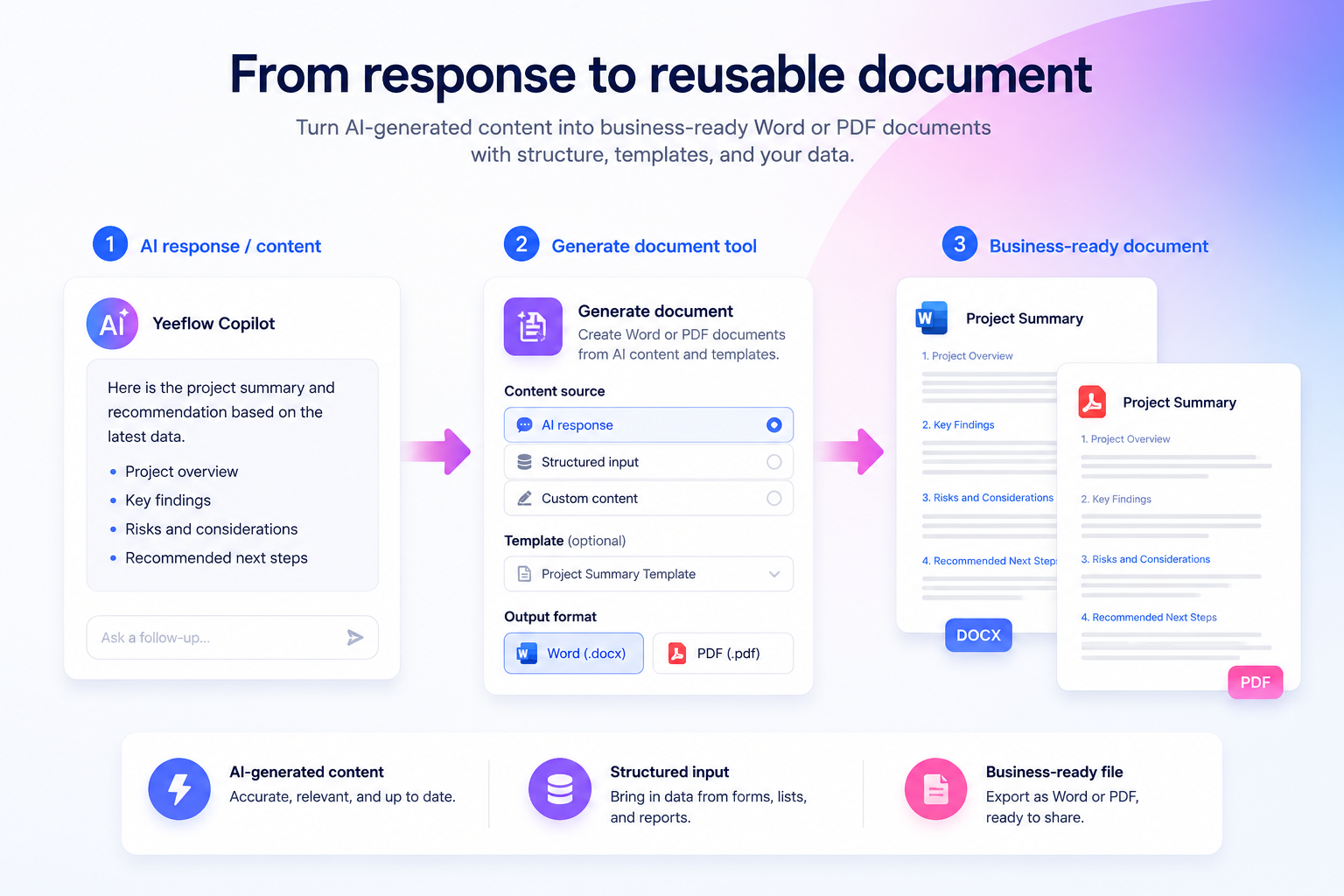
The Generate document tool allows AI Agents and Copilots to create Word or PDF documents from structured content and templates.
Depending on the scenario, teams can generate documents from:
- AI-generated content
- text input
- a blank template
- a single custom template
- multiple custom templates
This gives builders flexibility. A simple scenario may only need AI-generated text turned into a formatted file. A more structured scenario may require a predefined Word template with placeholders. A complex business process may combine multiple document templates into one final output.
The result is a more practical way to turn AI output into a document that can be reviewed, stored, downloaded, shared, or used in a business process.
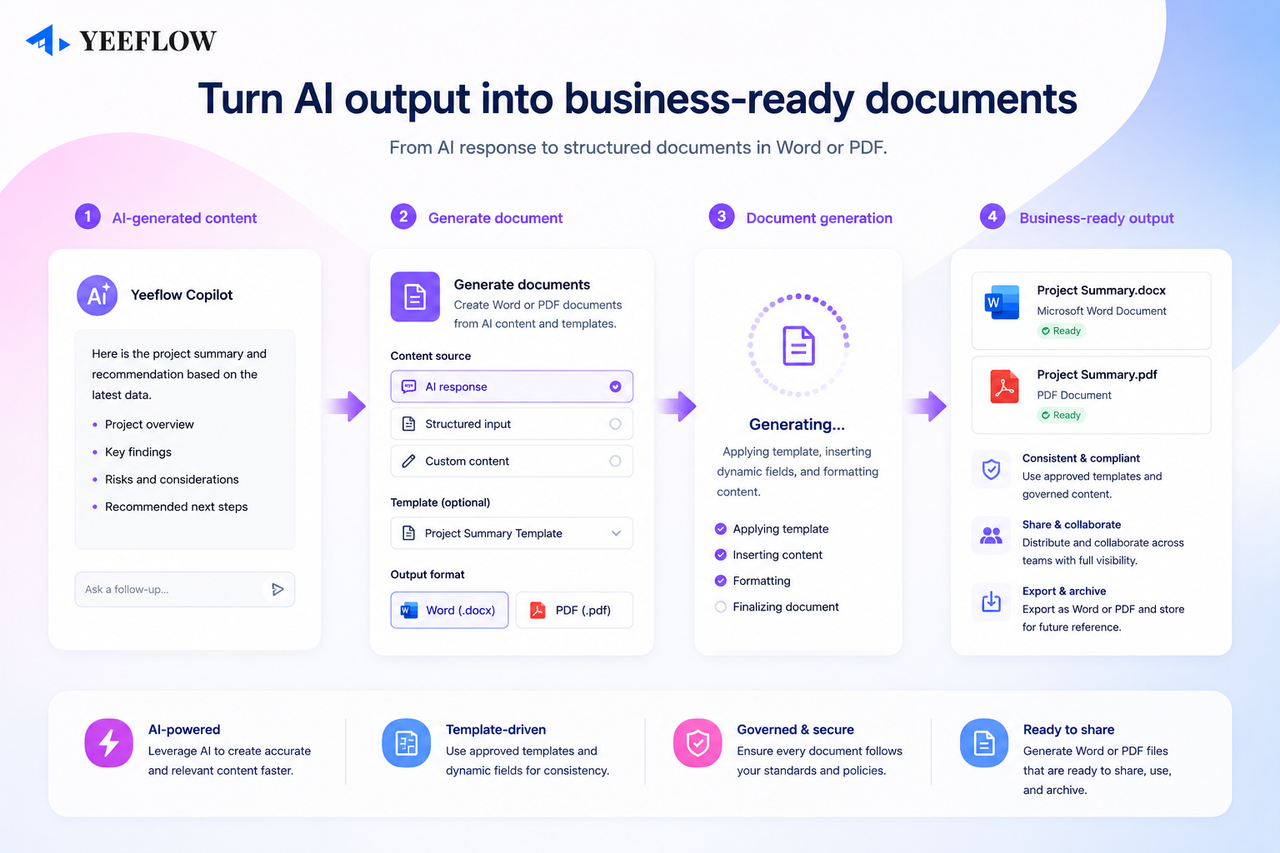
From AI response to business-ready output
Many AI tools stop at the response.
They can summarize information, explain data, or draft text. But business users often need the next step: a reusable document that fits the organization’s process.
Generate document helps move AI from response generation to output generation.
For example, a user may ask Copilot to summarize an approval request and generate a formal decision note. An Agent may collect project information, identify risks, and generate a project status report. A sales assistant may prepare a quote document based on customer information, product details, and an approved template.
In each case, AI is not only producing words. It is helping create a deliverable that can be used in real work.
Using templates for consistency
Templates are important because business documents need consistency.
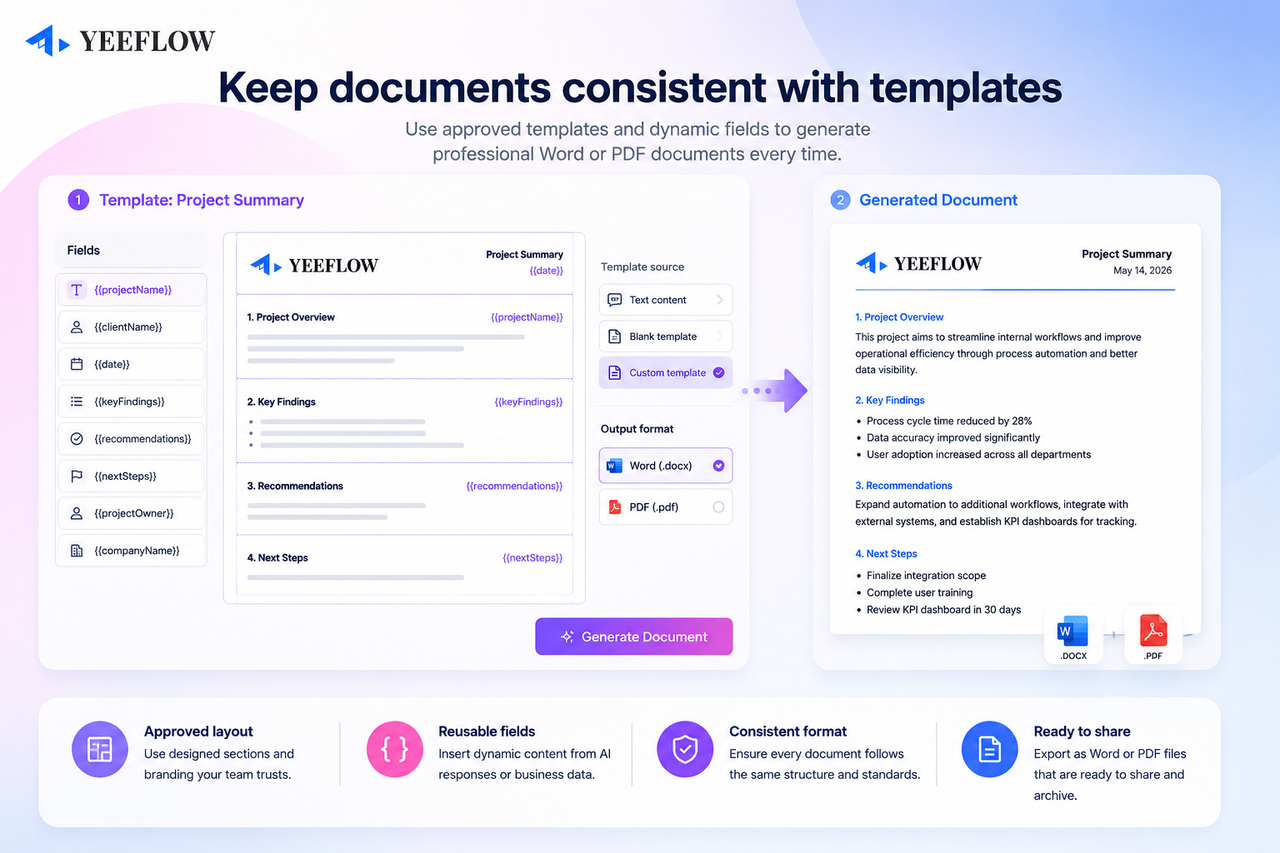
A company may have approved layouts, required sections, standard wording, legal text, brand formatting, or specific document structures. When teams rely only on free-form AI responses, it becomes difficult to maintain that consistency.
With template-based generation, builders can define the structure of the document in advance. AI can then provide the content needed to fill the document while the template keeps the output aligned with the organization’s format.
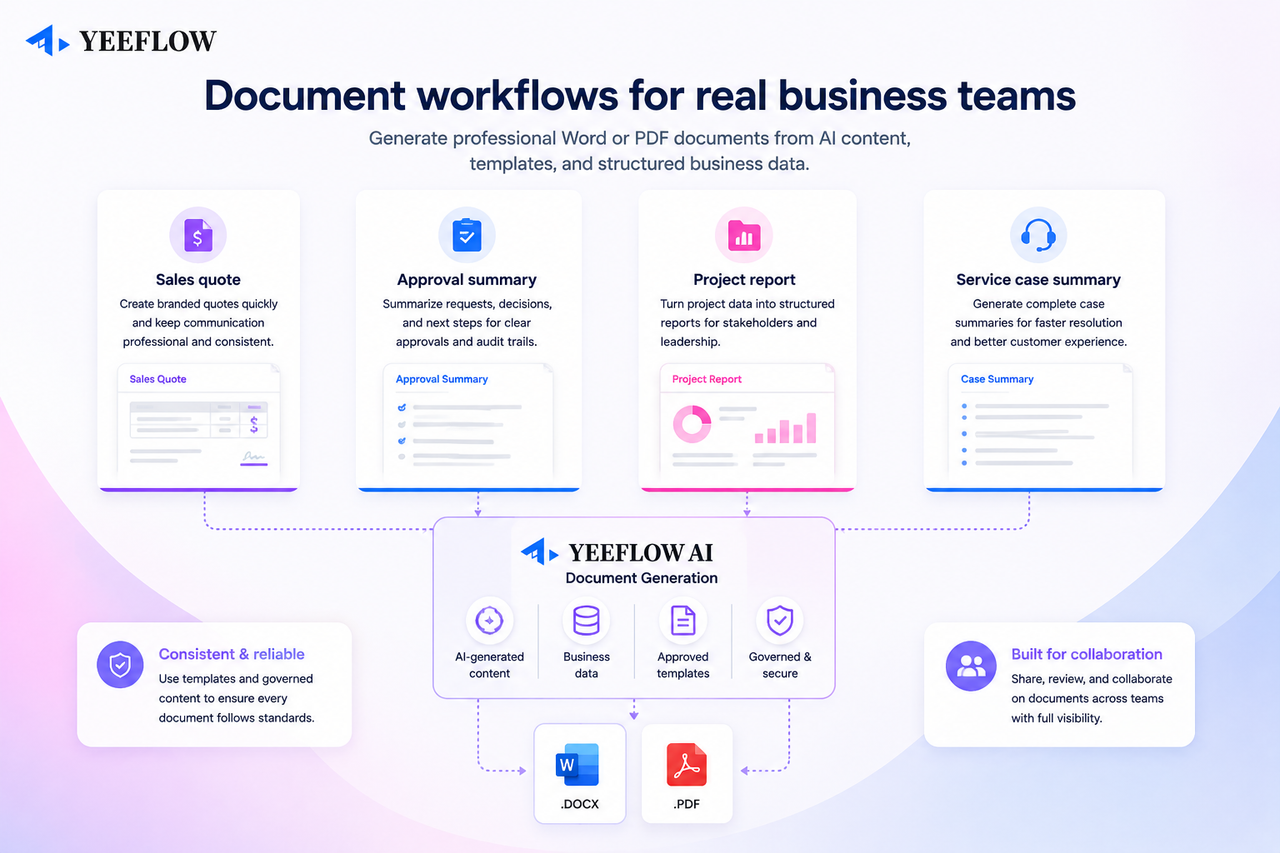
This is useful for documents such as:
- approval summaries
- customer letters
- sales quotes
- project reports
- renewal notices
- onboarding documents
- internal operation reports
- compliance or audit summaries
Instead of starting from a blank page, users can generate documents that follow a repeatable structure.
Supporting real business scenarios
Generate document is especially useful when AI is already working with application data and business context.
Consider a customer service scenario.
A support team tracks cases inside a Yeeflow application. An Agent can review the selected case record, related tasks, customer notes, and resolution status. Then it can generate a service summary document that includes the issue, timeline, actions taken, current status, and recommended next steps.
Or consider an approval scenario.
A manager reviews a submitted request. Copilot can help summarize the request, highlight key decision factors, and generate a PDF approval summary for recordkeeping or sharing with stakeholders.
Or consider a sales scenario.
A sales team manages customer records and opportunity data inside Yeeflow. AI can help prepare a proposal summary or quote document from structured inputs and an approved template, reducing manual formatting work while keeping the output consistent.
These are not generic AI writing tasks. They are document generation workflows connected to business applications.
Why this improves productivity
Generate document can help teams reduce repetitive work in several ways.
First, it reduces manual copy-and-paste work. Users do not need to move AI-generated content between tools just to create a final file.
Second, it improves consistency. Templates help keep documents aligned with approved formats and business requirements.
Third, it speeds up recurring document workflows. Teams can generate reports, summaries, letters, and business records faster from the information already available in Yeeflow.
Fourth, it makes AI output more actionable. A document can be saved, shared, reviewed, approved, attached to a workflow, or sent to a customer.
The value is not only faster writing. The value is turning AI output into usable business deliverables.
Part of a broader operational AI direction
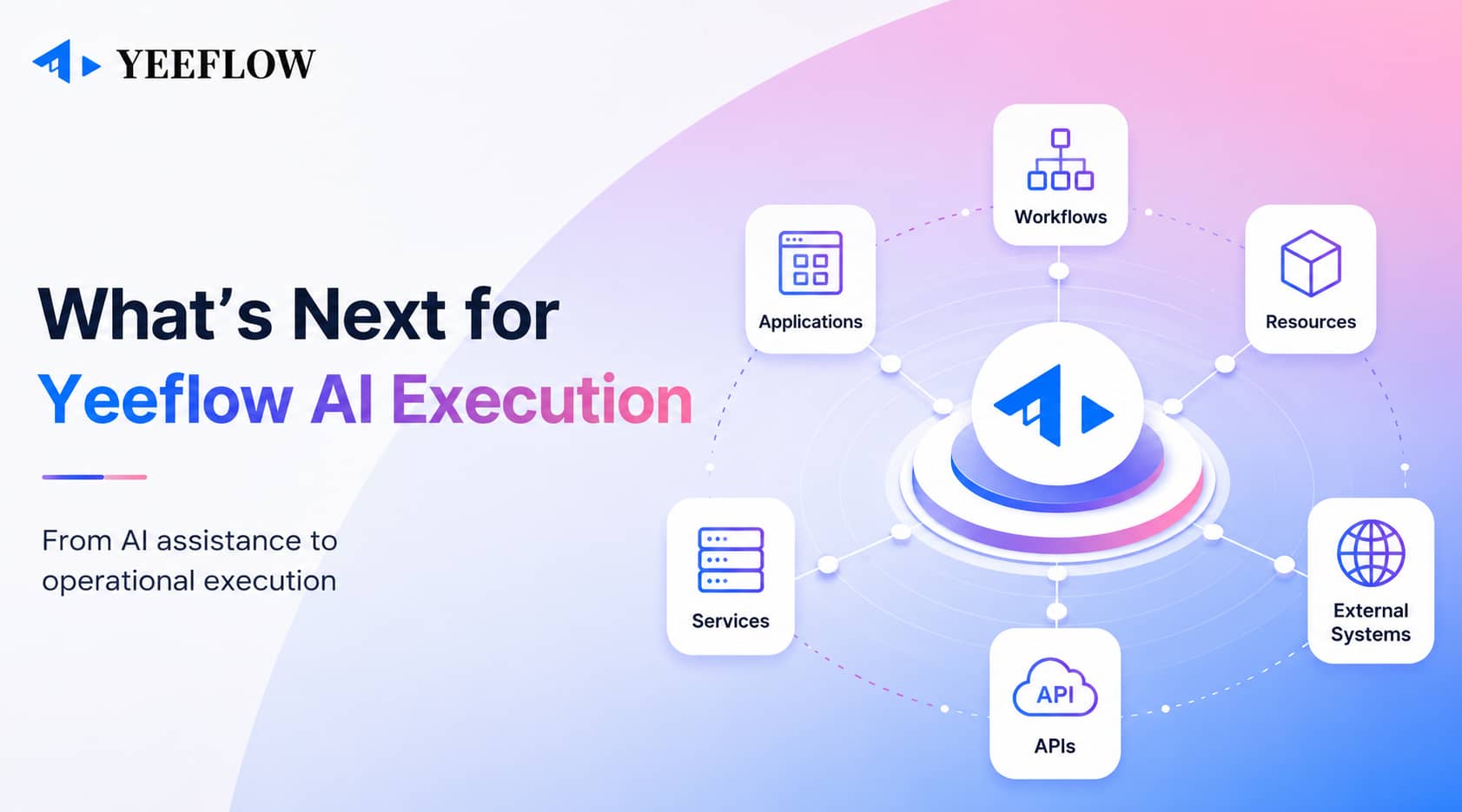
Generate document is one part of Yeeflow’s broader direction for AI inside business applications.
AI should not only answer questions. It should help users work with application resources, connect to external systems, understand business context, and produce outputs that teams can use.
Document generation supports that direction by giving AI a practical output channel. It helps move AI from conversation to completion, from draft text to business file, and from isolated assistance to operational productivity.
For organizations, this means AI can support more of the work that happens after a user asks a question: preparing records, summarizing decisions, generating reports, and creating documents that move business processes forward.
A practical step toward AI-powered work
Business teams do not only need smarter answers. They need usable outputs.
With Generate document, Yeeflow AI can help transform application data, user input, and AI-generated content into Word and PDF documents that support real business work.
It is a practical step toward AI-powered applications where users can ask, analyze, generate, and complete work in one connected experience.