AI inside business applications should do more than answer in text.
In real work, users need to understand information, create outputs, analyze content, and move tasks forward. Sometimes that means asking a question. Sometimes it means reviewing an image, generating a visual draft, creating a structured page, or starting from a guided prompt instead of a blank input box.
That is the value of Yeeflow’s latest AI capabilities update.
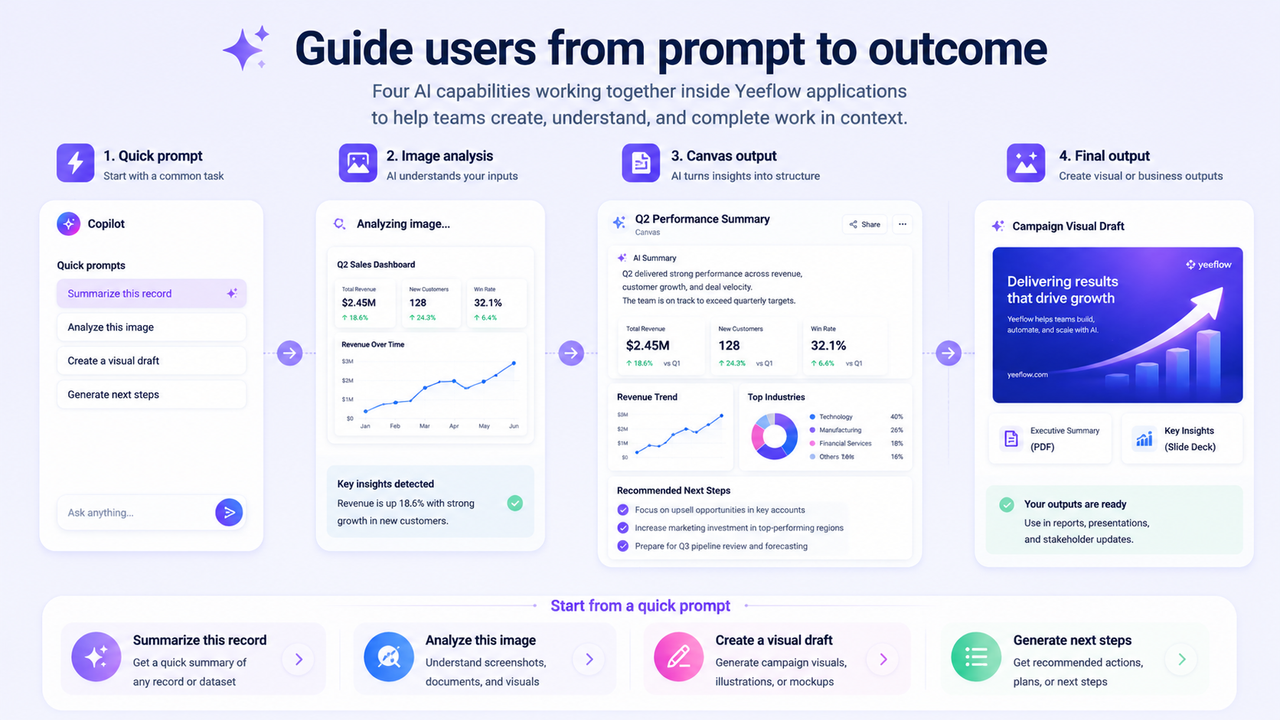
With image generation, image analysis, Copilot Canvas, and quick prompts, Yeeflow AI becomes more useful inside everyday application work. These capabilities expand how users interact with AI and what AI can produce inside business applications.
From text answers to richer business outputs
Many AI experiences are built around simple Q&A.
That is useful, but business work often needs more than a text response. Teams may need a visual draft, a structured summary, a generated page, an image-based explanation, or a guided way to start a common task.
Yeeflow’s AI capabilities update helps move AI from simple answers toward richer outputs and more practical interaction modes.
This supports a broader product direction: AI should work inside real applications, with business context, structured data, workflows, documents, and user tasks.
What is included in this update
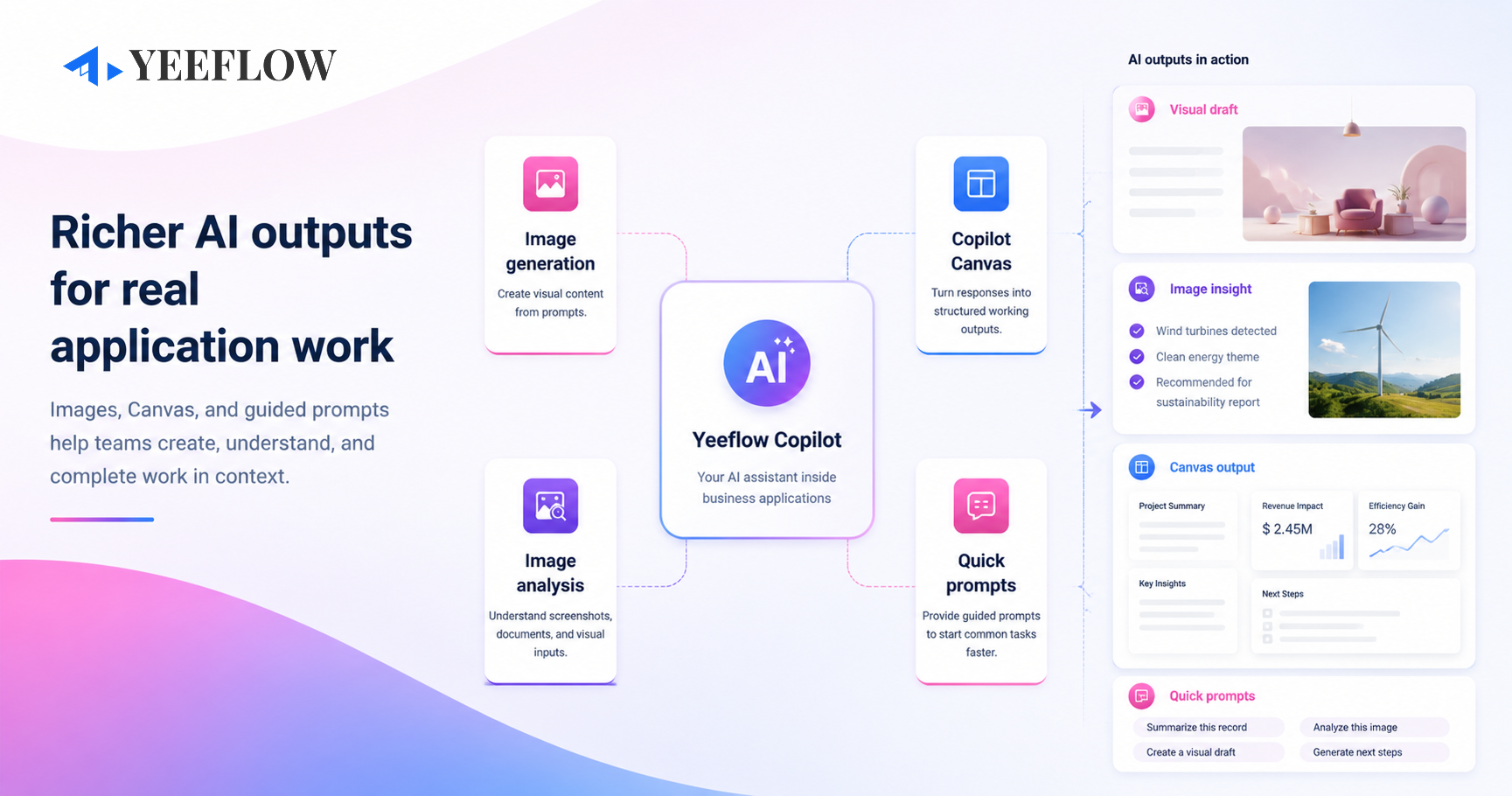
This update brings several advanced AI capabilities into Agent and Copilot scenarios:
- Image generation: create visual content from prompts.
- Image analysis: help AI understand and respond to image-based input.
- Copilot Canvas: generate structured content, documents, dashboards, and visual working outputs in Copilot.
- Quick prompts: provide predefined prompts that help users start common tasks faster.
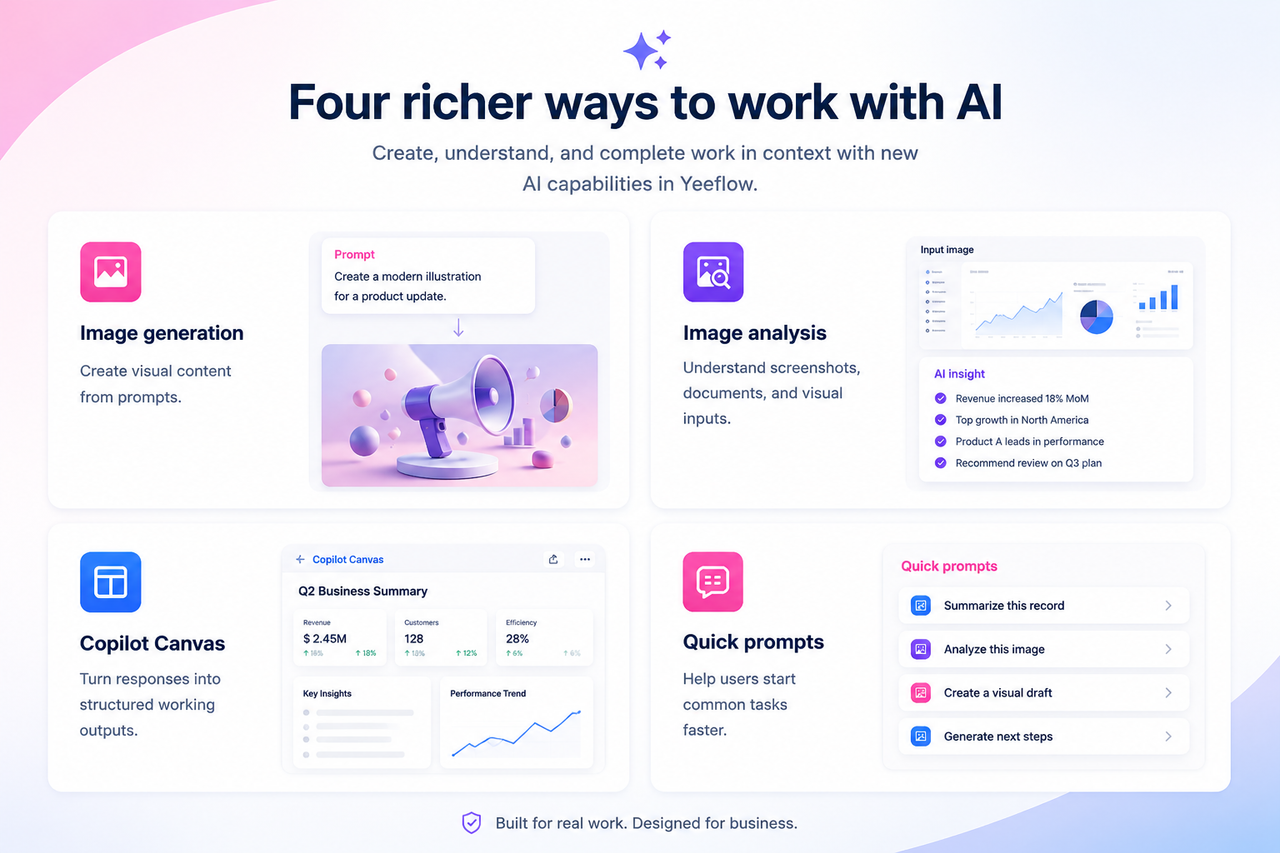
Together, these capabilities make Yeeflow AI more flexible for real business work. Users can interact with AI through text, images, structured outputs, and guided task starters.
Image generation: create visual content from business context
Image generation allows AI to create image-based outputs from prompts.
For business teams, this can support early-stage visual work such as campaign concepts, simple illustrations, mockup ideas, presentation visuals, and communication assets.
The goal is not to replace professional design workflows. Instead, image generation gives teams a faster way to create visual drafts and support business communication directly inside AI-powered application scenarios.
For example, a marketing team could ask an Agent to generate a campaign concept image based on a product update. A sales team could create a simple visual to explain a solution scenario. An operations team could generate an illustration for a process communication.
The value is speed, context, and convenience.
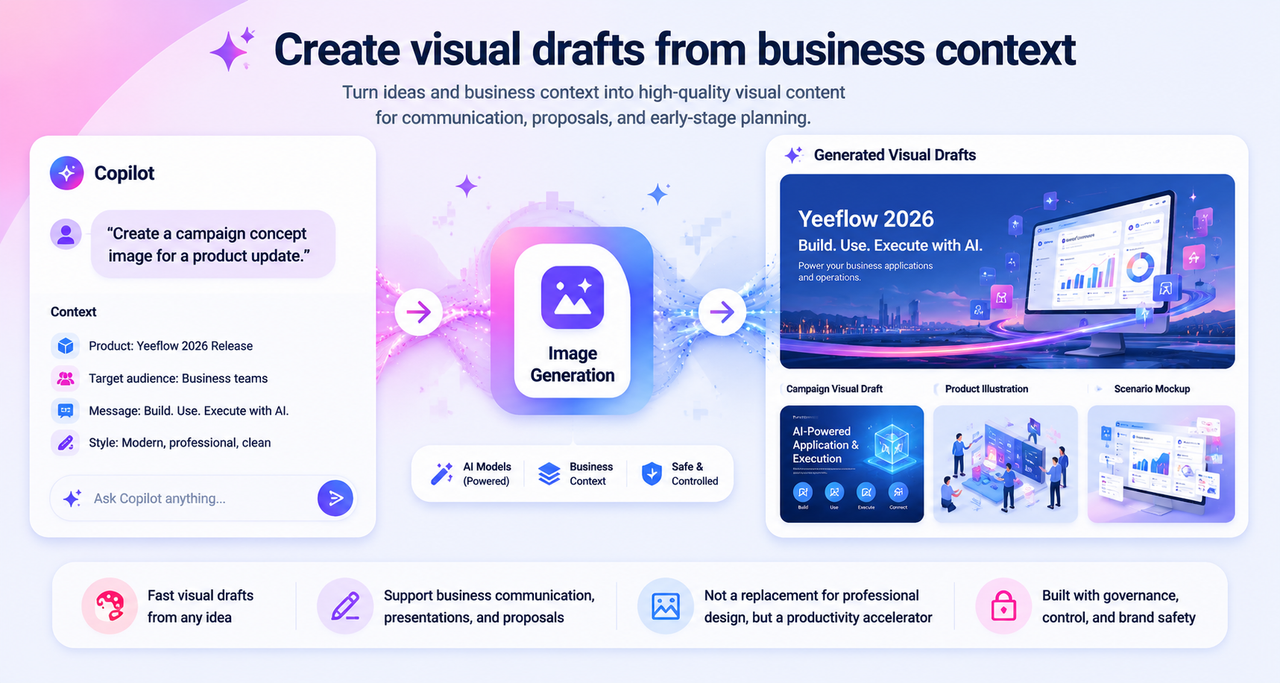
Image analysis: help AI understand visual input
Business information is not always text-based.
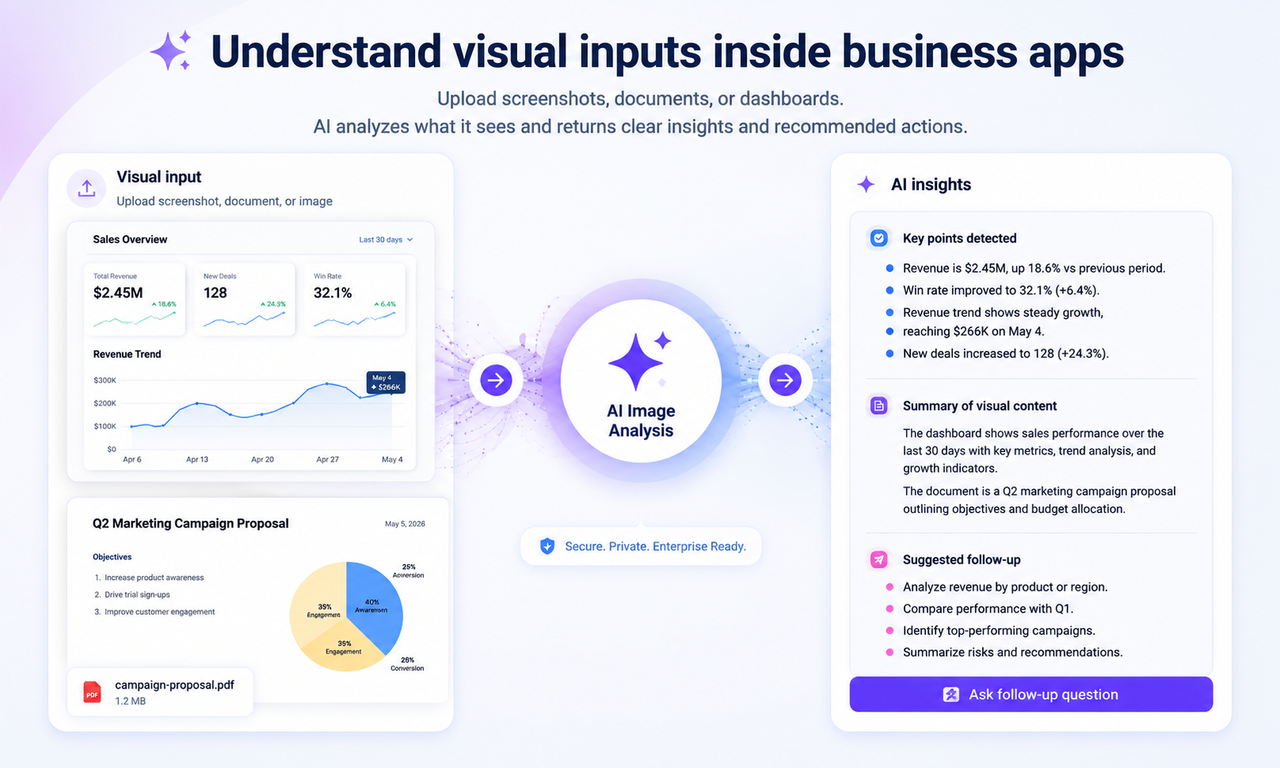
Users often work with screenshots, diagrams, documents, photos, and visual references. Image analysis helps AI understand those visual inputs and respond with useful context.
This can support scenarios such as:
- reviewing screenshots
- explaining visual content
- extracting meaning from image-based information
- analyzing document images
- helping users understand visual issues or examples
For example, a user could upload a screenshot of a dashboard or process view and ask Copilot to explain what is shown. A team could provide a visual reference and ask AI to summarize key points or identify follow-up actions.
This makes AI more useful in workflows where information is visual, not only textual.
Copilot Canvas: structured output inside the application
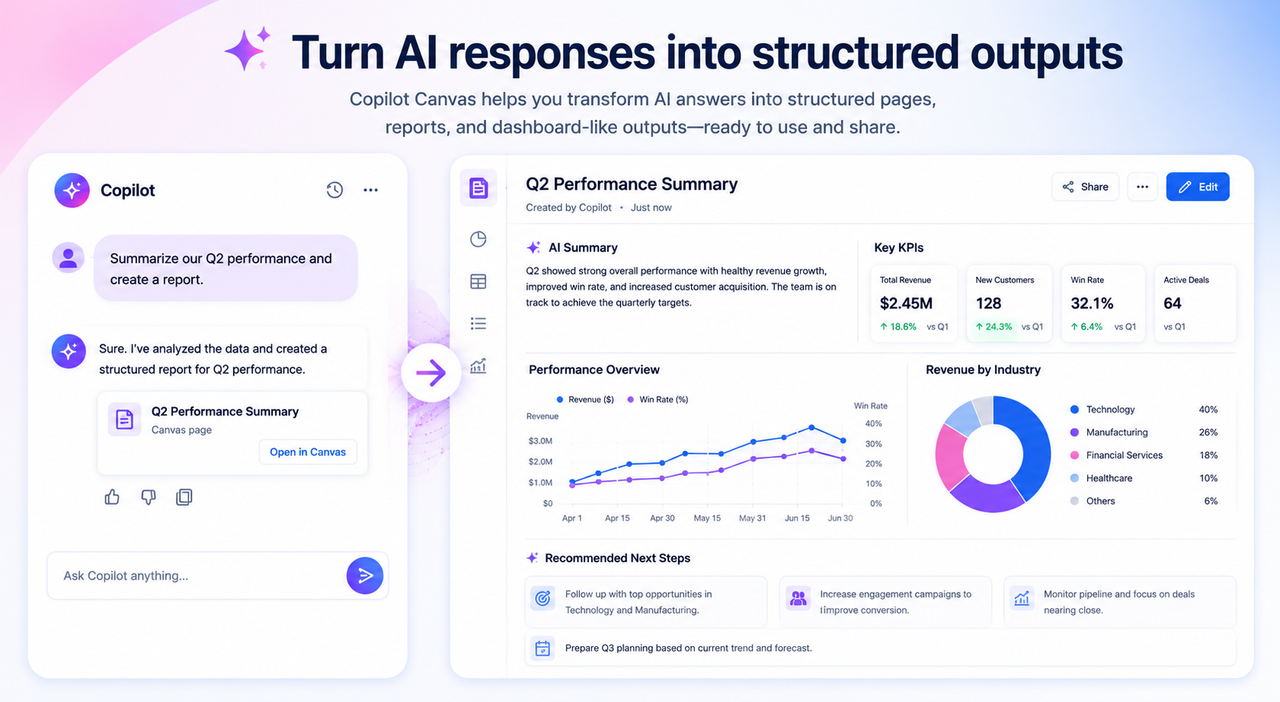
Copilot Canvas gives users a richer output surface inside Copilot.
Instead of returning only a chat response, Copilot can generate structured outputs such as working pages, summaries, documents, dashboards, and visual analysis results.
This matters because business users often need information organized into a usable format.
A simple answer may be enough for a quick question. But when users ask for a report, a dashboard-style breakdown, or a structured summary, Canvas provides a better way to present the result.
Canvas is especially useful for:
- business summaries
- dashboard-style outputs
- structured analysis
- document-like results
- visual working pages
- outputs users may want to review, save, or continue working with
This helps Copilot become more than a chat layer. It becomes a practical workspace for AI-generated business outputs.
Quick prompts: help users start faster
One common challenge with AI is the blank input box.
Users may not always know what to ask, how to phrase a request, or what the AI can help with. Quick prompts help solve this by giving users predefined starting points.
For Copilot experiences, quick prompts can guide users toward common tasks, recommended workflows, or repeatable use cases.
Examples include:
- “Summarize this record”
- “Generate a follow-up message”
- “Create a dashboard summary”
- “Analyze this image”
- “Draft next steps”
This makes Copilot easier to use and helps teams standardize common AI interactions.
For administrators and builders, quick prompts also provide a lightweight way to guide adoption. Instead of expecting every user to discover the right prompt on their own, teams can provide useful starting points directly in the experience.
How these capabilities work together
The real value of these capabilities comes from how they work together inside business applications.
Imagine a user working in a sales, operations, HR, or service application.
The user uploads an image or screenshot. AI analyzes the content and explains what it sees. The user then asks Copilot to create a structured summary in Canvas. A quick prompt helps the user generate next steps, create a visual draft, or prepare a document-style output.
This creates a more complete AI interaction flow:
- understand visual input
- generate structured output
- create visual content
- guide users into common actions
- support real business work inside the application
The experience becomes more practical because AI can support different types of input, different types of output, and different levels of user guidance.
Why this matters for real application work
Enterprise AI becomes more valuable when it is embedded in the places where work already happens.
In Yeeflow, that means AI can support users inside applications, workflows, data records, dashboards, reports, and business processes.
These advanced AI capabilities help make that experience richer:
- Image generation expands what AI can create.
- Image analysis expands what AI can understand.
- Canvas improves how AI presents structured outputs.
- Quick prompts improve how users start and repeat common tasks.
Together, they make AI more useful for daily business scenarios.
This is not about adding AI features for novelty. It is about helping teams interact with AI in ways that match real work: visual, structured, guided, and output-oriented.
A more useful AI experience inside business applications
AI should help teams move from questions to outcomes.
With image generation, image analysis, Copilot Canvas, and quick prompts, Yeeflow AI can support richer interaction and output modes inside real business applications.
Users can work with images, create visual content, generate structured outputs, and start common tasks faster.
That is an important step toward AI-powered application work: not just answering, but helping users create, understand, and complete more work in context.