AI becomes more useful when it understands the work around the request.
In business applications, a useful AI response often depends on context: the current form, the approval task, the selected record, the workflow step, the user role, the related variables, and the process that triggered the action.
Without that context, AI can still generate text. But the output may feel generic.
With richer context, AI Assistant can produce results that are more relevant to the actual business moment.
That is the value of AI Assistant context enrichment in Yeeflow.
Why context matters for business AI
Business work does not happen in isolation.
An approval request has a requester, submitted data, workflow status, task owner, policy requirements, and decision history. A service desk ticket has priority, category, customer information, issue details, assigned team, and resolution status. A data list record may be part of a larger process, report, or operational workflow.
When AI Assistant can use this context, it can generate more useful outputs.
Instead of only responding to a standalone prompt, AI Assistant can help summarize, explain, evaluate, and prepare content based on the work that is already happening inside the application.
This is especially important for approval flows, form actions, list actions, and workflow automation.
What AI Assistant context enrichment means
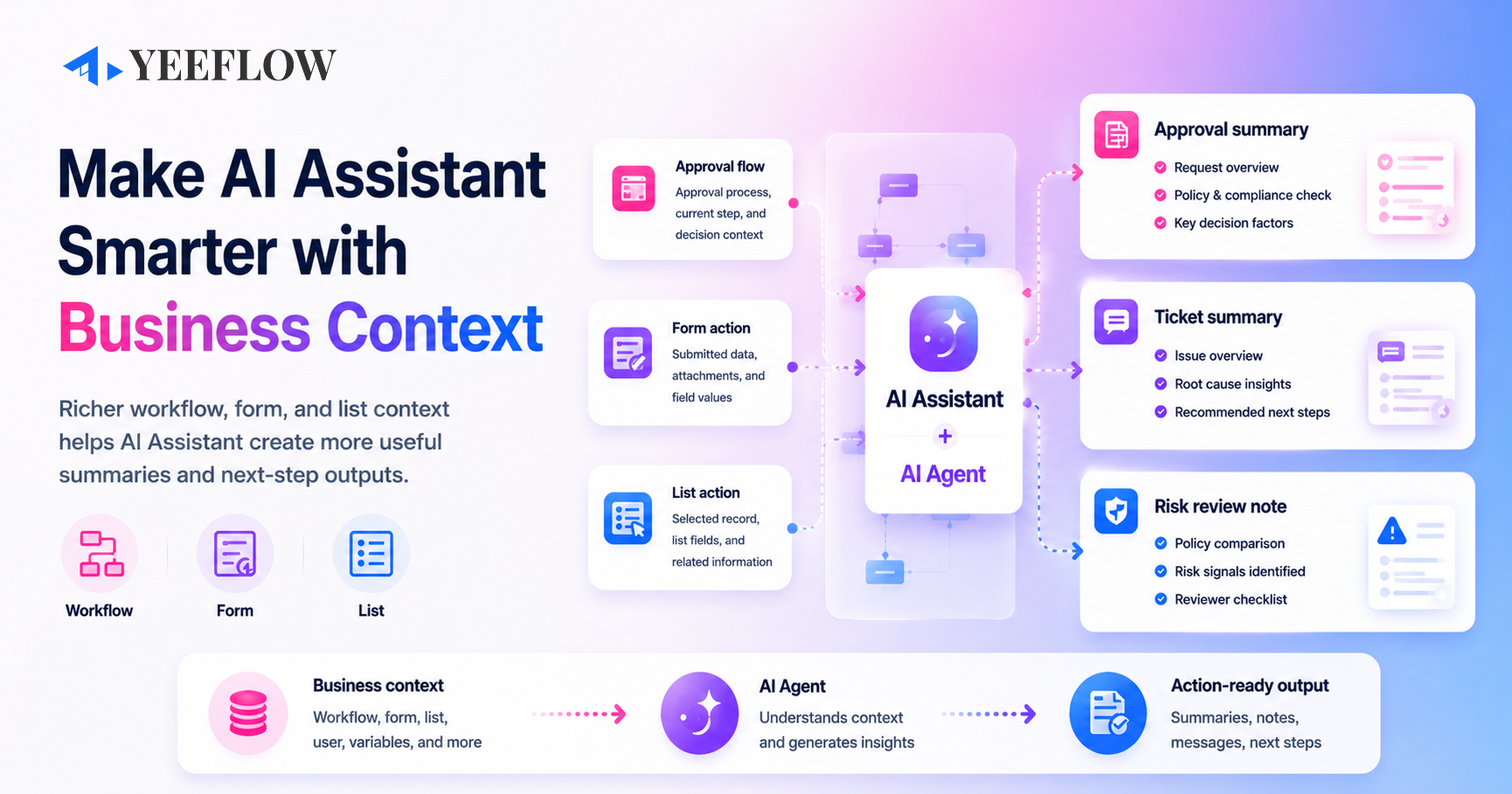
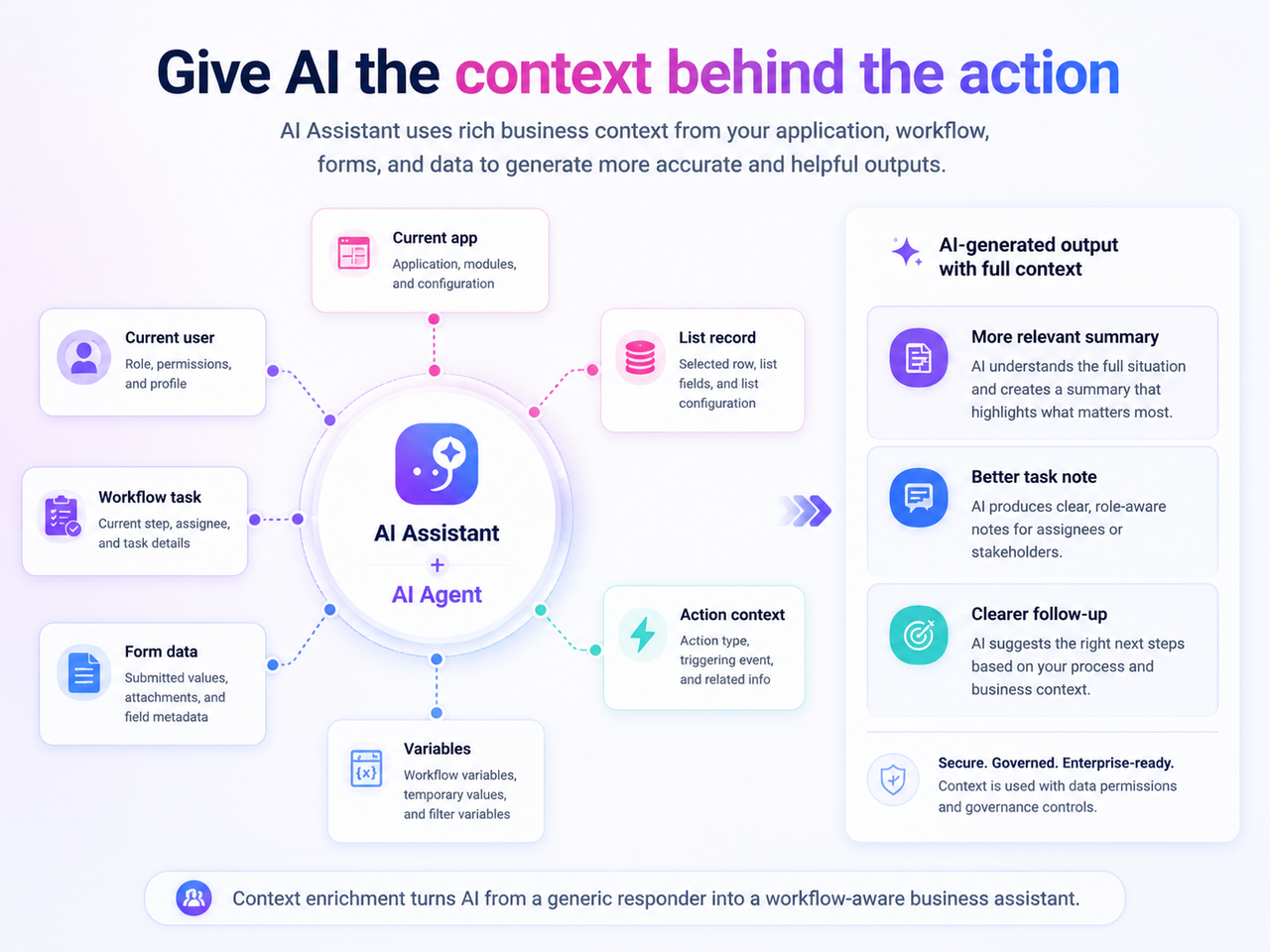
AI Assistant context enrichment allows AI Assistant to work with richer business context when it calls an AI Agent from workflow, form, and list actions.
This means AI Agent can receive more than a basic instruction. It can use relevant information from the current business process, such as the current application, user, workflow, task, variables, selected record, form data, or list context.
The result is more practical AI output.
AI Assistant can help generate summaries, notes, messages, risk explanations, follow-up suggestions, and other text outputs that are better aligned with the current business scenario.
What context can be used
Depending on the action and configuration, AI Assistant can use different types of context, including:
- Current application context
- Current user context
- Approval process context
- Workflow instance context
- Workflow variables
- Workflow task context
- Form data
- List data
- Selected record context
- Temporary variables
- Filter variables
- Action context
This gives builders more flexibility when designing how AI should support a process.
The goal is not to make AI act independently. The goal is to give AI enough business context to produce a better, more useful result inside a controlled workflow.
Scenario 1: Generate an approval summary for decision makers
Approval tasks often require quick judgment.
Approvers may need to understand what was requested, why it matters, whether the request is complete, what risks exist, and what decision is expected from them.
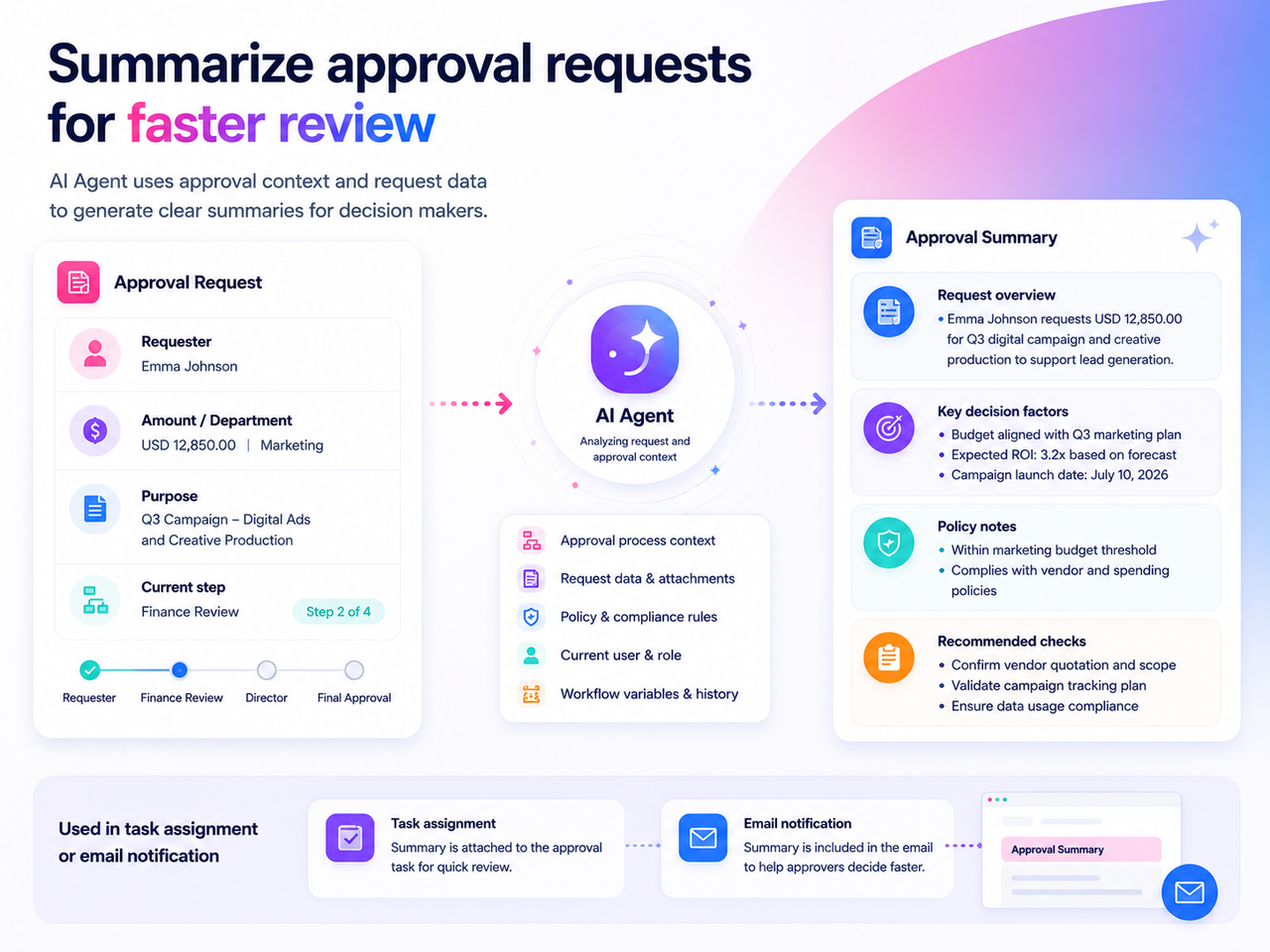
With AI Assistant context enrichment, a workflow can call an AI Agent during an approval process and provide the relevant context from the request.
For example, AI Agent can use:
- Submitted form fields
- Requester information
- Current approval step
- Task assignment context
- Workflow variables
- Related policy or process notes
Then it can generate a clear approval summary.
That summary can be written back into a multi-line text field, included in a task assignment, or inserted into an email notification.
Instead of asking every approver to read through the full request from scratch, the workflow can provide a concise summary that highlights the most important information.
This helps approvers make faster and more informed decisions.
Scenario 2: Summarize a service desk ticket
Service desk and support teams often manage many tickets in data lists.
Each ticket may contain issue details, category, priority, user comments, attached information, and current status. Before assigning or escalating the ticket, the team may need a short summary that explains what happened and what should happen next.
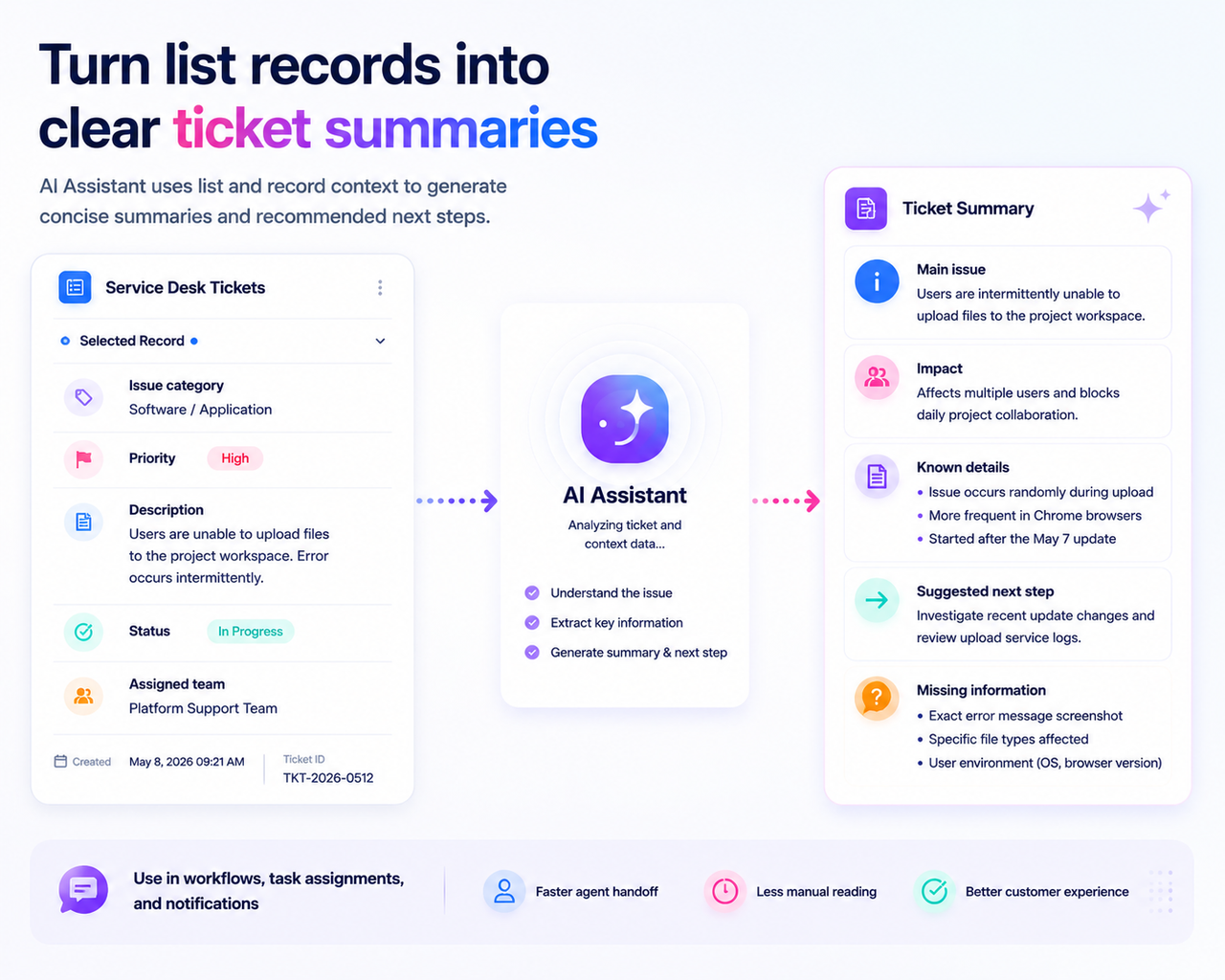
With richer list and record context, AI Assistant can call an AI Agent to summarize a selected ticket.
For example, the summary could include:
- Main issue
- Impact on the user or team
- Current priority
- Known details
- Suggested next step
- Information still missing
This can help service teams reduce manual reading and handoff work.
It also creates a more consistent way to describe tickets across teams, especially when records contain long descriptions or multiple field values.
Scenario 3: Support risk review for expense or contract requests
Some business processes require more careful review.
Expense claims, vendor requests, and contract approvals often need to be checked against policies, thresholds, or internal rules. In these cases, AI should not be positioned as the final decision maker. But it can help reviewers understand the request and identify areas that may need attention.
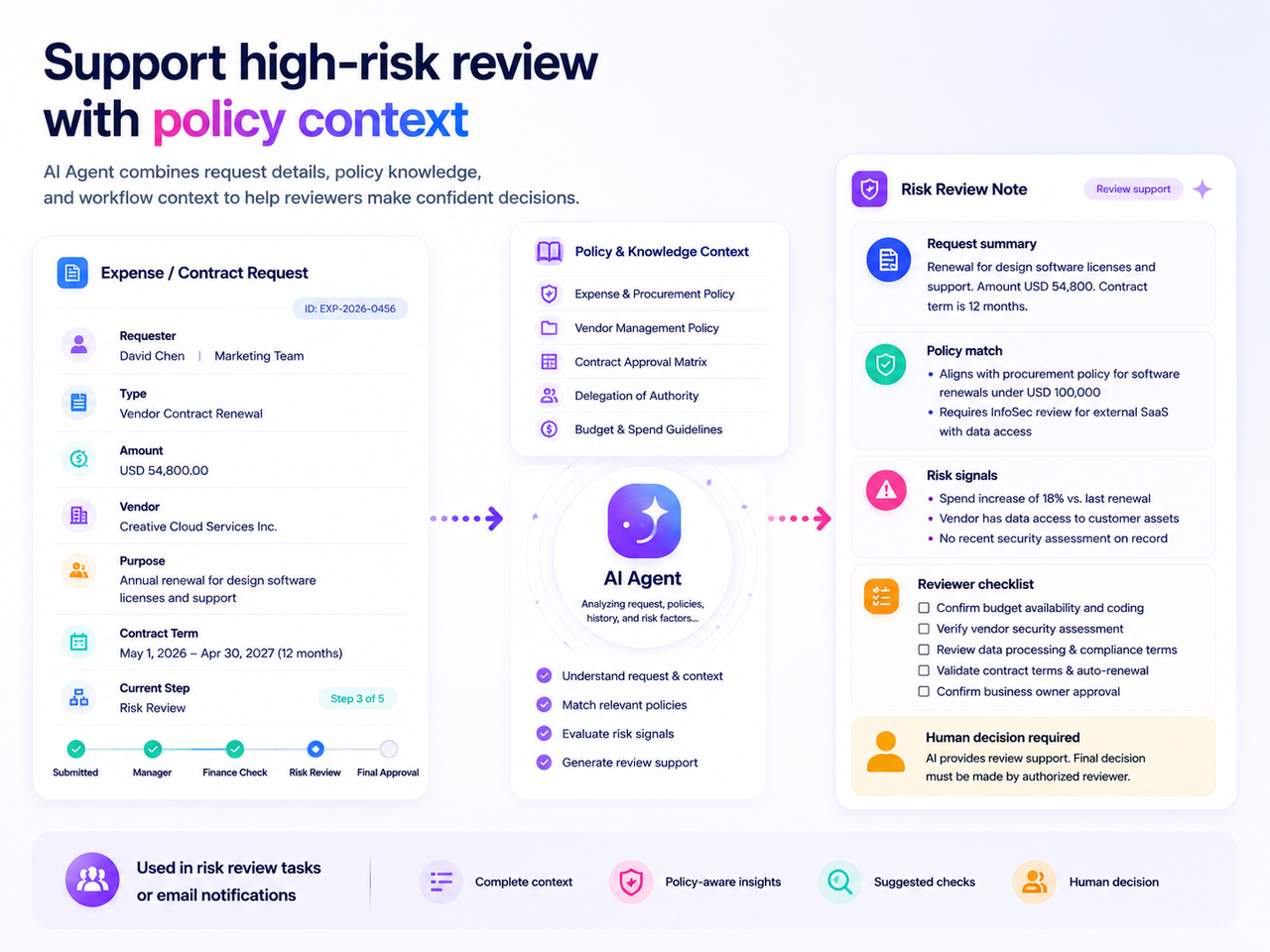
For example, an AI Agent can use:
- Expense or contract request data
- Submitted amount or category
- Department or requester information
- Workflow context
- Relevant policy knowledge
- Approval step or reviewer role
Then it can generate a risk review note.
The output might summarize the request, compare it with policy expectations, highlight possible risk factors, and suggest what the reviewer should check before approving.
This is especially useful for high-risk scenarios such as finance, reimbursement, procurement, and contract review.
The value is not automatic approval. The value is better review support.
Why this improves workflow, form, and list actions
Context enrichment makes AI Assistant more useful because it connects AI output to the current business action.
For workflow actions, AI can generate content based on the process state, task information, variables, and current step.
For form actions, AI can use submitted form data to create summaries, messages, explanations, or structured notes.
For list actions, AI can use selected records and list fields to summarize, classify, explain, or prepare follow-up content.
This helps teams reduce repetitive writing and manual interpretation.
It also makes AI output more consistent because the assistant can follow a defined process and use the relevant context provided by the application.
From generic AI responses to workflow-aware assistance
The difference is simple.
A generic AI assistant answers based on a prompt.
A workflow-aware AI Assistant answers based on the prompt plus the business situation around it.
That context can make the output more relevant, more accurate, and more useful for the person receiving it.
For example:
- An approver receives a clear summary instead of a long request.
- A service agent receives a ticket summary instead of reading every field manually.
- A finance reviewer receives a risk note instead of starting from a blank review.
- A workflow can generate a better notification because AI understands the current task.
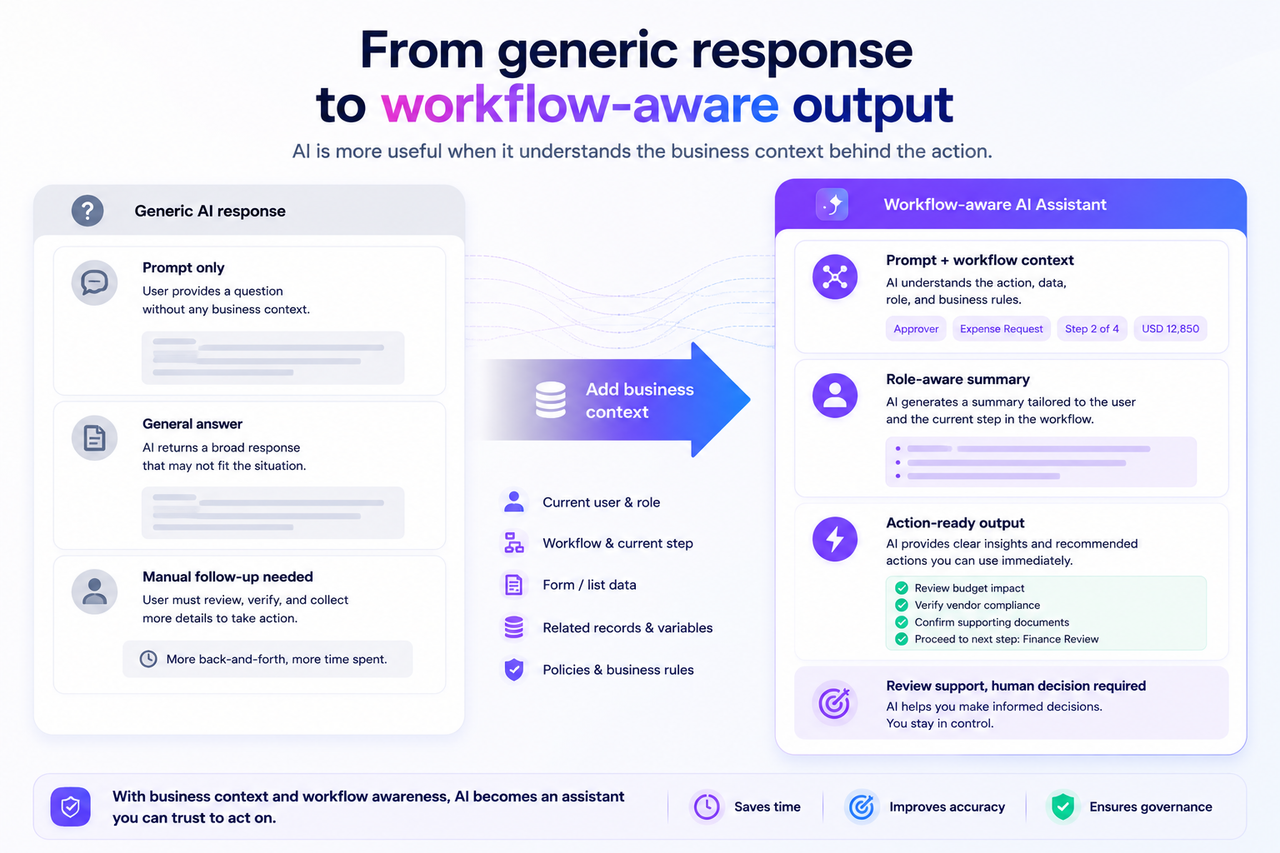
This is how AI becomes more practical inside real business applications.
Part of Yeeflow’s AI execution direction
AI Assistant context enrichment is part of Yeeflow’s broader direction toward AI-powered application and execution experiences.
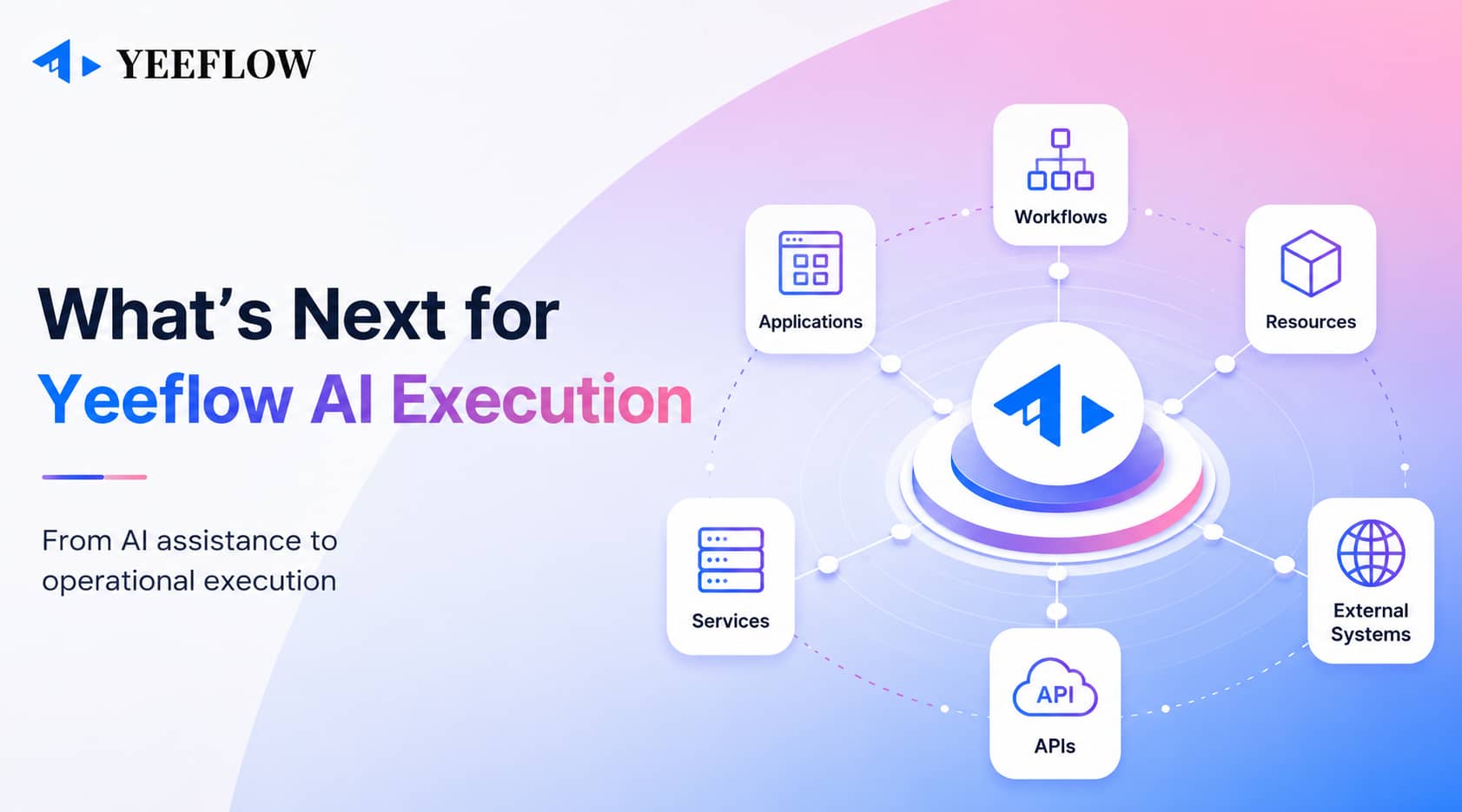
Yeeflow is not only adding AI as a separate chat layer. The product direction is to make AI useful inside applications, workflows, forms, lists, resources, services, and business processes.
Context is a key part of that direction.
When AI understands the current process and the current data, it can help users work more naturally and help teams generate better operational outputs.
This supports a more realistic and enterprise-ready form of AI: not uncontrolled autonomy, but contextual assistance inside governed business workflows.
A more useful assistant inside real work
AI Assistant becomes more valuable when it understands where it is being used.
With richer context in workflow, form, and list actions, Yeeflow helps teams generate more relevant summaries, task notes, notifications, risk explanations, and follow-up content.
The result is a more useful AI experience inside real application work.
AI does not just answer a question. It helps the process move forward with better context.