AI becomes more useful when it can work inside the business applications people already use every day.
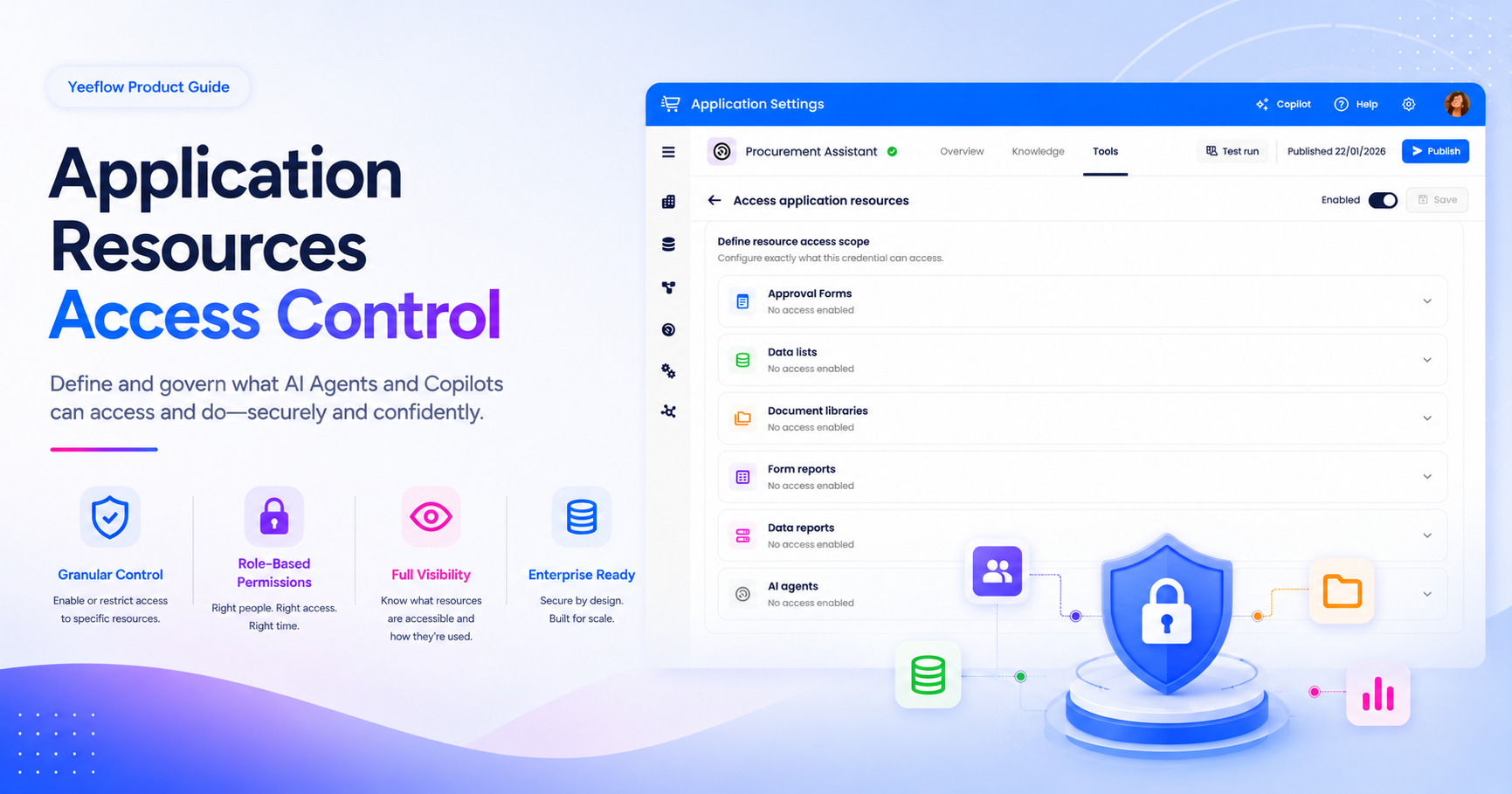
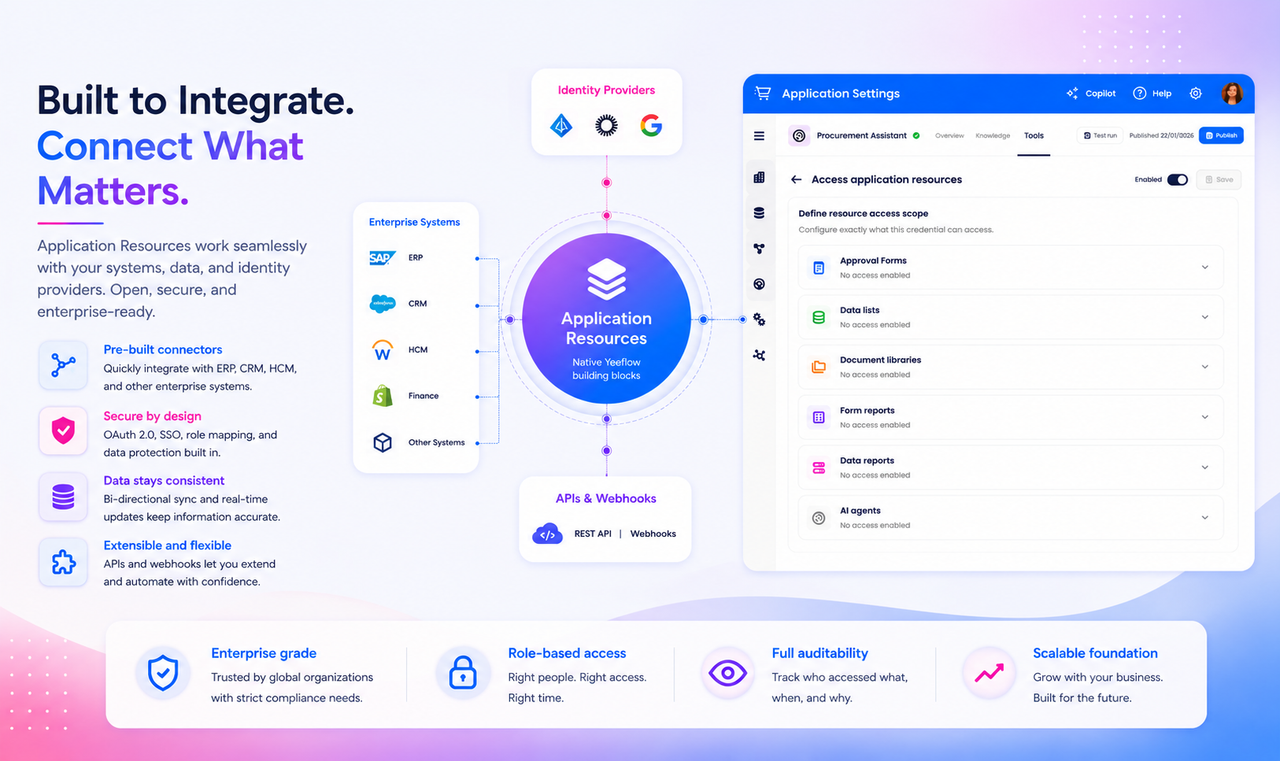
With Yeeflow’s resource access capability, AI Agents and Copilots can connect with native Yeeflow resources such as approval forms, data lists, document libraries, form reports, data reports, and selected application components. This helps AI move from answering questions to supporting real business execution.
From Chat to Application Action
In many business tools, AI is still separated from the actual work. It can answer a question, summarize text, or provide a suggestion, but it often cannot interact with the application resources where work happens.
Yeeflow takes a more practical approach.
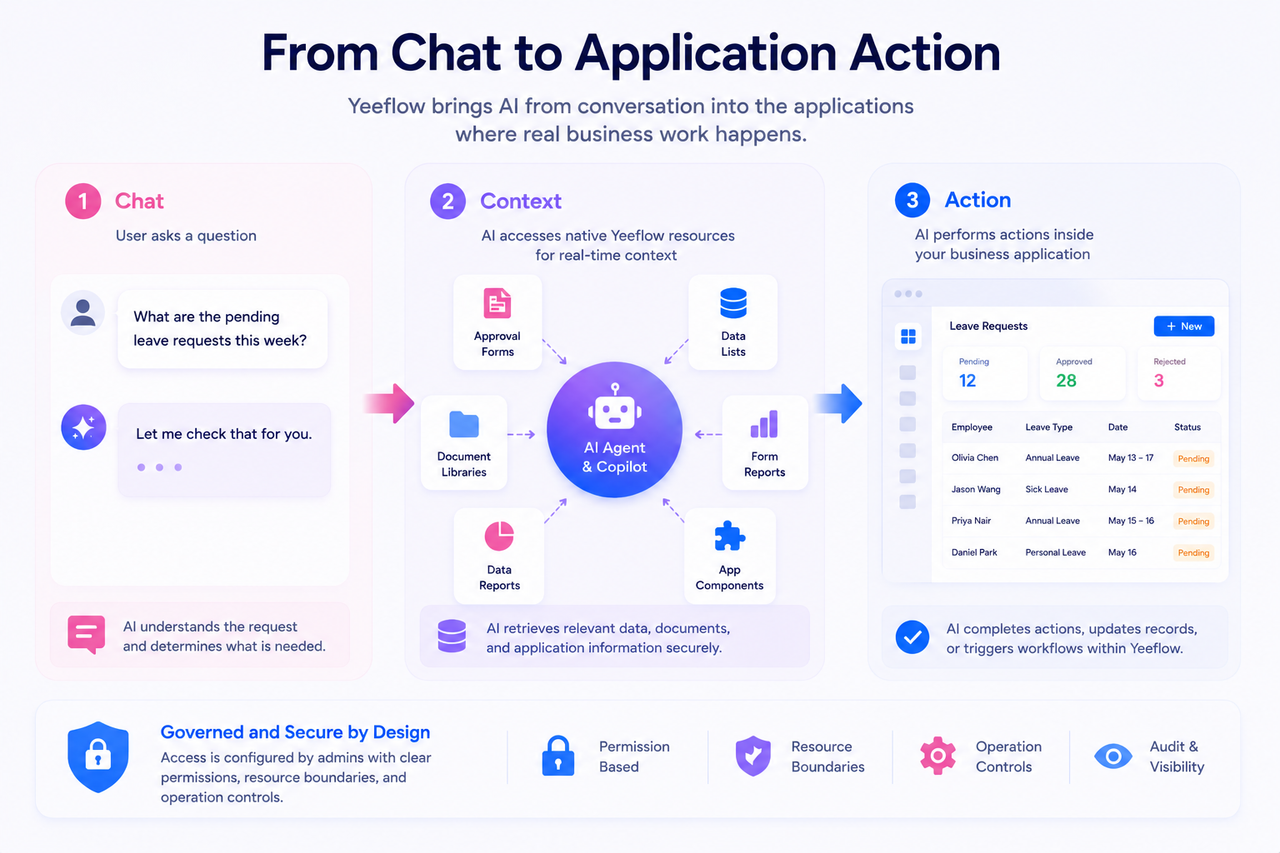
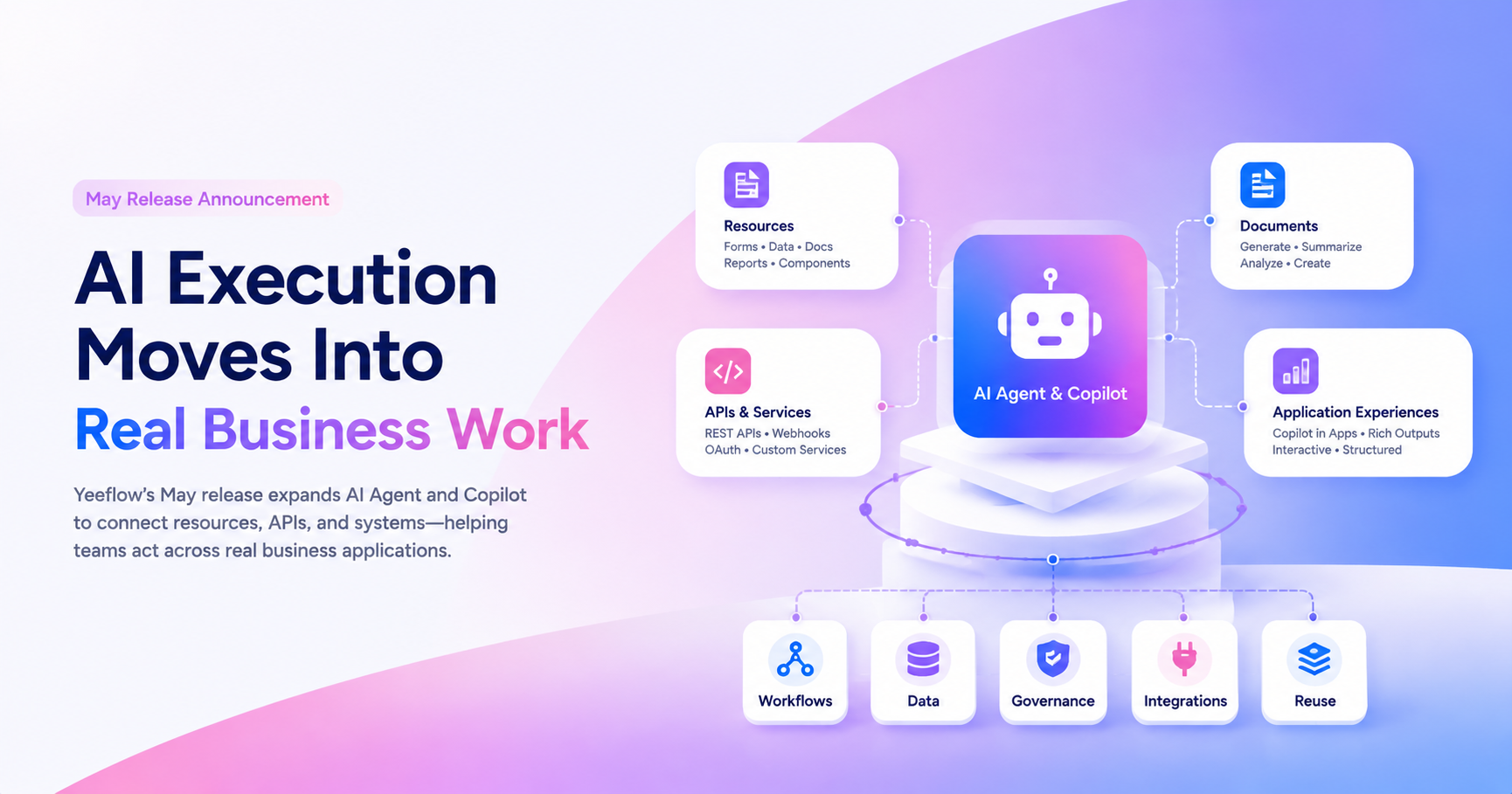
By allowing admins to grant Agents and Copilots access to selected application resources, Yeeflow makes AI part of the application experience itself. This aligns with Yeeflow’s 2026 direction of enabling AI Agents and Copilots to act across workflows, application resources, services, and external systems.
What Are Application Resources?
Application resources are the native building blocks inside a Yeeflow app.
They may include:
- approval forms
- data lists
- document libraries
- form reports
- data reports
- AI Agents
- selected application components
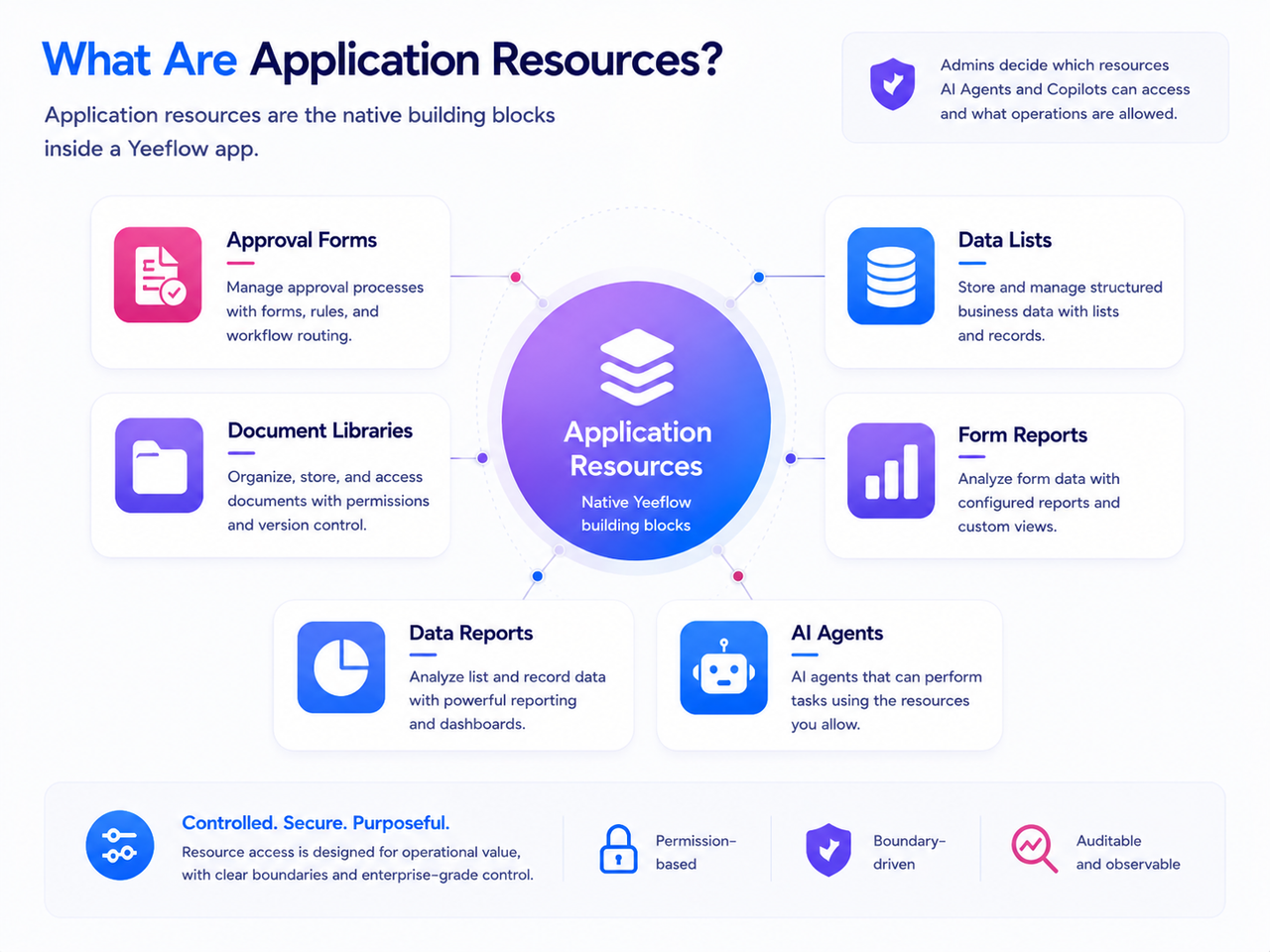
With resource access, admins can decide which resources an Agent or Copilot can work with and what types of operations are allowed.
What AI Can Do with Resources
Depending on configuration and permissions, Agents and Copilots can support actions such as reading data, adding records, editing information, triggering workflows, or invoking selected components. The roadmap defines these resource operations as part of the foundation for AI action on native Yeeflow resources.
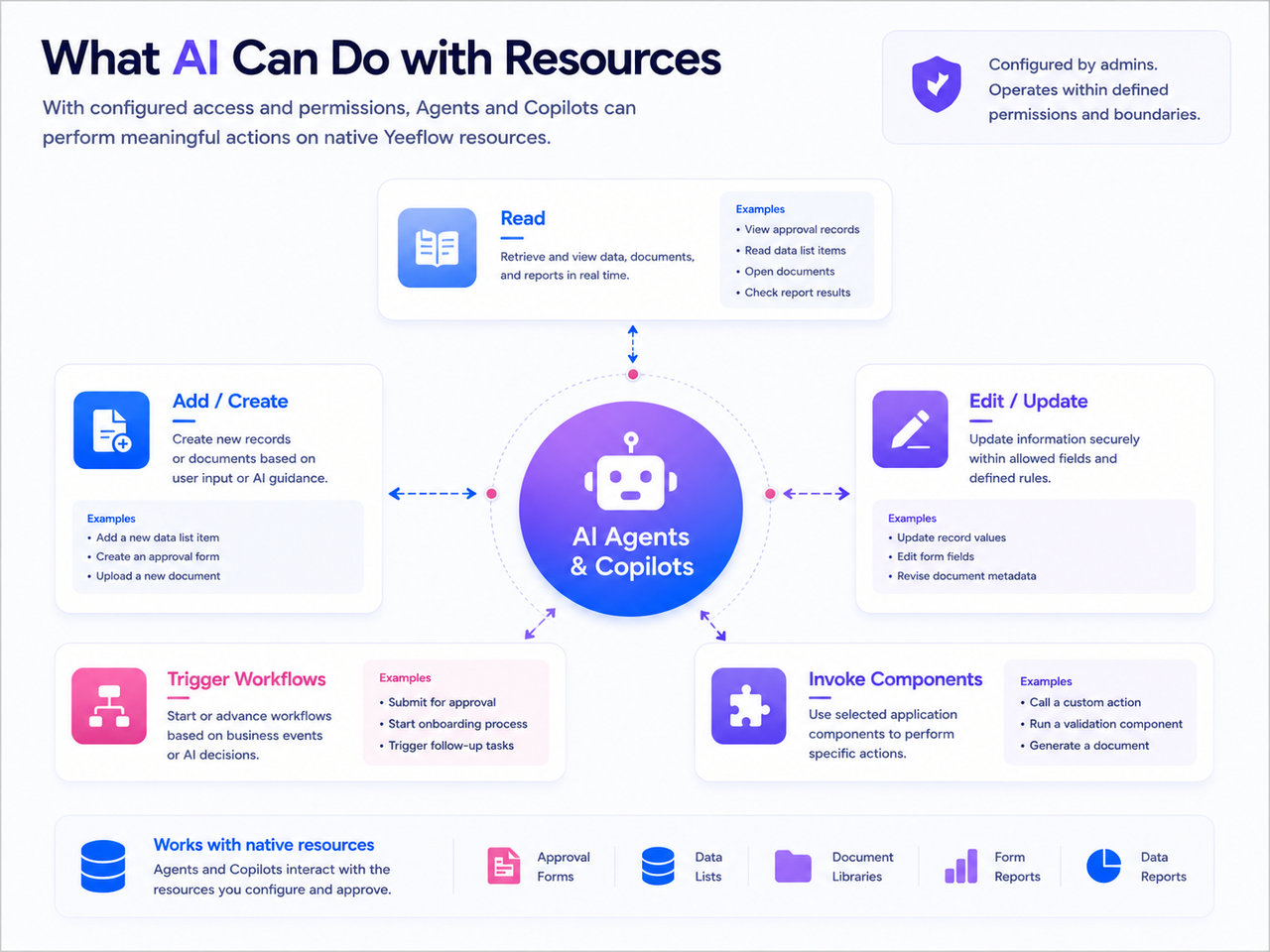
This can support use cases like:
- answering questions based on live application data
- helping users find information in a document library
- summarizing approval records or report results
- guiding users through form or workflow tasks
- preparing updates to business records
- triggering follow-up processes from a Copilot experience
Why This Matters for Business Teams
Resource access makes AI more practical because it connects AI to real business context.
Instead of asking users to copy information into a separate AI tool, Yeeflow allows AI to work closer to the data, workflows, documents, and reports already managed inside the platform.
For users, this means faster answers and more contextual support.
For builders, it means AI-powered experiences can be designed around actual application resources.
For admins, it means AI access can be configured with clearer permission boundaries.
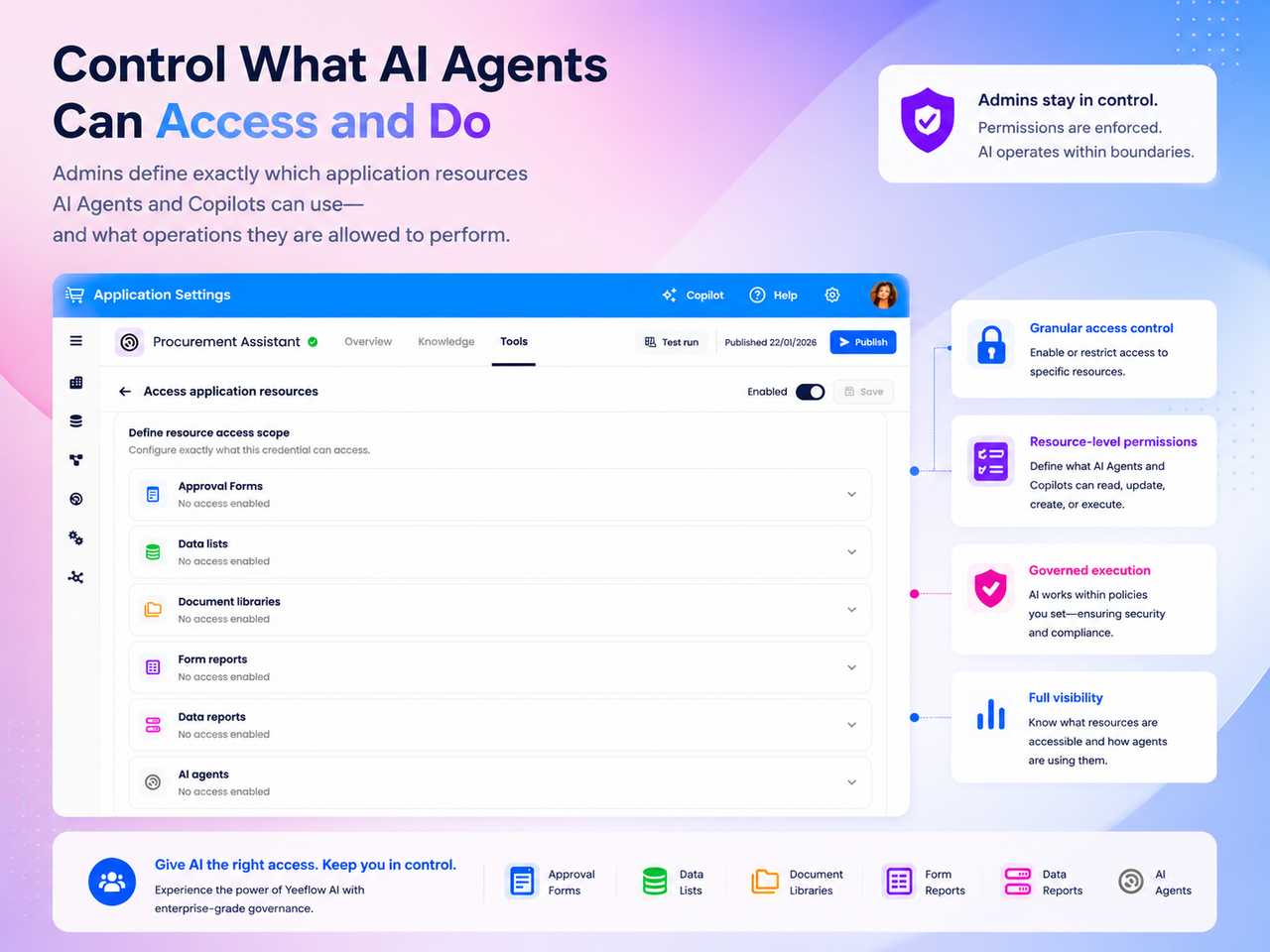
Built with Control in Mind
As AI becomes more capable, control becomes more important.
Resource access is not about giving AI unrestricted access to everything. It is about allowing admins to define which resources are available and what AI is allowed to do with them.
This reflects Yeeflow’s broader strategy: AI power must grow together with governance, observability, testing, lifecycle control, and permission boundaries.
A Foundation for AI Execution
Resource access is one of the key steps in moving Yeeflow from AI assistance toward AI execution.
Together with services, APIs, Copilot, and Agents, it helps create a stronger foundation for AI-powered operational work across applications, data, workflows, and connected systems.
This is how AI becomes more than a chat experience.
It becomes part of how business work gets done.