Hi there,
We are thrilled to announce a host of new features on Yeeflow designed to give system administrators more power and control over workflow instances. This update emphasizes our commitment to improving workflow management capabilities and driving efficient collaboration within teams.
Upgrade and Downgrade Workflow Instances
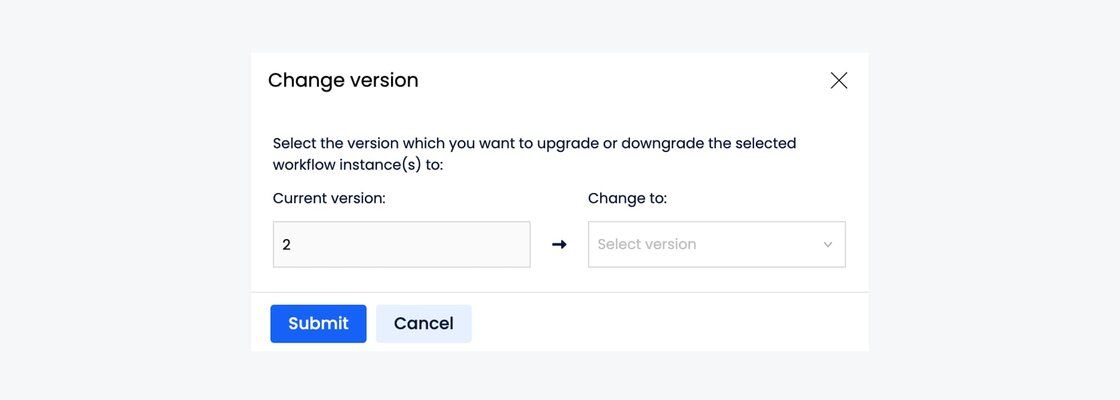
We understand that business processes change, and we want to ensure your workflows keep pace. That's why we've introduced the ability to upgrade or downgrade workflow instances. For workflows that may have been designed with issues, admins can redesign the workflow and upgrade the submitted approval forms to use the new version.
Change Workflow Running Step and Re-run Workflow Instances
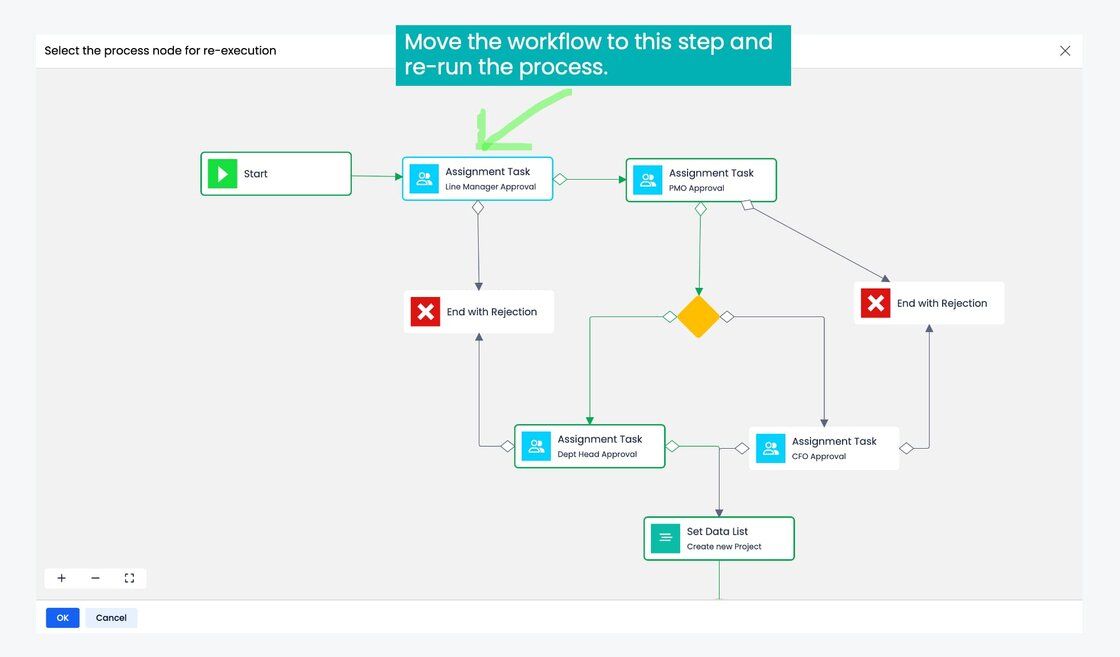
Ever wished you could just jump to a different step in a workflow without having to start over? Now you can. We've added the ability to change the current running step and trigger the workflow to re-execute based on the changed step.
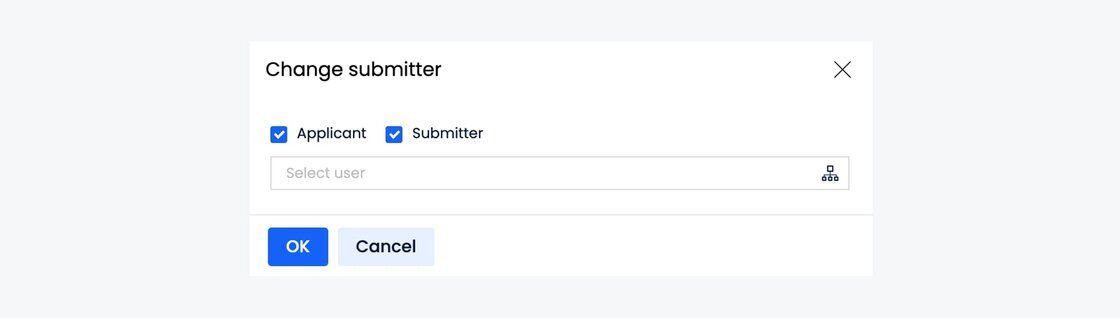
Change Submitter and Applicant of a Workflow Instance
There are times when the submitter or applicant of a form may need to be reassigned, especially in cases of personnel changes. Our new feature allows admins to change the submitter and applicant of a workflow instance seamlessly.
Re-submitting Approval Forms with Same Version
In the past, when an approval form was recalled or rejected, and the submitter re-submitted the form, it would run with the latest version. We've listened to your feedback and changed this logic. Now, when a user re-submits the form, it will continue to run with the same version. Admins can then use the change version function to upgrade to the latest version if needed.
We are constantly evolving based on your feedback and our pursuit for continual improvement. We hope these enhancements make managing workflow instances even more straightforward and efficient for all system administrators.
For more details on how to use these new features, please visit:View and manage workflow instances. As always, your feedback is invaluable, so do not hesitate to share your thoughts and experiences with these new features.
Thank you for being a part of the Yeeflow journey!
Yeeflow Product Team.