Hi there,
We're excited to announce the release of two new features: the Query Data workflow action and the Query Data form action.
New "Query Data" Workflow Action
With the "Query Data" workflow action, Yeeflow empowers you to effortlessly fetch data from your preferred data sources, whether it's a Data List, Data Report, Form Report, or even a Document Library.
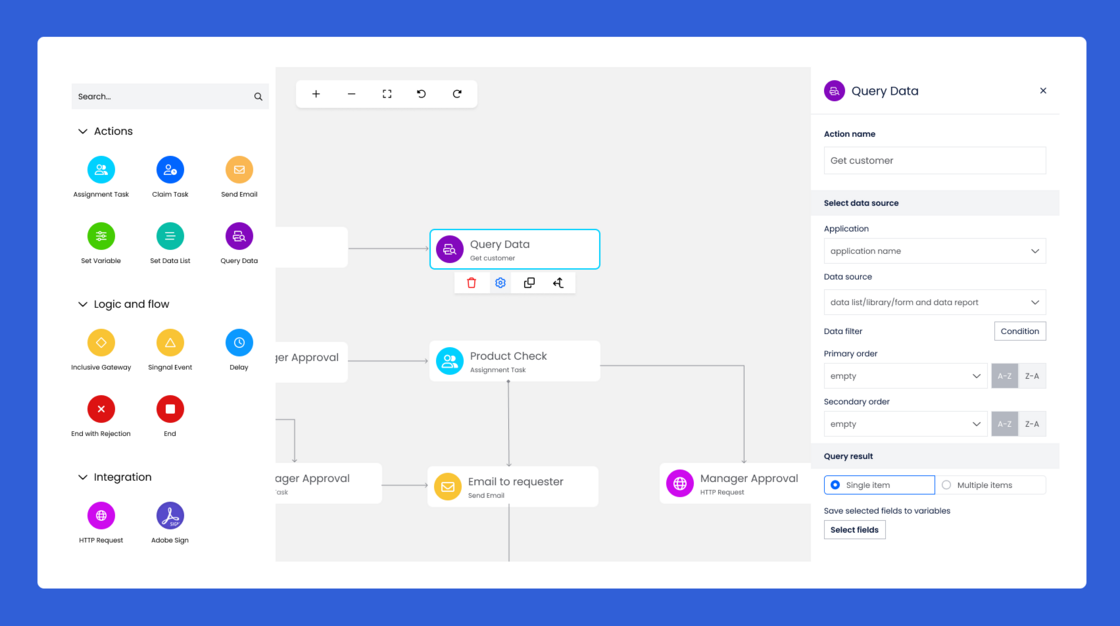
The true magic lies in its ability to retrieve both single and multiple items, adapting to your unique workflow needs.
Seamless Data Integration:
No matter where your data resides, the "Query Data" action bridges the gap between your processes and your data sources. You can fetch data items that fulfill dynamic conditions, granting you unprecedented control over your workflow's data interactions.
Customize, Store, and Utilize:
The "Query Data" action lets you customize what data you retrieve and how you use it:
- Single Item Retrieval:Fetch a single item and extract specific field values, storing them in workflow variables based on field types. This empowers you to build tailored workflows that react dynamically to data changes.
- Multiple Item Retrieval:When you need to gather multiple items, the "Query Data" action allows you to collect them in a sub-list related workflow variable. This introduces a whole new level of process flexibility.
-
Click to learn more about how to use the "Query Data" action.
-
New "Query Data" Step of Form Action
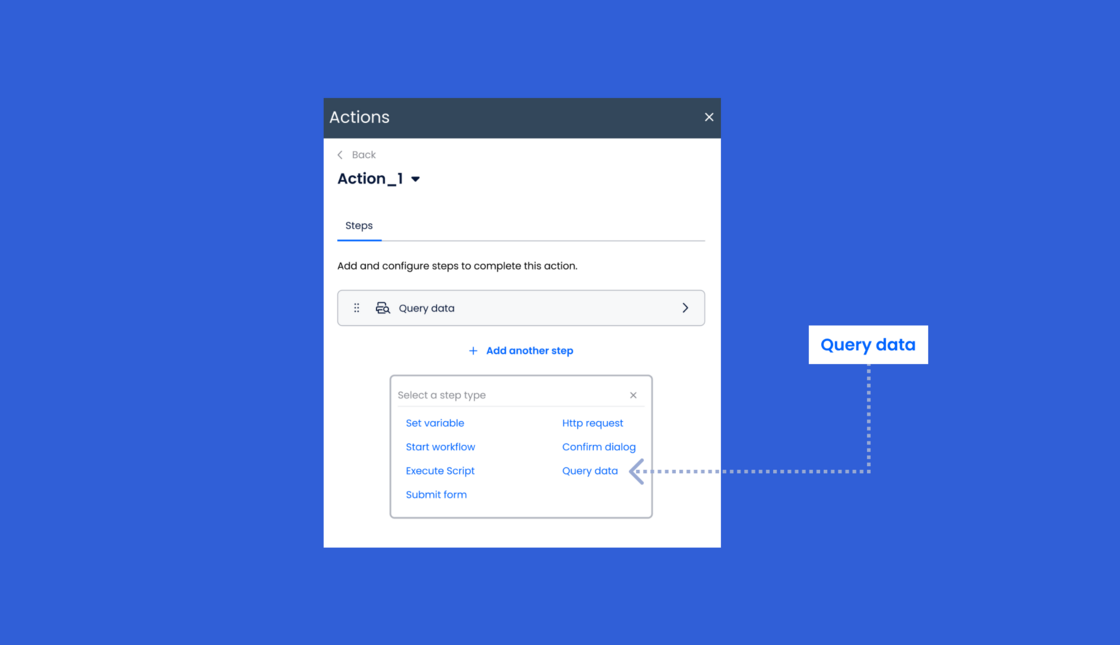
The "Query Data" action extends to form actions too. Yeeflow introduces a new form step type named "Query Data." Now, you can efficiently retrieve multiple fields' values from a single data source, reducing the need for multiple queries.
To use the Query Data form action, you can add it to a form action. In the action configuration, you need to specify the data source and the query criteria.
Empowering Use Cases:
Imagine:
- Dynamically selecting an approver based on specific conditions from a Data List.
- Sending emails with subject and body content stored in an email template Data List.
- Efficiently populating forms with accurate and real-time data from various sources.
We hope these new features will help you to automate your workflows and get more done. As always, please let us know if you have any questions or feedback.
Thanks,
- Yeeflow Product Team