Hi there,
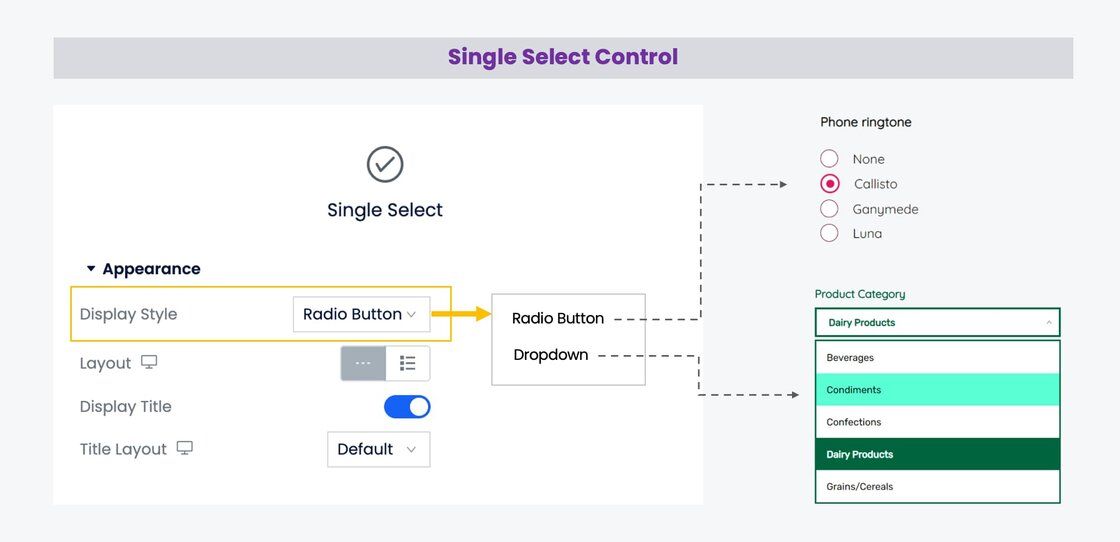
We've successfully merged the functionality of the previous Dropdown Field Control and Radio Button Field Control into a new all-in-one control, termed as the "Single Select."

The innovative "Single Select" field features a new "Display Style" option that enables you to choose between the "Radio Button" and the "Dropdown List" as per your requirements.
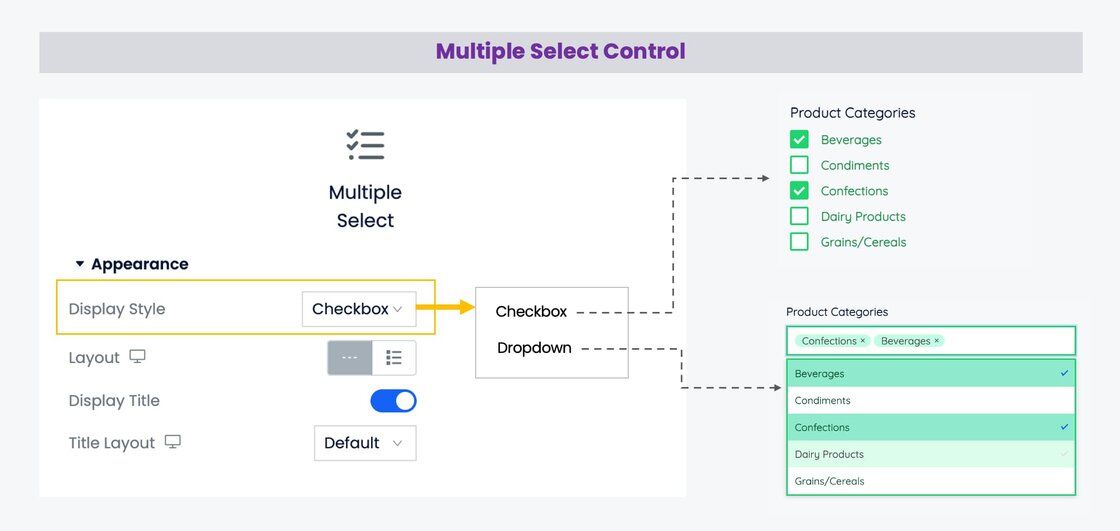
In addition, we've renamed the previous Checkbox Field Control to "Multiple Select". This updated control now includes the "Display Style" option, giving users the choice to display the options as a "Checkbox" or a "Dropdown List", facilitating multiple selections using a dropdown list.
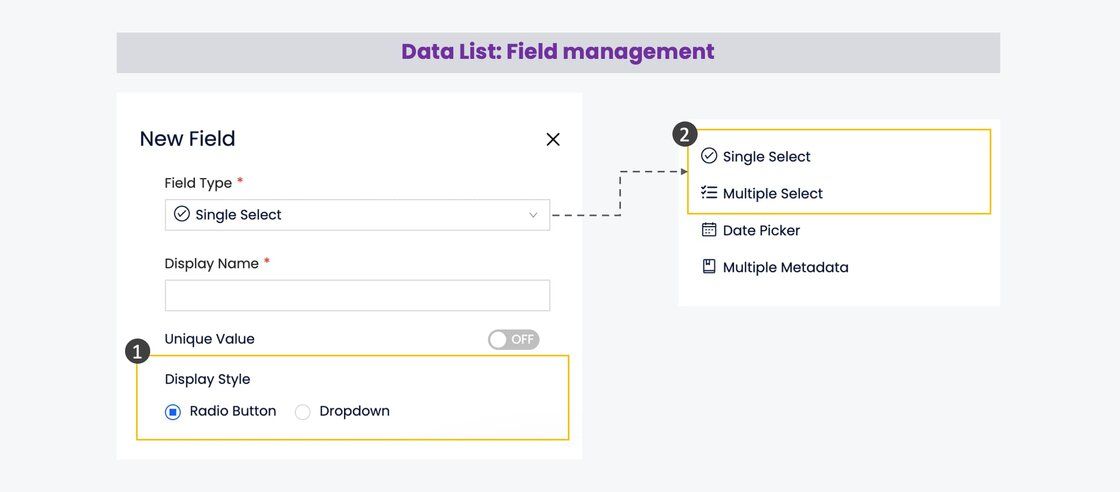
This update will not only simplify your design process but also affect the related controls on the approval form designer and data list field types, further enhancing the overall user experience.
As always, we're committed to improving Yeeflow based on your feedback and needs. Stay tuned for more exciting updates in the near future!
Best Regards,
Yeeflow Product Team