Hi there,
We're thrilled to introduce an enhancement to our User Picker Control, tailored to make your Yeeflow experience more seamless and user-centric.
Previously, our User Picker Control allowed for selection scope limited to specific individual users. However, our latest update broadens these horizons, enabling administrators to set user groups or departments as the selection scope. This advancement ensures that end-users, when using the User Picker, will see and select users solely from the predefined groups or departments.
How to Use the Enhanced User Picker Control:
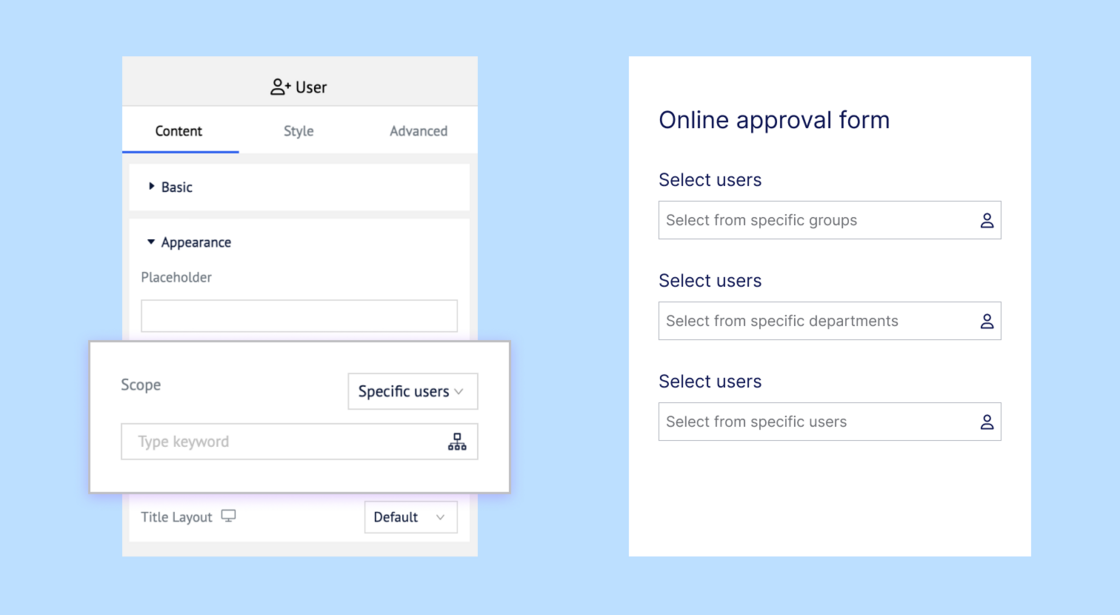
- Setting the Scope:Begin by opening your form in the form designer. Select the User Picker Control you intend to modify.
- Defining the Scope:In the appearance settings group, locate the dropdown menu for 'Scope'. Here, choose "Specific users".
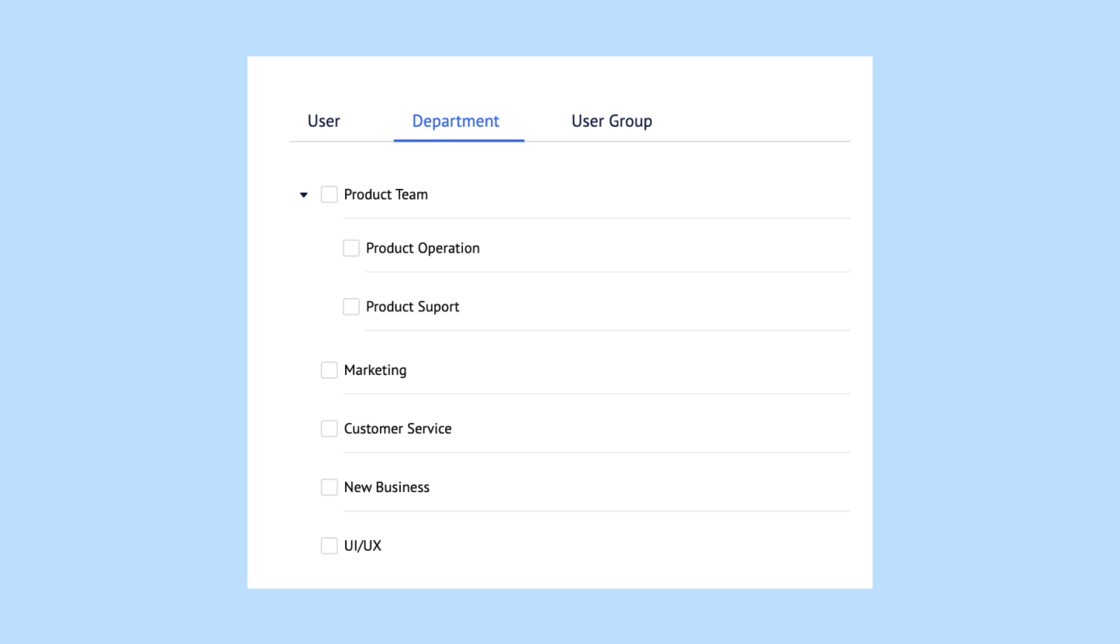
- Choosing Groups/Departments:Once you've made this selection, a pop-up user picker dialog will appear. New to this dialog are top tabs, allowing you to switch between and select specific user groups and departments. Navigate to your desired tab and make your selection.
Benefits of This Update:
- Efficiency:Cater to department-specific tasks by narrowing user selection to that department, optimizing the process.
- Flexibility:The liberty to toggle between specific users, user groups, or departments grants you greater command over the user selection experience.
- Accuracy:By concentrating the selection domain, the chances of users mistakenly picking someone outside the designated group or department are drastically reduced.
Thank you for making Yeeflow your choice. Here's to refining workflows and enhancing productivity together!
Warmest Regards,
Yeeflow Product Team