Overview
What this template helps teams build
Industries:
Applicable to any organization with an Accounts Payable process, including sectors like manufacturing, construction, services, and government. Especially relevant for businesses requiring managerial approval for vendor invoices or large payments.
Purpose:
To ensure payments are authorized before disbursement. The Payment Request Approval form validates invoices, checks against purchase orders or contracts, and routes for sign-off, ensuring accuracy and preventing fraud.
1. Invoice Submission by Requester:
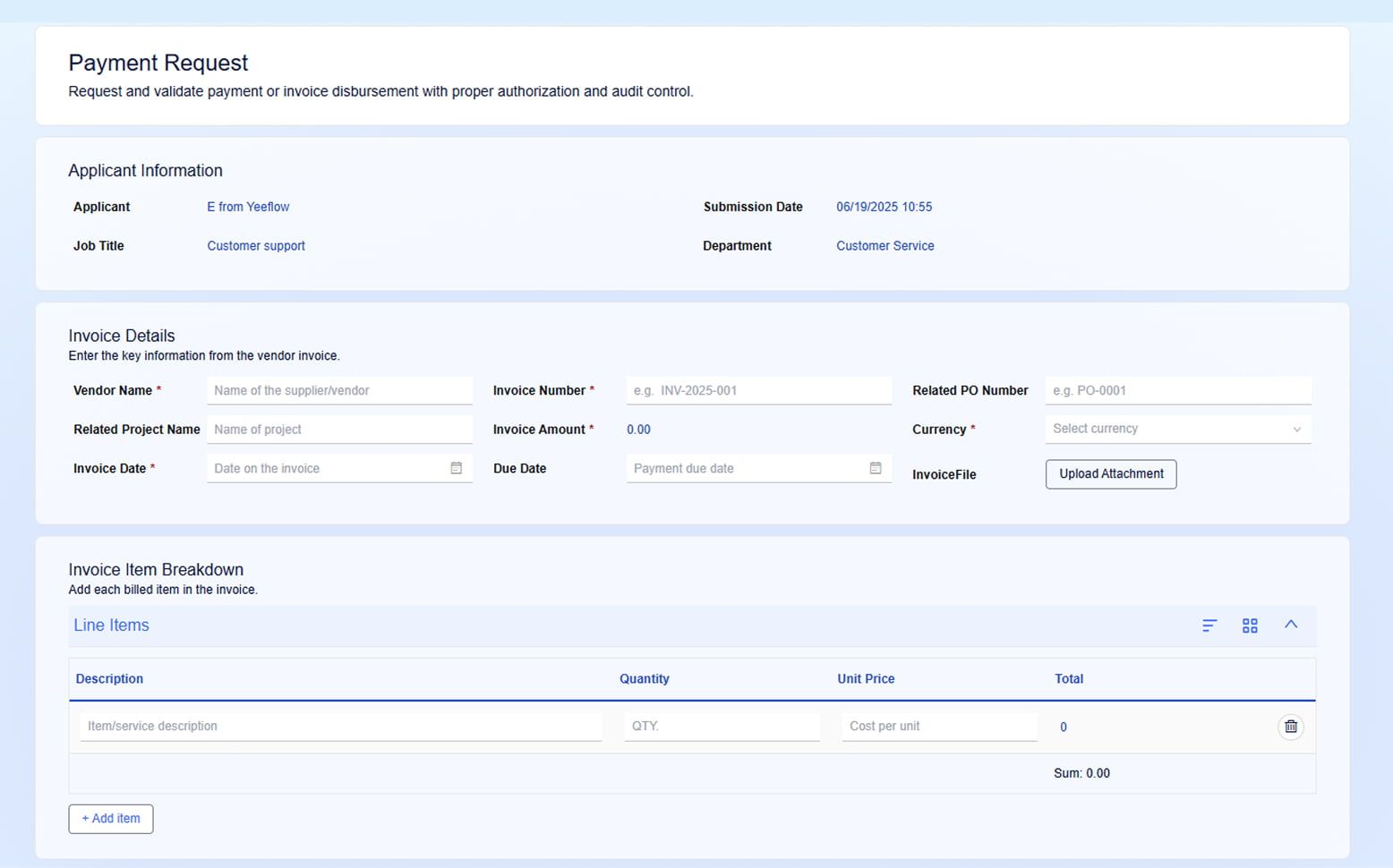
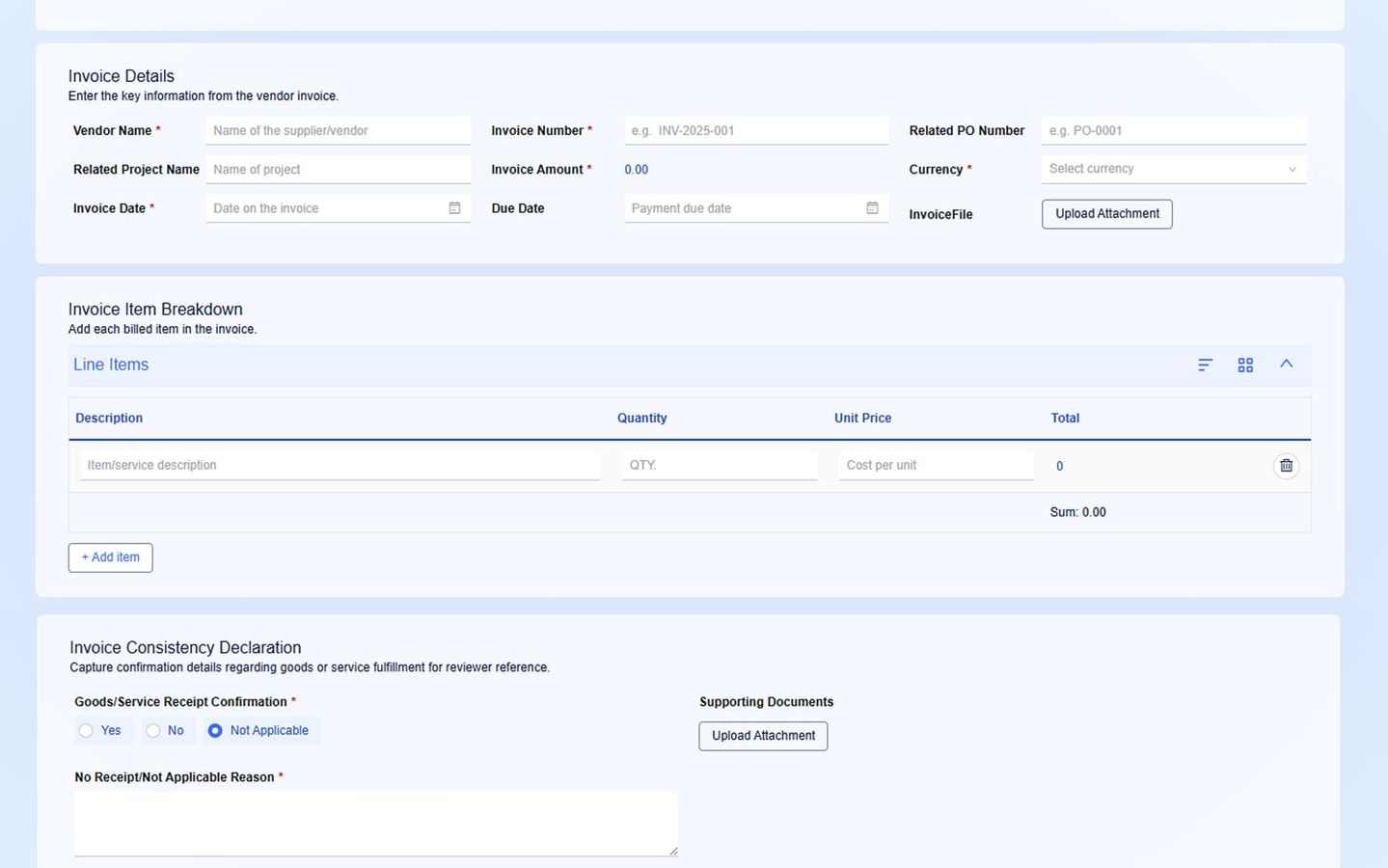
- Description: The user (e.g., project manager, department head) submits a payment request via a Yeeflow form, including invoice details: vendor name, invoice number, amount, and any related project or purchase order references. Attachments like the invoice PDF are uploaded, and reasons/justifications are provided for the payment request (e.g., “Invoice for completed marketing campaign”).
- Key Information: Vendor, Invoice Number, Invoice Amount, Invoice Date, Due Date, Related PO Number, and Attachments.
- Action: The form triggers the workflow once submitted.
2. Manager Approval (or Budget Owner):
- Description: The payment request is routed to the department manager or project manager for approval. The approver verifies that the payment is legitimate, the invoice amount matches the budget, and the services or goods have been delivered as described.
- Key Fields Visible: Invoice Details, Line Item Breakdown (if available), Justifications, Attachments.
- Action: The manager either approves or rejects the payment request. If rejected, the requester is notified for adjustments.
3. Finance Team Review:
- Description: Once the manager approves, the request moves to the Finance team. The finance team reviews the invoice details, ensuring that amounts align with purchase orders, contracts, and available funds. They also verify that the payment complies with company policies (e.g., payment terms, vendor agreement).
- Key Fields Visible: All invoice details, justification, finance policy compliance.
- Action: Finance verifies and either approves or escalates the request if discrepancies are found.
4. Payment Execution (AP Team or System):
- Description: Once all approvals are in place, the Accounts Payable team proceeds with the payment execution. The payment method is confirmed (e.g., bank transfer, cheque), and the status is updated.
- Action: AP updates the payment status and marks the workflow as Complete.
5. End Process
- Action: The system records the payment and archives the workflow, completing the approval process.
Example:
A construction company receives invoices from multiple vendors each month. Using Yeeflow’s Payment Request Approval workflow, each invoice is submitted via the form, which is routed first to the site manager to confirm that materials were delivered and the invoice matches the purchase order. The request is then passed to finance for final review and approval. This eliminates the manual paper-based process and accelerates payment approvals, ensuring that no payments are made without appropriate oversight.
Summary of Key Features:
- Automated Approval Routing: Yeeflow automatically routes payment requests to the correct approvers (e.g., manager, finance).
- Conditional Logic: Payment approval is contingent on certain conditions (e.g., invoice amount, manager review).
- Audit Trail: All actions are logged in the system, ensuring transparency and compliance.