Overview
What this template helps teams build
Department: IT (Information Technology), with involvement from Department Managers and InfoSec (Information Security).
Industries:
Applicable across all industries—especially finance, healthcare, government, and large enterprise environments—where access to digital systems, internal services, or sensitive data must be strictly controlled. For instance, a bank might use it for trading system access, or a multinational firm might use it to request laptops or admin privileges.
Purpose:
To control and streamline employee access to IT systems, software tools, or hardware equipment. This ensures each request is validated for necessity, compliance, and security before being fulfilled. Yeeflow allows employees or their managers to submit IT service or access requests which automatically route to the appropriate approvers—such as line managers, IT administrators, and information security—based on risk level and access scope. This keeps the IT ecosystem secure, audit-ready, and efficient.
Workflow: A typical IT request approval process
- Request Submission by Employee or Manager
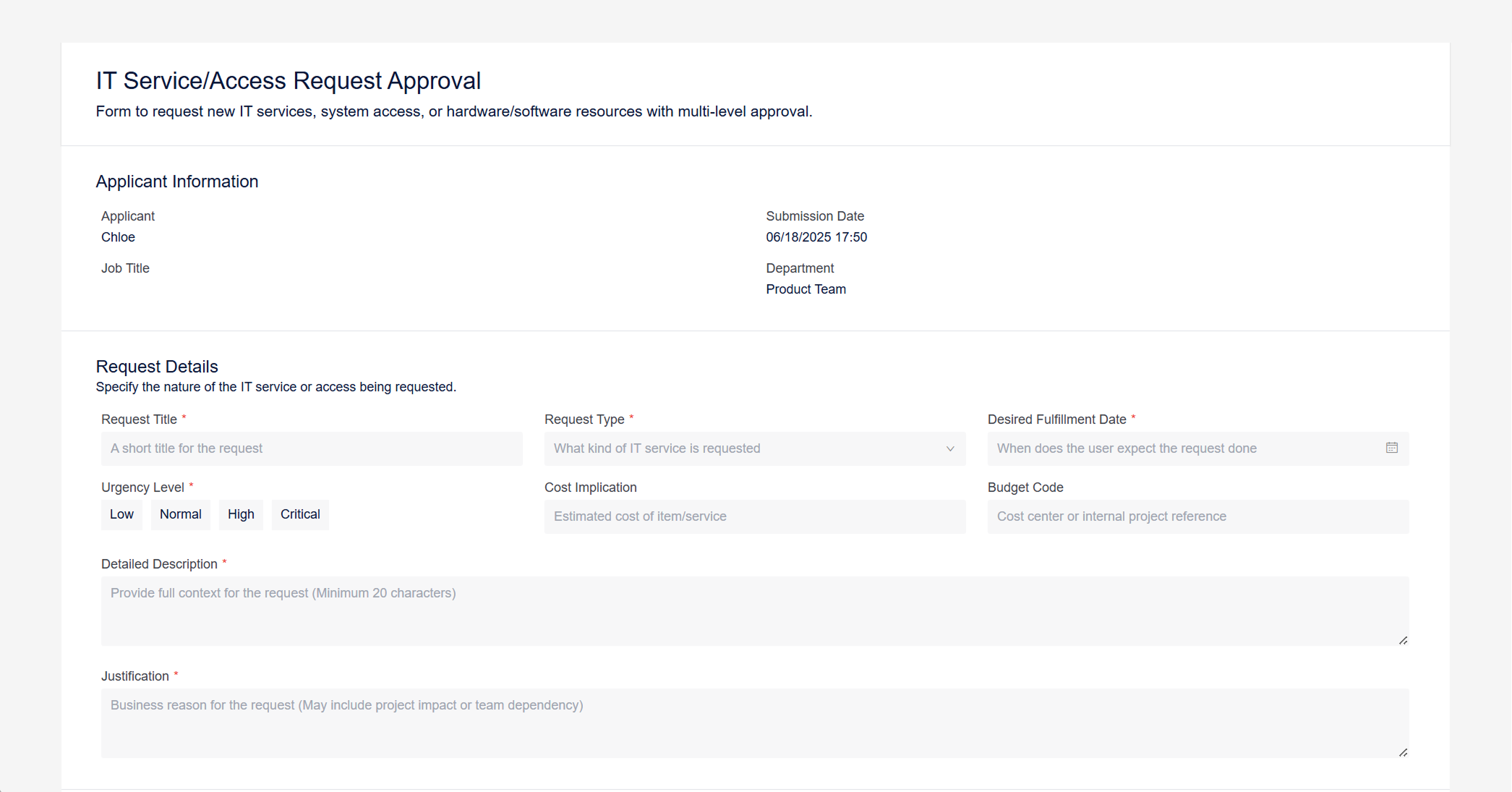
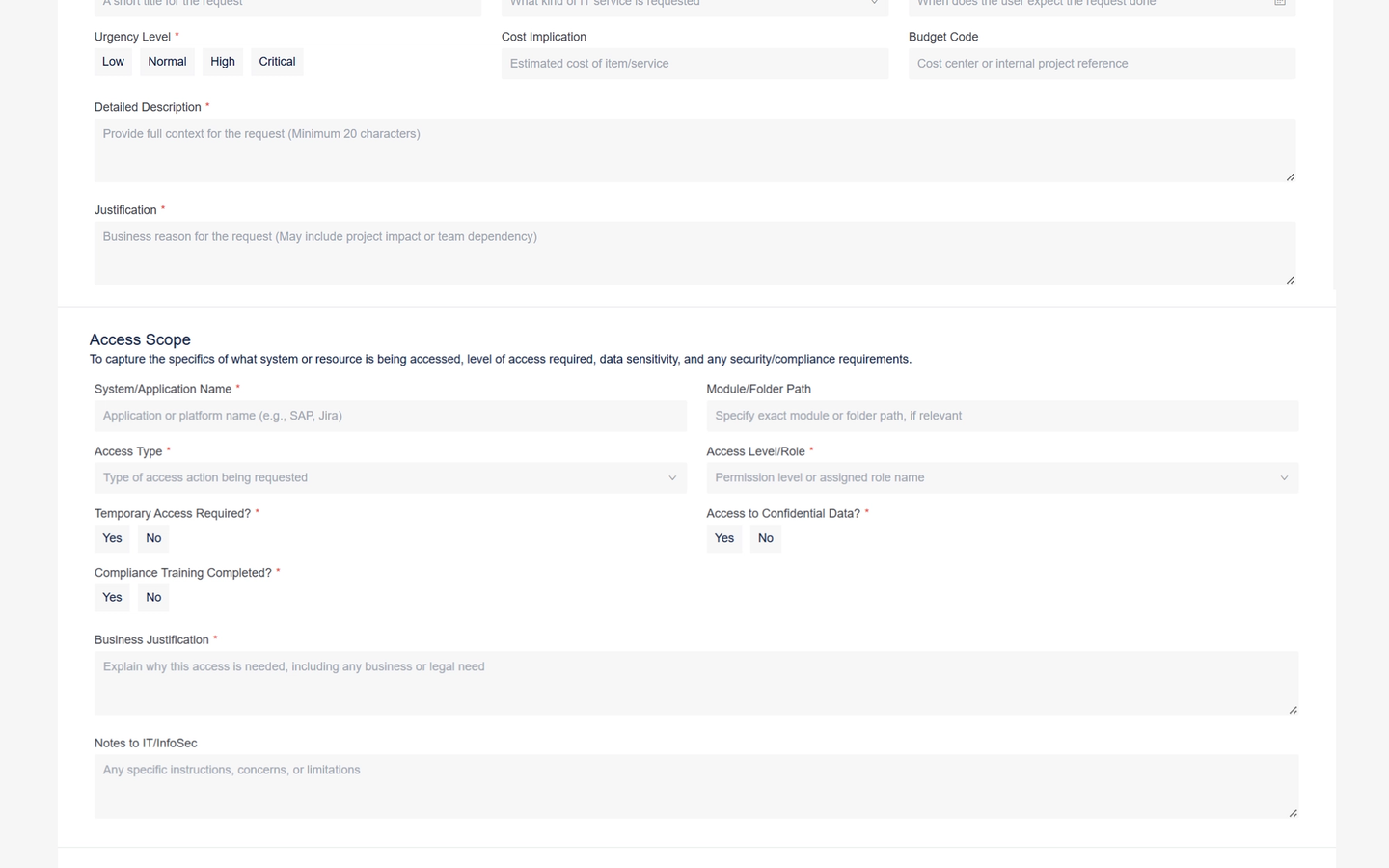
The user initiates the request by submitting a form in Yeeflow, specifying:- The service or item (e.g., SAP access, VPN, high-performance laptop)
- Reason for request
- Desired fulfillment date
- Access level (viewer/editor/admin)
- Data sensitivity (confidential or not)
Optional fields may include: attachments (training certificates, screenshots), cost estimate, or asset justification.
- Manager Review
The request first routes to the employee’s line manager. The manager evaluates the request’s business necessity and alignment with role expectations or project need.- Example: For hardware or licensed software, the manager ensures it fits within budget expectations.
If the request is not valid or poorly justified, it can be rejected at this stage.
- Example: For hardware or licensed software, the manager ensures it fits within budget expectations.
- IT Department Review
Once manager-approved, the IT team evaluates the technical feasibility.- For hardware: they check available stock, compatibility, or standard models.
- For access requests: they validate if the user needs that level of system access, or if licenses are available.
If the request is valid, IT approves; otherwise, it is returned with feedback or rejected.
- InfoSec Review (Conditional)
If the request involves high-level access (e.g., admin rights) or confidential data, it is automatically routed to InfoSec.
The InfoSec team checks for:- Compliance with internal access control policies
- Data protection regulations
- Completion of required security training
InfoSec may reject, approve, or require clarification from the requester.
- Fulfillment by IT Team
If all approvals are obtained, a fulfillment task is automatically created for an IT technician.- Example: “Provision laptop and configure VPN access by Friday.”
Yeeflow tracks the task to completion and logs it in an internal database for audit purposes.
- Example: “Provision laptop and configure VPN access by Friday.”
- Completion & Logging
Once fulfilled, Yeeflow marks the process as complete. All approval actions (with timestamps, approvers, and decisions) are recorded for compliance, security audit, or IT asset tracking purposes.
Example Scenario
A software engineer requests admin access to a DevOps environment to deploy services for a new product.
- The manager approves because the engineer leads the deployment project.
- IT confirms the request but flags it as a privileged access case.
- Yeeflow routes it to InfoSec, which checks that the engineer has passed elevated-access training and confirms there's no policy violation.
- Once approved, an IT admin provisions the access and closes the request—all within two days.
Prior to Yeeflow, this took up to a week via email and chat messages. Now, the workflow is clear, controlled, and logged.