Overview
What this template helps teams build
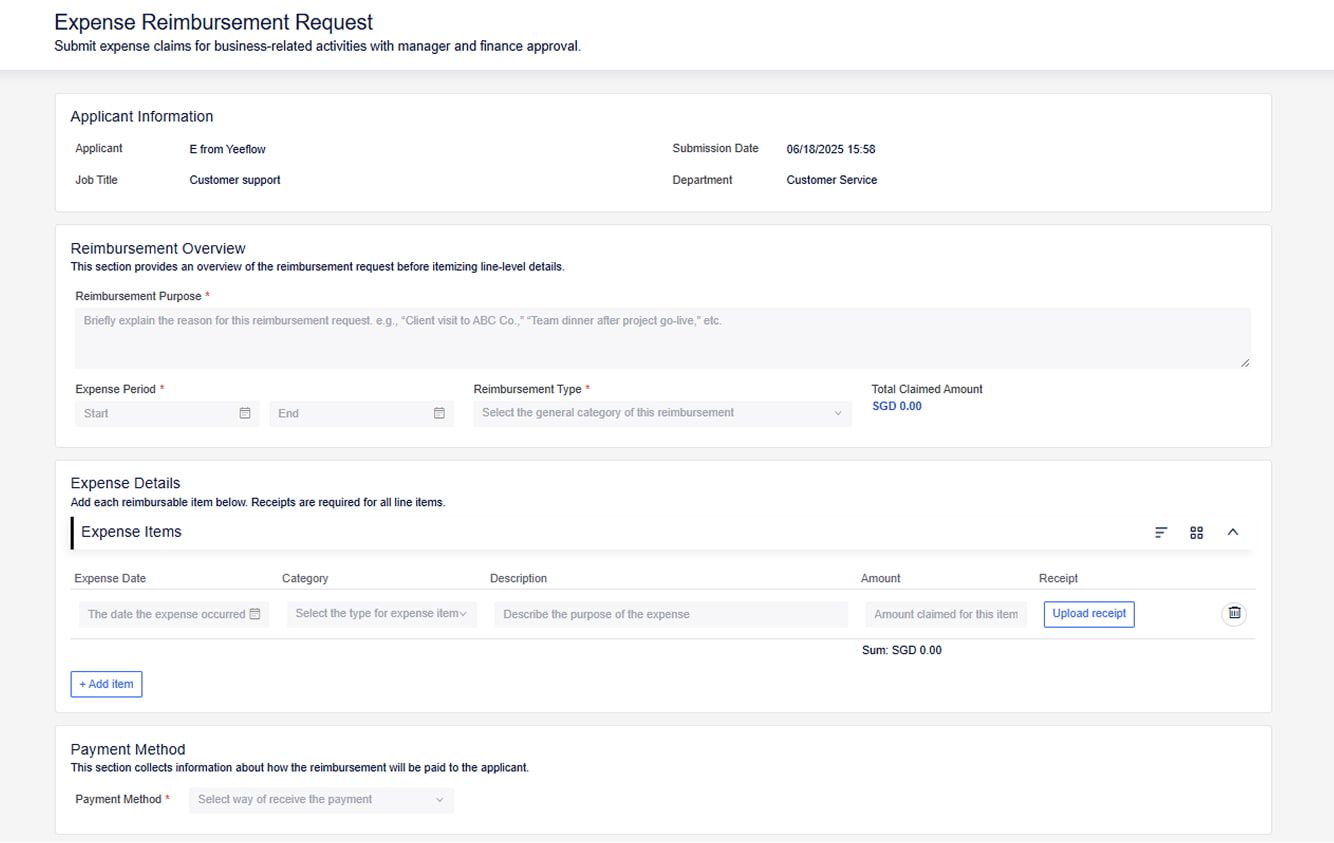
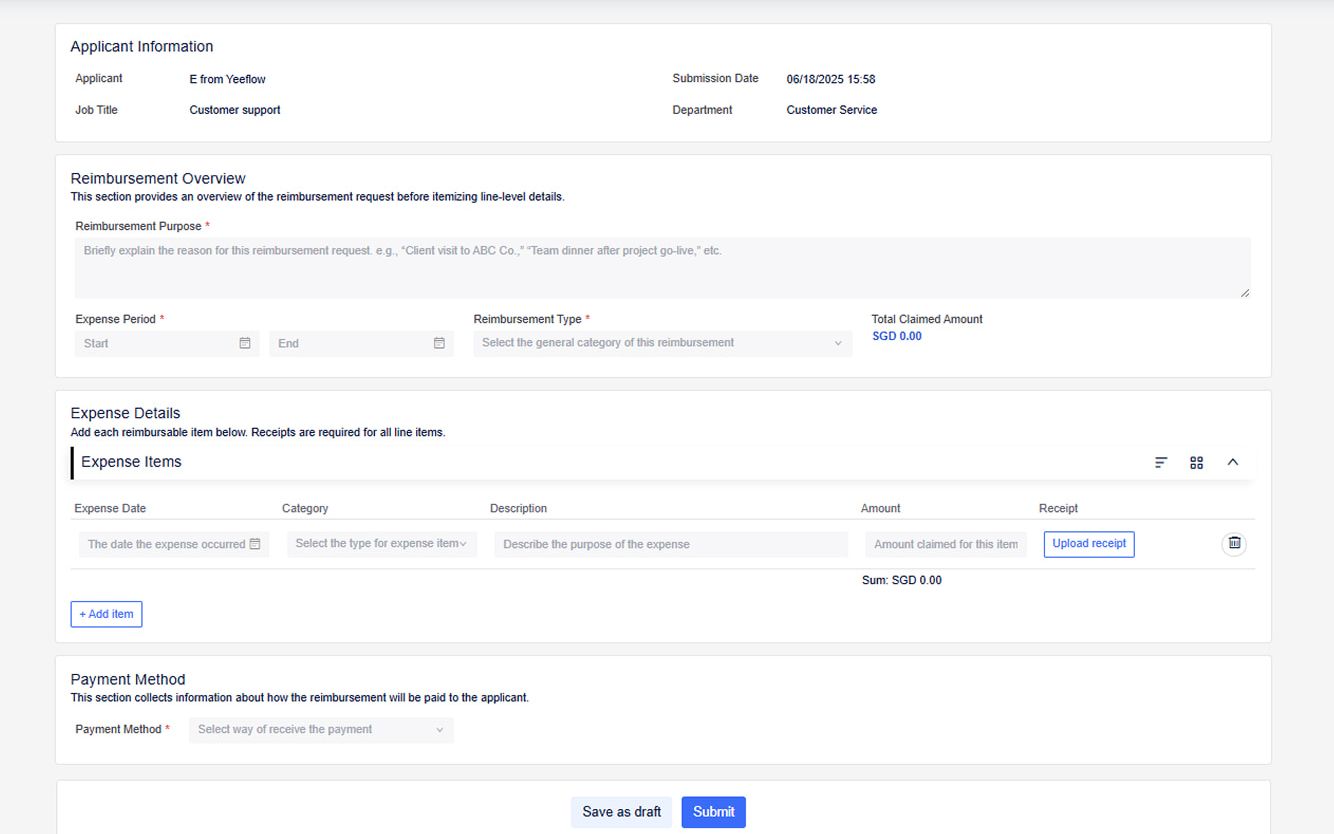
Expense Reimbursement Request Form
Department:
Finance/HR (with involvement from the employee’s direct manager, and sometimes finance for higher-value claims).
Industries:
Applicable across all industries where employees incur business-related expenses – e.g., consulting, sales, IT services, manufacturing, and any company with a formal process for reimbursing travel, meals, supplies, and other work-related costs.
Purpose:
To streamline the process of submitting, reviewing, and approving employee expense claims. This ensures that reimbursements are processed quickly, without compromising compliance or profitability. Yeeflow allows employees to submit detailed reimbursement requests, which automatically route to the appropriate managers and finance teams for approval. The workflow helps ensure transparency, maintain policy compliance, and prevent unnecessary delays in the approval cycle.
Workflow:
A typical expense reimbursement approval process in Yeeflow includes:
- Expense Submission by Employee:
The employee submits an expense report via the Yeeflow form, providing details such as the type of expense (e.g., travel, meals, office supplies), amount, date, and any supporting receipts. The employee may also provide a justification for each expense item (e.g., “Meeting with client XYZ,” “Taxi fare for business meeting”). The form may include any special circumstances, such as missing receipts or policy exceptions. - Manager Approval:
The request first goes to the employee’s direct manager for review. The manager checks if the expenses align with the business purpose and if the amounts are reasonable within company policies. The manager either approves the request or asks for adjustments. If rejected, the workflow sends feedback to the employee with the reason for rejection (e.g., "No receipt provided," or "Expense exceeds policy limits"). - Finance/Accounting Approval:
Once the manager approves the expenses, the request is sent to the finance team for a final review. The finance team ensures that the expenses are properly documented, meet the company's reimbursement policies, and are within the approved budget. Finance may flag high-value or non-compliant expenses for further review. In some cases, the finance team might request additional documentation or justification from the employee. - Payment Processing:
After finance approval, the workflow triggers the reimbursement payment. Yeeflow can integrate with payroll systems or trigger payment notifications to the appropriate department. The employee is notified of the payment approval and when to expect reimbursement. - Record and Audit:
All expense data, including receipts, approval history, is logged into Yeeflow’s system for audit and compliance tracking. The finance team can easily generate reports based on the data collected from the reimbursement requests.