Overview
What this template helps teams build
Department: Human Resources (with involvement from line managers and, for special cases, department heads or executive approvers)
Industries: Applicable across all industries with workforce management needs—corporate offices, manufacturing plants, healthcare, education, retail, logistics, and public sectors. Any company that requires structured leave request handling can benefit from this workflow. For example, a manufacturing company may need to control shift scheduling during peak production periods, while a retail chain must prevent understaffing at key locations.
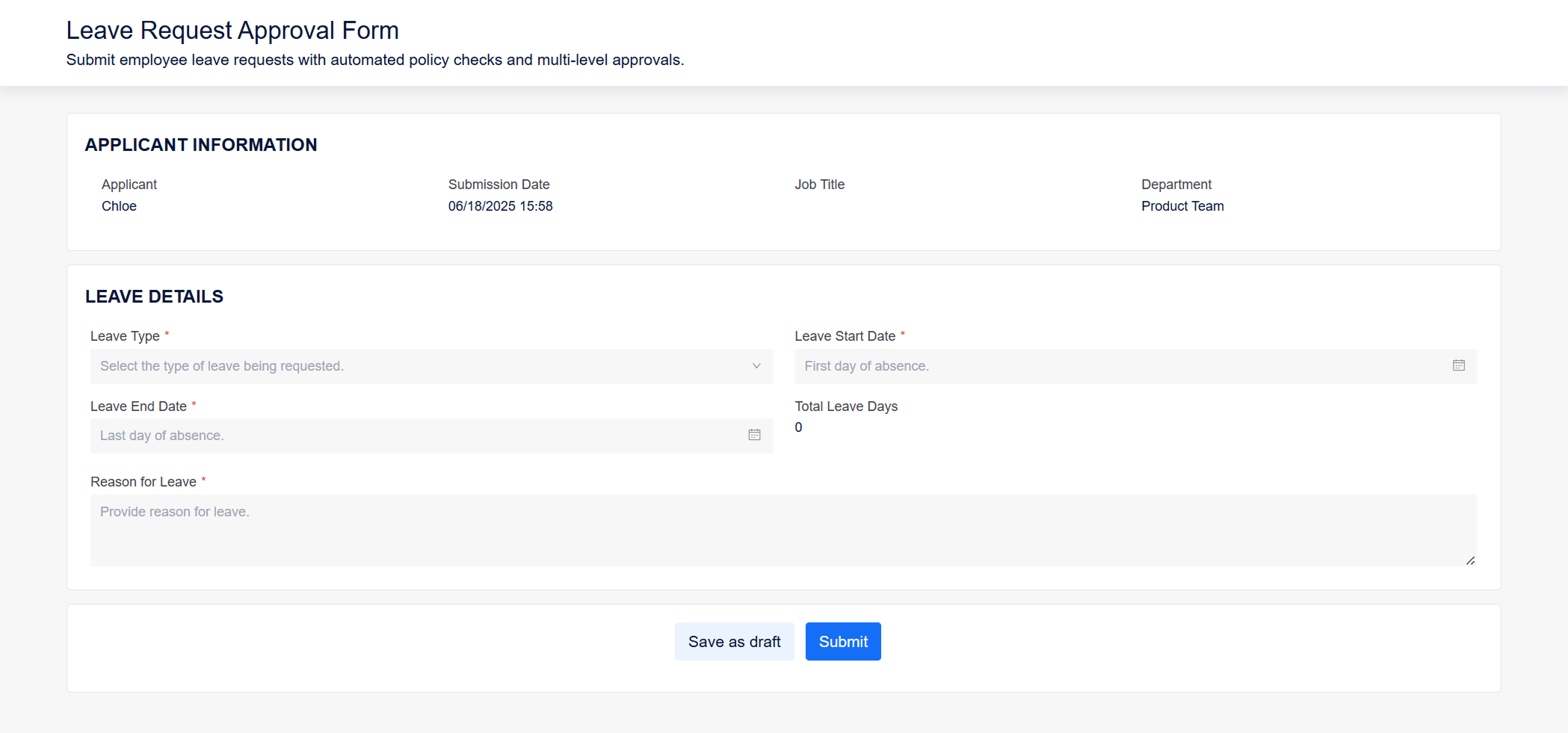
Purpose: To streamline and standardize the approval process for employee leave requests (e.g., annual, sick, emergency, unpaid). Yeeflow enables employees to submit requests via an online form and automatically routes them to the appropriate managers and HR for review. This ensures transparency, compliance with leave policies, and operational continuity. With conditional rules and auto-validation, Yeeflow helps HR teams reduce manual errors and keep accurate time-off records.
Workflow: A typical leave request approval process:
- Leave Request Submission by Employee
The employee completes a Yeeflow form specifying the leave type, start and end dates, total leave days, and reason. If required, they must upload supporting documents (e.g., medical certificates for sick leave over 2 days). - Manager Approval
The request is routed to the employee’s direct supervisor. The manager evaluates operational impact and team coverage before approving or rejecting the request. They may add comments or request date changes. - HR Validation
Upon manager approval, HR reviews the request for policy compliance (e.g., leave balance, blackout dates). If validation fails, HR may reject the request or trigger an exception flow. - Department Head or Executive Approval (Conditional)
For extended leave (e.g., over 10 days) or unpaid leave, the workflow automatically routes the request to the department head or executive for additional sign-off. - Approval Outcome & Notification
Once approved by all required parties, Yeeflow notifies the employee and optionally updates shared team calendars or integrated attendance systems. If rejected, the employee receives feedback and can revise and resubmit if allowed.
Integration & Logic Capabilities
- Integration with HR systems for auto-checking and updating leave balances
- Calendar integration to reflect approved time off in shared team views
- Support for blackout date enforcement and rule-based escalation
- Mobile-friendly form submission for on-the-go or frontline staff
- Configurable policies (e.g., mandatory documentation, minimum/maximum leave duration)
Example:
A nationwide retail company uses Yeeflow to manage employee leave digitally. Store employees submit leave requests via mobile, which are routed to their store manager for review. HR receives instant updates, and Yeeflow triggers an executive review for leaves exceeding 10 days. Previously managed through paper slips and calls, the process is now digitized—resulting in faster approvals, fewer scheduling conflicts, and full visibility across HR and management.